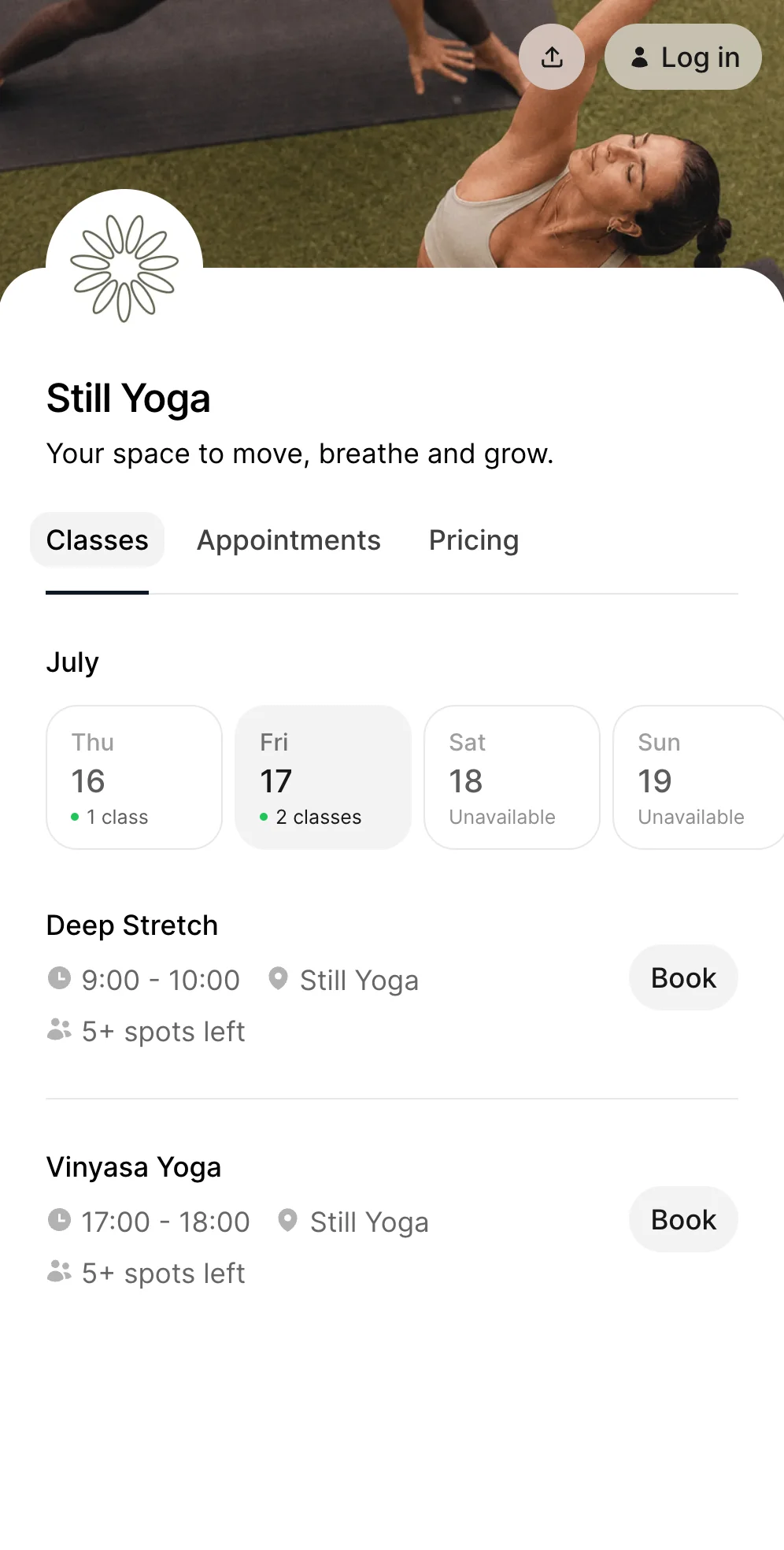

Teaching yoga may be the reason you started your business. Answering “Is there space tonight?” at 10:47 p.m. probably was not.
As your classes grow, the small administrative jobs start adding up. Students message to book. Someone wants to move their reservation. Another person cannot remember how many sessions remain in their class pack. A payment is still missing. Meanwhile, you are trying to prepare for your next class.
Yoga studio software brings these tasks together so you can manage your schedule, bookings, payments, memberships, and students from one place.
You do not need to run a large studio or employ a front desk team to benefit from it. For an independent yoga teacher or a small studio, the right software can simply mean fewer messages, fewer spreadsheets, and a smoother experience for every student.
What is yoga studio software?
Yoga studio software is a system for managing the everyday operations of a yoga business.
It commonly includes:
- Online class booking
- Class and appointment scheduling
- Online payments
- Memberships and class packs
- Student profiles
- Booking confirmations and reminders
- Cancellation policies
- Waitlists
- Attendance and revenue reporting
Instead of using one tool for your calendar, another for payments, a spreadsheet for class packs, and social media messages for bookings, everything stays connected.
When someone buys a five-class pack and reserves a Vinyasa class, the booking, payment, and remaining class credits can update together.
That is the main value of yoga studio management software. It does not only display your timetable. It helps run the business behind it.
Who needs yoga studio software?
Yoga software is not only for large studios.
It can work for:
- Independent yoga teachers
- Teachers running classes in rented spaces
- Small neighbourhood yoga studios
- Mobile yoga instructors
- Online yoga teachers
- Studios with several instructors
- Businesses offering yoga, meditation, breathwork, or related classes
- Teachers combining group classes with private sessions
The exact setup may look different, but the problem is usually similar. Too much of the business depends on manual work.
1. Independent yoga teachers
A solo teacher may not need advanced staff management or complicated room scheduling.
They usually need a simple way to:
- Publish upcoming classes
- Accept bookings at any time
- Collect payments before class
- Sell class packs
- Manage private sessions
- See who is attending
- Keep student details organised
A professional booking page can also make a small yoga business feel more established. Students do not need to send a message and wait for confirmation. They can see the schedule, choose a class, and book immediately.
For a more focused overview, see our guide to yoga teacher software.
2. Small yoga studios
A small studio often has a wider timetable, several teachers, different class styles, and more membership options.
Yoga studio software can help the owner manage:
- Recurring weekly classes
- Instructor assignments
- Capacity limits
- Membership access
- Drop-in payments
- Class packs
- Workshops
- Waitlists
- Client activity
- Business performance
Time2book supports both solo instructors and growing studios, with bookings, payments, memberships, client records, reporting, and team management connected in one platform.
Signs you have outgrown manual bookings
Many yoga businesses begin with a basic calendar, bank transfers, and messages from students. That can work when you teach one or two classes each week.
It becomes harder as the business grows.
You may be ready for yoga scheduling software when:
- Students regularly ask which classes still have space
- You receive booking messages across Instagram, WhatsApp, email, and text
- You manually track class packs in a spreadsheet
- Students forget to pay before attending
- You spend time checking who has an active membership
- Cancellations leave spaces that are difficult to refill
- Students ask you to resend the timetable
- You cannot quickly see who attended last week
- You are avoiding adding more classes because administration already feels messy
Software should not make a small yoga business feel more complicated. It should remove the repetitive work that keeps interrupting your day.
Best yoga studio booking software in 2026
Here is how the most popular platforms compare for yoga studios and independent teachers.
| Software | Best for | Starting price |
|---|---|---|
| Time2book | Small studios and solo teachers wanting simple booking and payments | $39/mo or $29/mo annually |
| Momoyoga | Solo yoga teachers on a budget | Free; Standard €29/mo annually |
| Momence | Studios selling online content and running marketing | Free; Pro $60/mo |
| Mindbody | Established and multi-location studios | From $79/mo/location |
| Glofox | Studios wanting a branded member app | From $99/mo |
| WellnessLiving | Feature-heavy wellness businesses | From $69/mo |
Pricing checked in August 2026 and may vary by country, plan, and add-ons.
1. Time2book
Best for: small yoga studios and independent teachers who want a clean, low-stress booking system.
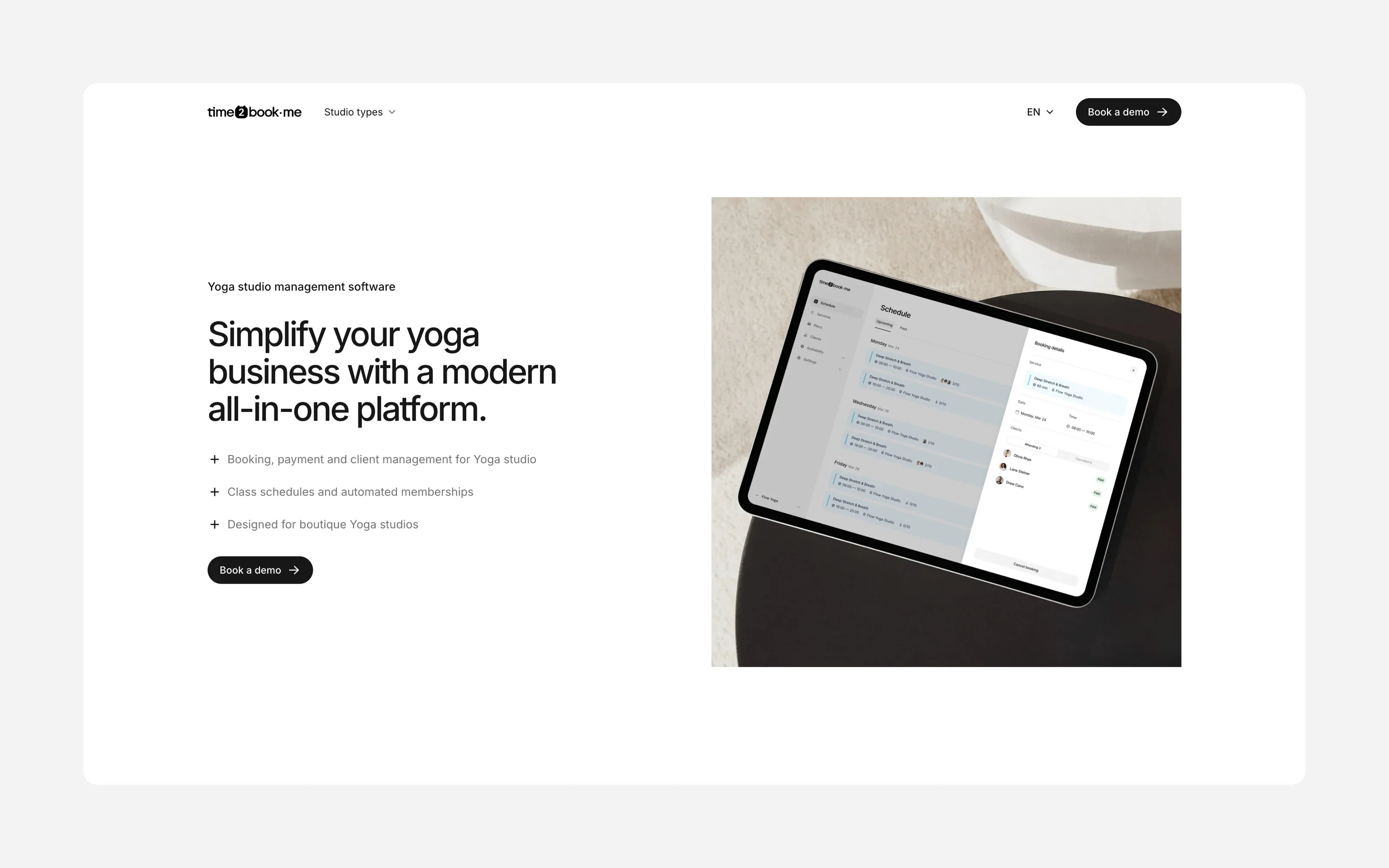
Time2book gives you one booking page with your classes, private sessions, and prices. Students book and pay by card, Apple Pay, or Google Pay without downloading an app.
2. Momoyoga
Best for: solo yoga teachers who want an affordable, yoga-focused tool.
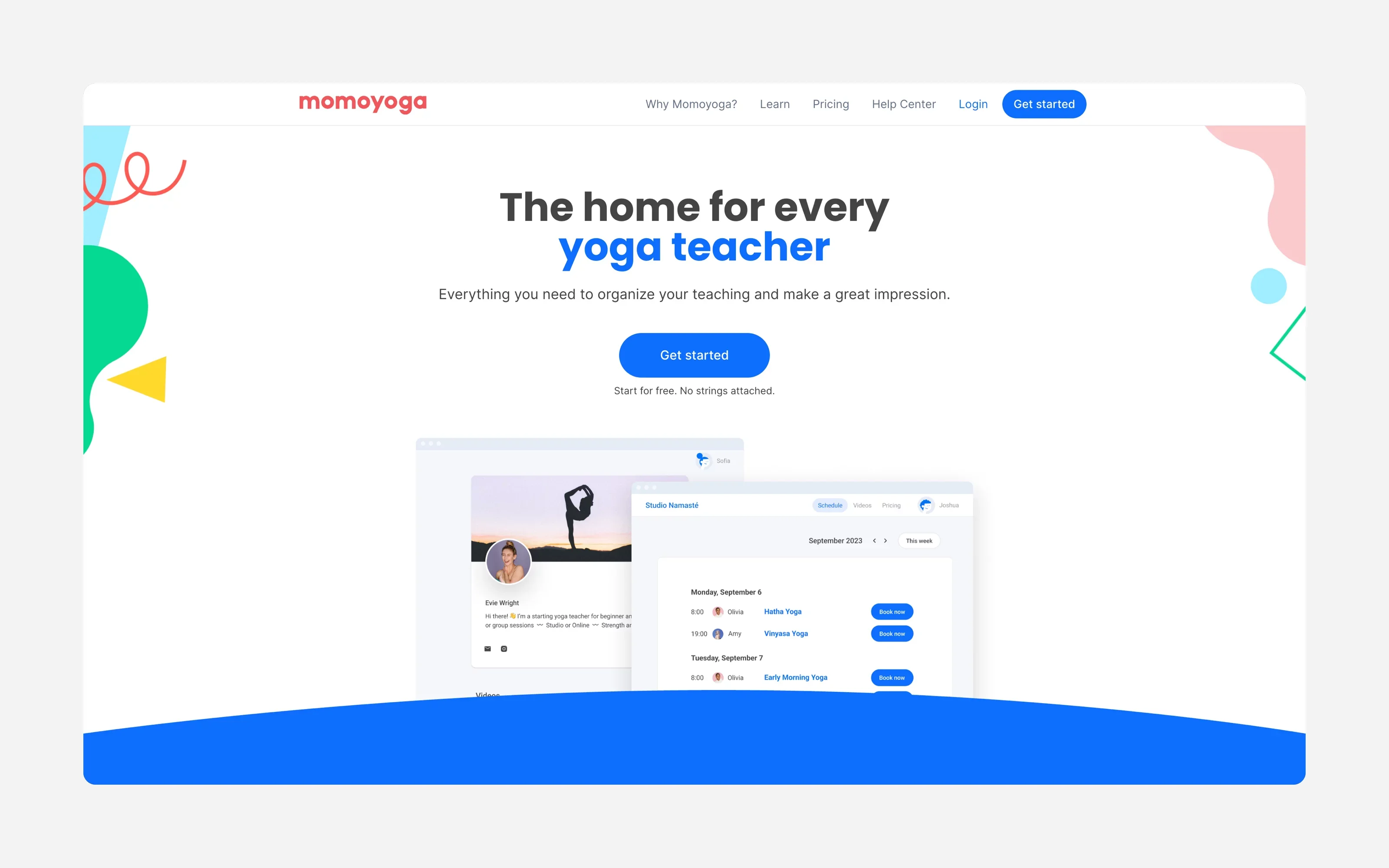
Momoyoga is built for yoga, with class scheduling, passes, memberships, waitlists, and livestream and on-demand options. The free plan adds a 5% platform fee on online payments, and recurring memberships and branding come on the Plus plan (€59/month billed annually).
3. Momence
Best for: growing studios that want marketing tools, online content, and courses as well as booking.
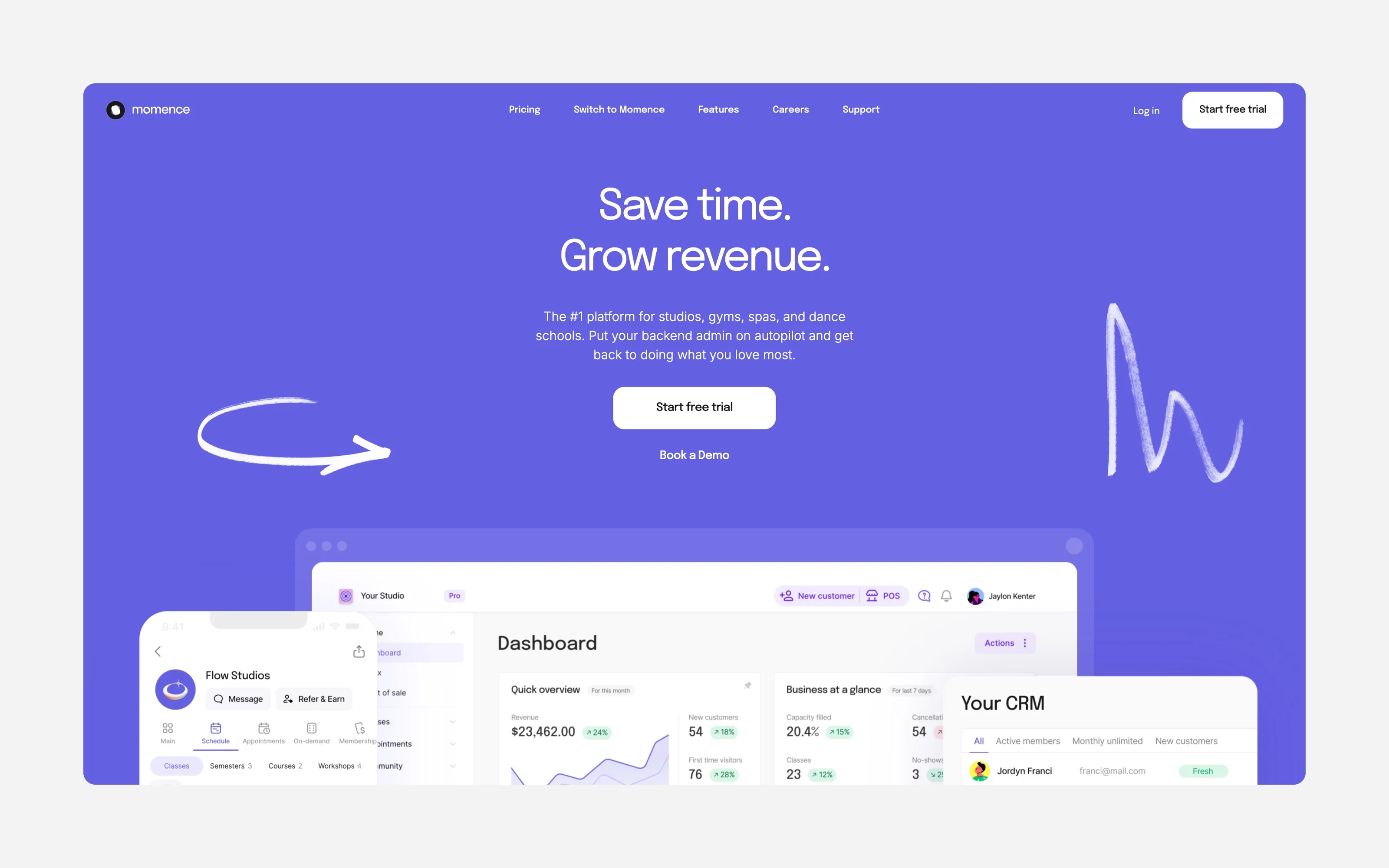
Momence combines scheduling with SMS and email marketing, video libraries, and automations. It is powerful, but more than many solo teachers need, and platform and processing fees vary by plan.
4. Mindbody
Best for: established or multi-location studios that want marketplace exposure.
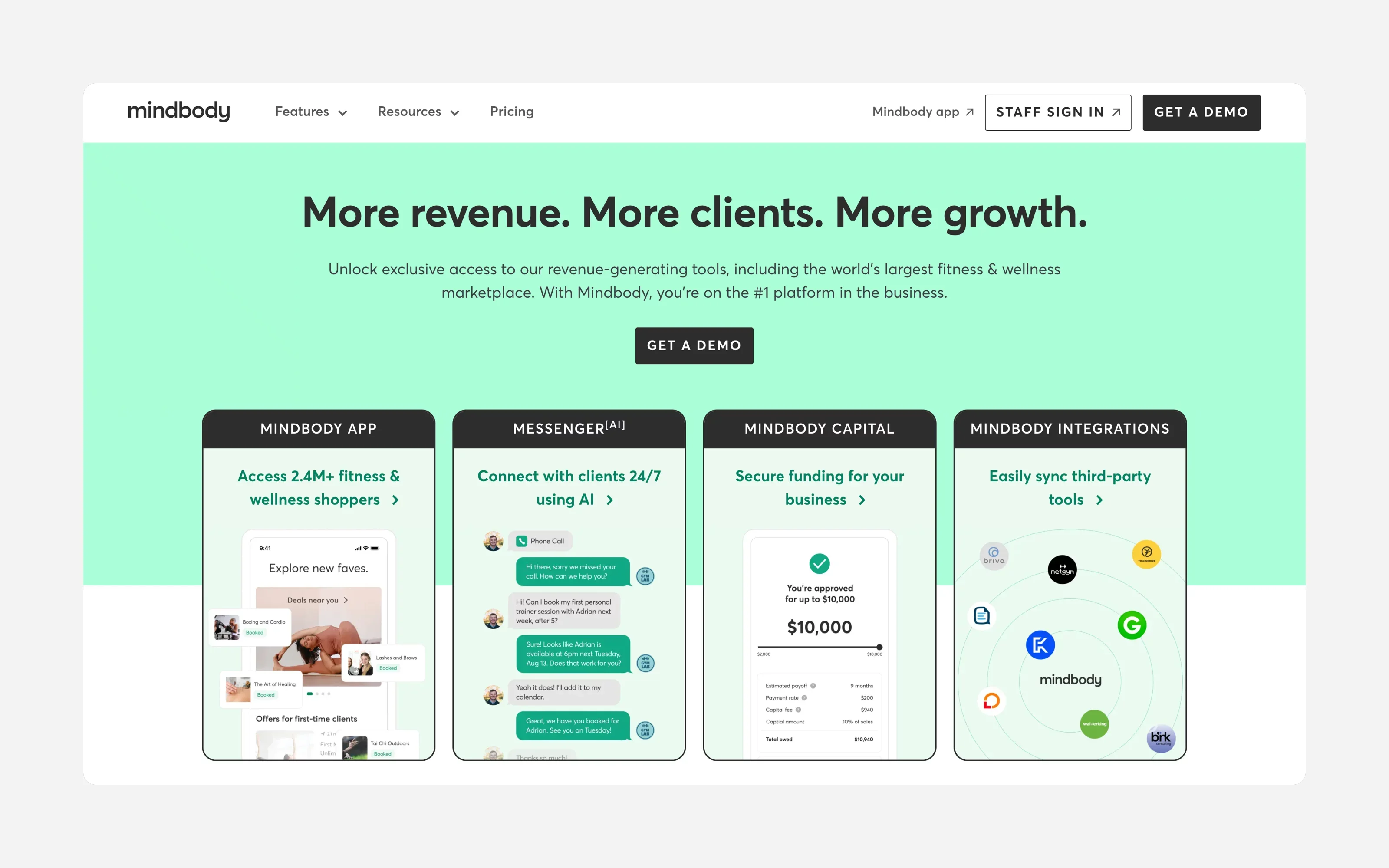
Mindbody includes booking, payments, reporting, and a listing in the Mindbody consumer app, with marketing and branded apps on higher plans. Its size can make it heavy for a small studio. See our Mindbody alternatives guide.
5. Glofox
Best for: studios focused on branding and an app-based member experience.
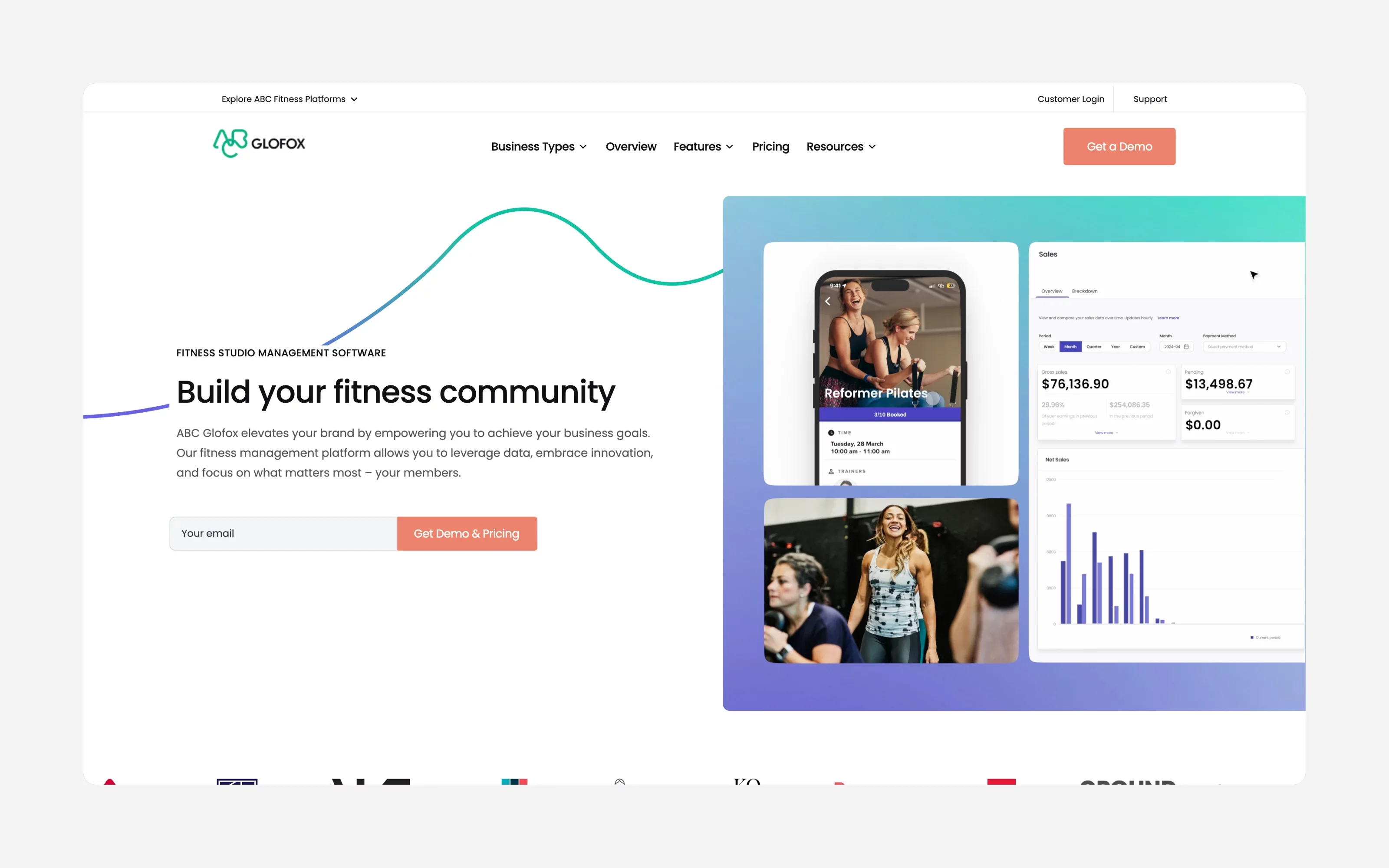
Glofox covers scheduling, memberships, payments, and client apps, with a custom-branded app on higher plans. It is built for gyms and fitness studios rather than yoga specifically.
6. WellnessLiving
Best for: wellness businesses that want a broad feature set in one platform.
WellnessLiving supports classes and appointments, client and staff apps, marketing, loyalty programmes, and reporting. Higher tiers ($199 and $349/month) get expensive for a small studio.
Essential yoga studio software features
Large platforms can offer hundreds of features. Most independent teachers and small studios do not need all of them. Start with the workflows you repeat every week.
1. Online class booking
Students should be able to view your live schedule and reserve a place without messaging you.
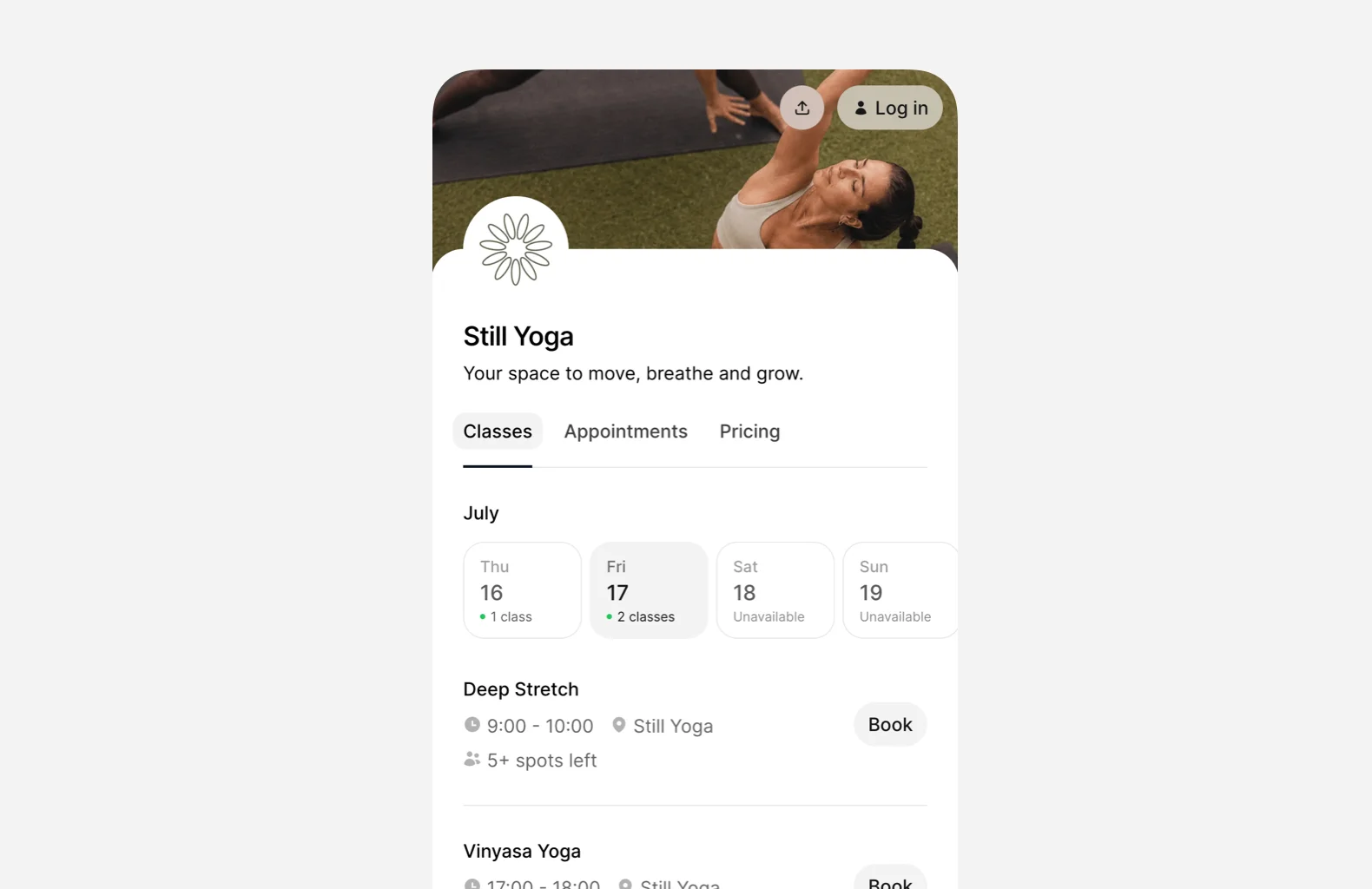
A good yoga class booking system should show:
- Class name
- Date and time
- Instructor
- Location
- Duration
- Available spaces
- Price or eligible membership
- Class description
- Cancellation rules
The booking experience should work well on mobile. Many students will find your class through Instagram, Google, or a link shared by a friend. The fewer steps between discovering a class and confirming a booking, the better.
2. Recurring class scheduling
Yoga timetables are often built around repeating sessions.
You may teach:
- Vinyasa every Monday evening
- Hatha every Wednesday morning
- Yin yoga every Friday
- A monthly breathwork workshop
- Private sessions throughout the week
Creating each class individually becomes unnecessary work. With class scheduling software, you can create recurring or one-off classes, set capacity limits, assign instructors, and publish the schedule through your booking page.
The schedule should also be easy to update when:
- A teacher is unavailable
- A class moves to another room
- A holiday changes the timetable
- You add a temporary course
- One occurrence needs to be cancelled
3. Online payments
Booking and payment should happen together.
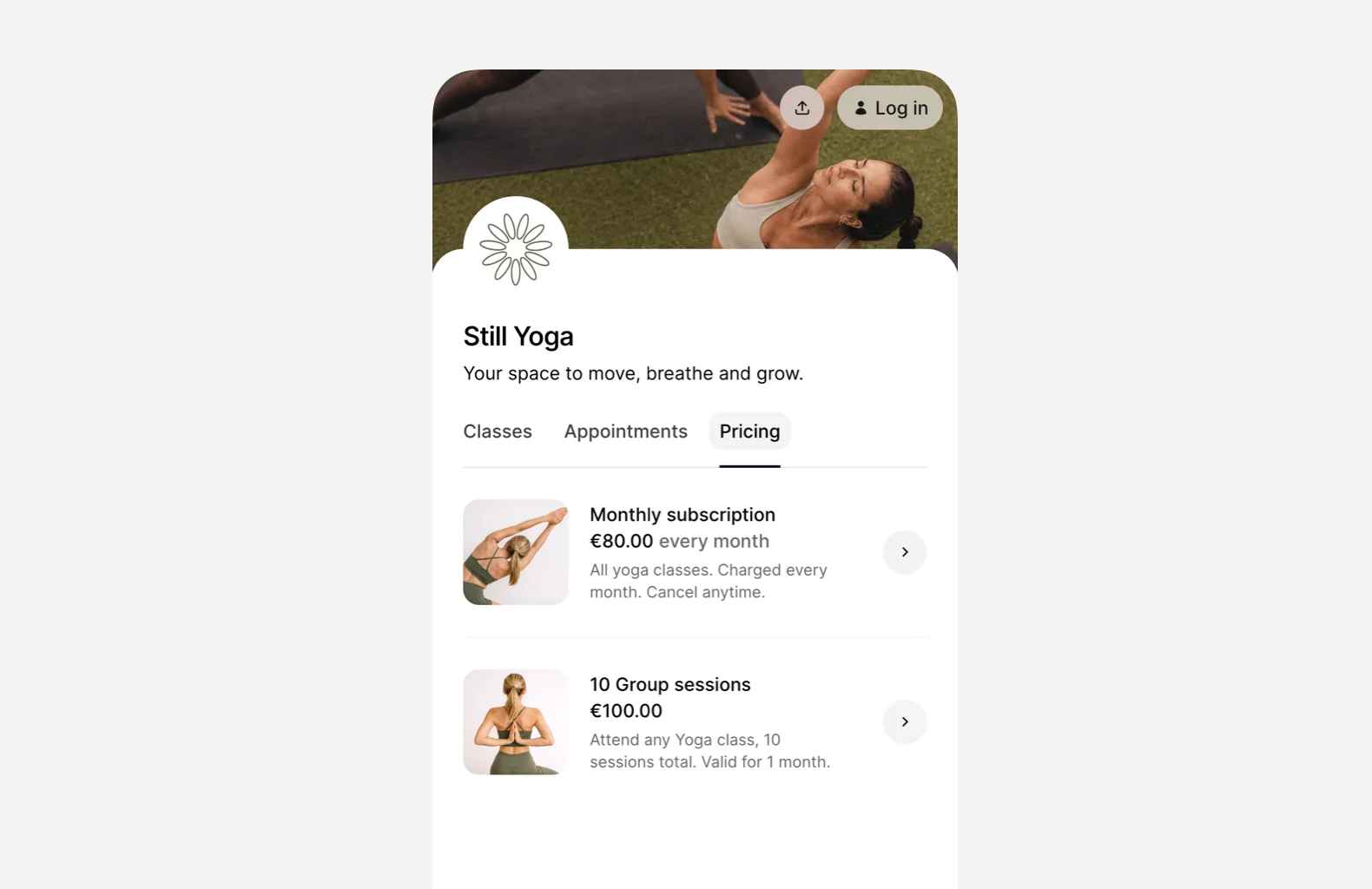
Students may want to purchase:
- A single drop-in class
- A multi-class pack
- A monthly membership
- A workshop
- A private yoga session
- A gift card
- Access to online classes
Collecting payment when the student books reduces the need to chase bank transfers or handle cash before class. It also gives the student a clear record of what they purchased. Time2book connects online payments with bookings, packages, subscriptions, discounts, and payment history.
4. Memberships and class packs
Not every student wants the same payment option. A new student may prefer a single drop-in. A regular student may want an eight-class pack. Someone attending several times each week may prefer a recurring membership.
Yoga studio software should let you create options such as:
- Single-class passes
- Introductory offers
- Five or ten-class packs
- Monthly memberships
- Unlimited memberships
- Private-session packages
- Workshop passes
- Online-content memberships
The system should automatically track what each student can book and how many sessions they have remaining.
This makes the process easier for the student and removes manual class-pack tracking for the teacher.
5. Student management
A yoga business is built around relationships. Knowing your students is important, but remembering every booking, payment, membership, and attendance record becomes difficult as your community grows.
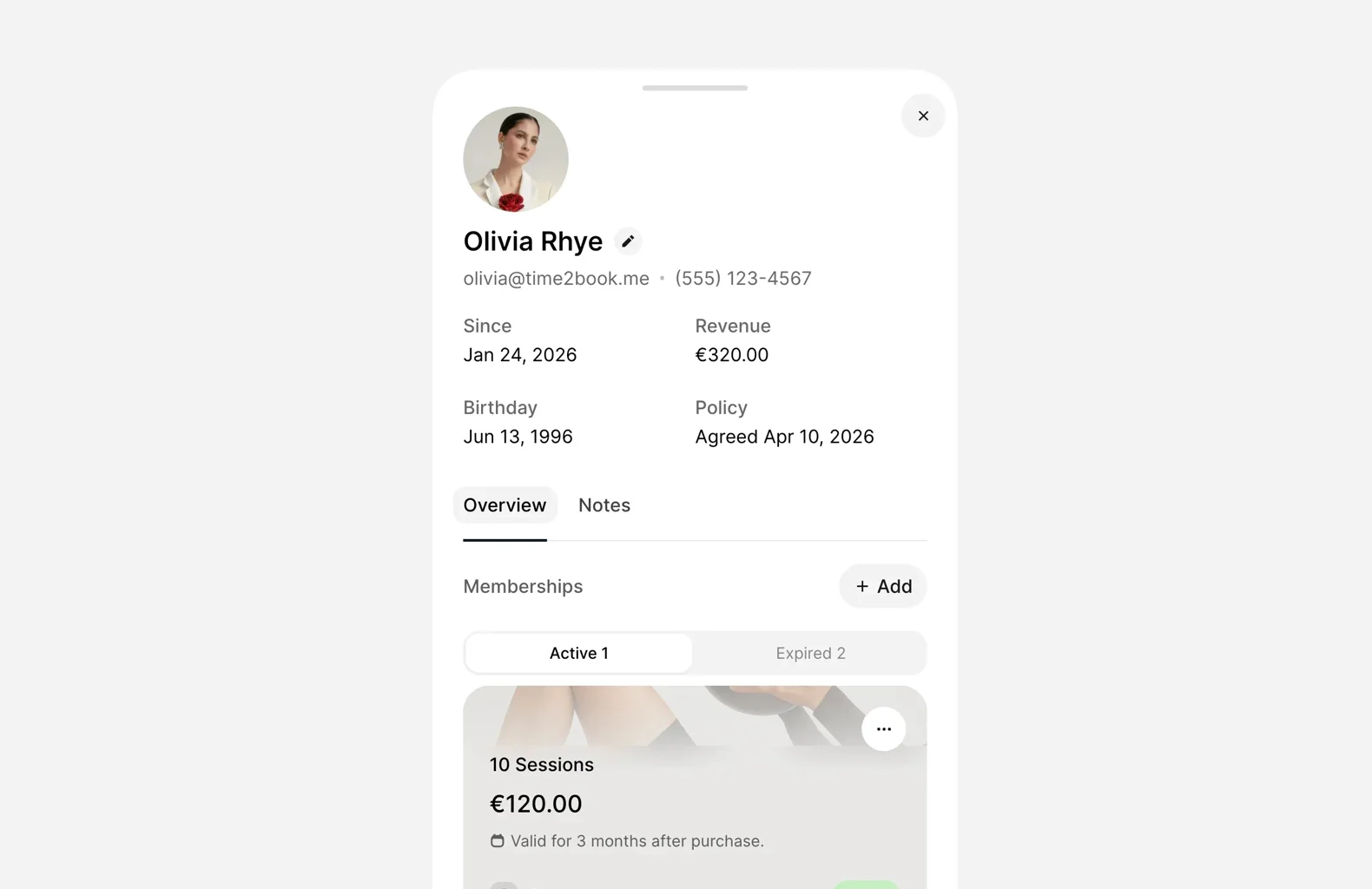
A central student profile can include:
- Contact details
- Upcoming bookings
- Past attendance
- Active memberships
- Remaining class credits
- Payment history
- Cancellations
- Notes
- Communication history
With connected client management software, bookings, packages, renewals, payments, and student activity remain visible in one place. This can help you notice when a regular student has stopped attending or when someone may need to renew their class pack.
6. Confirmations and reminders
Students are busy. Even regulars sometimes forget what they booked. Automated booking confirmations and class reminders keep students informed without requiring you to message everyone manually.
A useful confirmation should include:
- Class name
- Date and time
- Location
- Instructor
- Booking status
- Cancellation information
Reminders can also encourage students to cancel earlier when they cannot attend, giving you more time to offer the place to someone else.
7. Booking and cancellation policies
Clear policies protect both the teacher and the student.
Your booking software should let you define:
- How far in advance students can book
- How close to the class start time bookings close
- When students can cancel
- Whether late cancellations use a class credit
- Whether students can manage their own reservations
- Which terms students accept when booking
Once configured, these rules can apply consistently across your schedule.
You no longer need to decide how to handle every late cancellation through individual messages.
8. Waitlists
A fully booked class is good. A late cancellation that leaves an empty mat is less helpful. Waitlists let interested students join a queue when a class reaches capacity. When a place becomes available, the next eligible student can be informed or given a chance to book.
For smaller classes, this can be particularly useful. One empty place in an eight-person class represents a much larger share of capacity than one empty place in a large fitness hall.
Waitlists also show you where demand is strongest. If the same Tuesday evening class regularly has a waiting list, it may be time to add another session.
9. Private sessions and workshops
Many yoga teachers offer more than recurring group classes.
Your software may also need to manage:
- Private yoga sessions
- Small-group sessions
- Beginner courses
- Retreat preparation
- Meditation workshops
- Teacher training
- Corporate yoga
- Online consultations
- Special events
Private appointments require availability rather than a fixed class timetable. Workshops may have different pricing, capacity, duration, and cancellation rules.
The right system should let you manage both classes and appointments without creating separate accounts or disconnected calendars.
10. Simple reporting
Yoga businesses do not necessarily need complex dashboards.
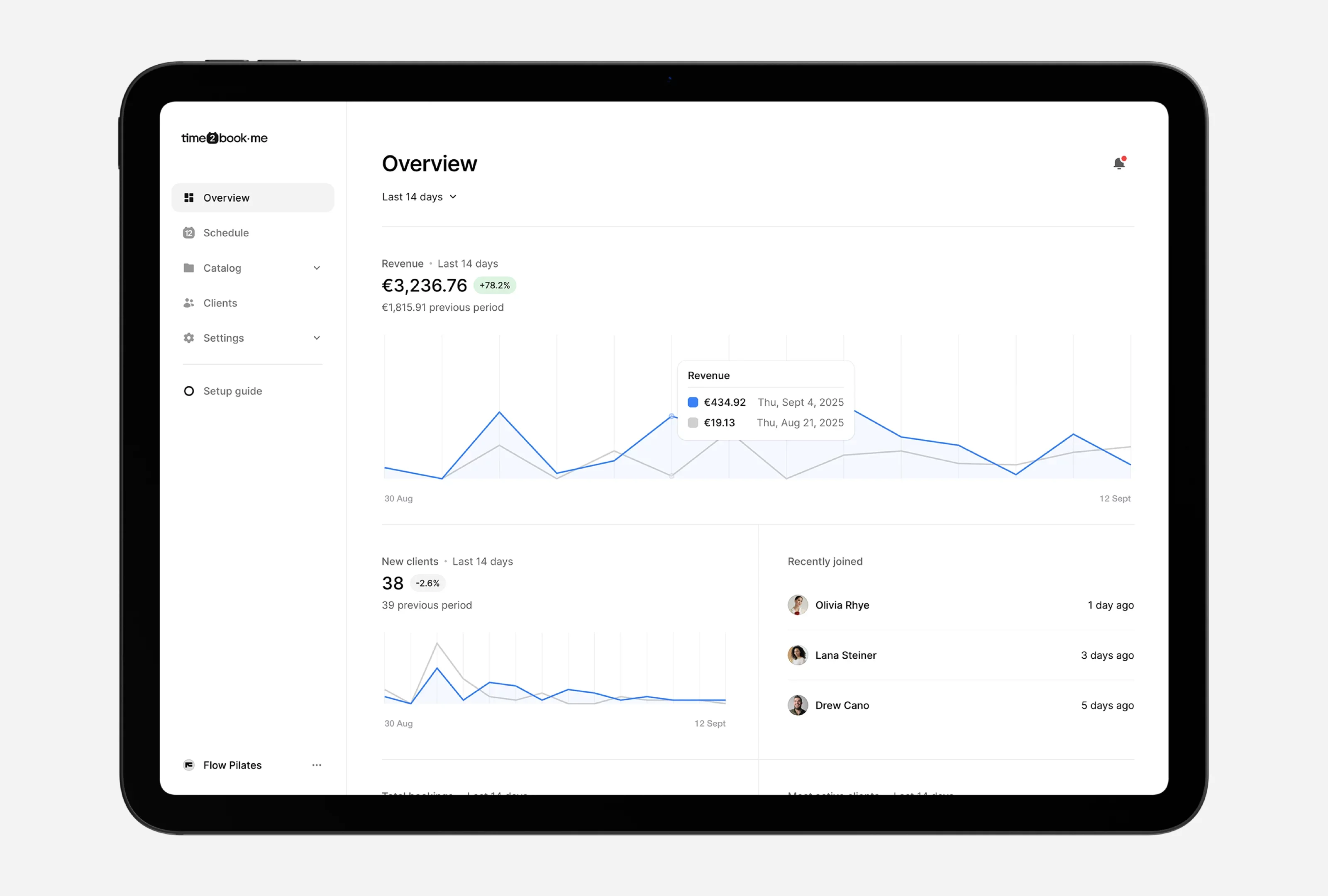
They do need answers to practical questions:
- How many bookings did we receive this month?
- Which classes are filling up?
- Which time slots are quiet?
- How much revenue came from memberships?
- Which students attend most frequently?
- Are bookings growing?
- Which plans are selling?
Time2book includes reporting for revenue, bookings, client growth, upcoming classes, and past activity. Good reporting should help you make decisions, not give you more numbers to manage.
Yoga software for a solo teacher vs. a small studio
The right setup depends on how you operate. A solo teacher should not be forced into software designed for a multi-location chain.
At the same time, it helps to choose a platform that can support additional classes, teachers, or locations later. Moving every student and membership to a new system after a year can create unnecessary work.
What should yoga studio software cost?
The price varies based on the number of instructors, students, locations, and features included.
Some platforms charge a fixed monthly fee. Others may add fees for:
- Additional staff members
- Branded mobile apps
- Marketing features
- Text messages
- Setup or onboarding
- Payment processing
- Premium support
- Extra locations
Do not compare platforms using the headline price alone. Consider the full cost of the tools the software may replace:
- Scheduling software
- Payment tools
- Membership tracking
- Email reminders
- Client spreadsheets
- Video hosting
- Website booking widgets
For a small studio, the best value usually comes from software that covers the essential workflow without requiring expensive features you will not use.
Simple software or an advanced platform?
More features do not automatically mean a better system.
Advanced studio software may make sense when you manage:
- Several locations
- A large team
- Complex payroll
- Retail inventory
- Extensive marketing automation
- Custom branded apps
- Multiple rooms and resources
- Large-scale reporting
A smaller yoga studio may care more about:
- Fast setup
- A clean booking page
- Easy class creation
- Straightforward payments
- Simple memberships
- Reliable reminders
- Clear student records
- Responsive support
Before choosing a platform, ask whether each feature solves a real problem in your business.
The goal is not to purchase the biggest system. It is to find the simplest system that handles the way you work today and supports where you are going next.
Questions to ask before choosing yoga studio software
Use these questions when comparing platforms.
1. Is it easy for students to book?
Test the experience on your phone. Can a new student understand the schedule, choose a class, pay, and receive confirmation without help?
2. Can it manage classes and private sessions?
Some yoga booking systems are built mainly for appointments. Others focus only on group classes. Make sure the platform supports the combination you offer.
3. Can I sell memberships and class packs?
Check whether the system automatically applies plan access and tracks remaining sessions.
4. Can students manage their own bookings?
Students should be able to view upcoming reservations and, within your policies, cancel or reschedule without contacting you.
5. Can I set class capacity?
The system should stop accepting bookings when the class is full and offer a waitlist when needed.
6. Will it still work as I grow?
Consider whether you may add instructors, classes, workshops, online content, or another location.
7. Is the pricing clear?
Look for additional payment, messaging, setup, staff, and feature fees.
8. Is it simple enough to use every day?
A long feature list means little if creating a class or checking a student’s membership feels difficult.
How yoga studio software works in practice
Imagine you run six weekly yoga classes and offer private sessions on Fridays. You create your recurring schedule once and add a capacity of twelve students to each class. A student finds your booking page through Instagram. They choose a beginner class, purchase a five-class pack, and reserve a place.
The booking appears on your schedule. The payment is recorded. One session is assigned from the student’s class pack. A confirmation is sent automatically. Before class, the student receives a reminder.
If they cancel within your allowed window, the place becomes available again. Someone on the waitlist can take it. After class, the booking remains connected to the student’s attendance and package history.
No manual spreadsheet updates. No payment-checking messages. No searching through social media conversations. Booking, payments, and clients. Handled.
How Time2book helps yoga businesses
Time2book is built for independent teachers and growing studios that want the essential tools without a heavy setup.
You can use Time2book to:
- Create recurring yoga classes
- Offer private appointments
- Set class capacity
- Accept online bookings
- Collect online and in-person payments
- Sell memberships and class packs
- Enable waitlists
- Manage student profiles
- Track bookings and payments
- Assign instructors
- Share one professional booking page
- Review bookings, revenue, and client growth
Students can browse classes, choose a payment option, reserve their place, and manage their schedule online. Studio owners and teachers manage the business from one dashboard.
Explore yoga studio software or follow our guide to setting up online booking for a yoga studio.
Final thoughts
The best yoga studio software is not necessarily the platform with the most features. It is the one that makes your business feel easier to run.
Students should be able to see your schedule, book a class, pay, and manage their reservations without waiting for a reply. You should be able to open one dashboard and understand what is happening across your classes, payments, memberships, and clients.
For an independent yoga teacher or small studio, that is what good software should deliver. Less admin. More time for teaching, growing your community, and building a business students want to return to.
Yoga studio software helps yoga studios and independent instructors manage class schedules, online bookings, payments, memberships, class packs, students, reminders, and attendance from one system.
It replaces manual booking messages, separate payment tools, and spreadsheets with a connected process for running the business.
The best yoga studio software for a small business should be easy to set up, simple for students to use, and capable of managing classes, payments, memberships, class packs, reminders, and client records.
Avoid choosing software based only on the number of features. Look for a platform that matches your current business without limiting future growth.
Yes. Yoga teacher software can help independent instructors publish their availability, accept class and private-session bookings, collect payments, sell class packs, and keep student information organised.
A solo teacher can benefit from booking software even without owning a physical studio.
Yoga booking software mainly handles schedules and reservations.
Yoga studio management software usually includes a broader set of tools, such as payments, memberships, class packs, student profiles, attendance, instructors, waitlists, reporting, and business administration.
Many modern platforms combine both functions.
Yes. Yoga studio software can let students purchase recurring memberships, prepaid class packs, drop-ins, and other plans online.
The system can track which classes each plan covers, how many sessions remain, and when a membership renews or expires.
Software that supports both classes and appointments allows you to manage recurring group classes, workshops, and private sessions from the same account.
Group classes use set times and capacity limits, while private appointments are booked from your available time slots.
Automated booking confirmations and reminders help students remember upcoming classes.
Clear cancellation policies and self-service cancellation also make it easier for students to release a place early, giving the studio more time to refill it through regular bookings or a waitlist.
Yoga software pricing depends on the platform, number of instructors, locations, students, and included features.
When comparing costs, check for additional charges related to setup, payment processing, SMS messages, staff accounts, branded apps, marketing tools, and premium support.