Email marketing software for fitness studios
Send branded emails with your classes and pricing built in, right from your booking software. Email all your subscribed clients or target one client segment.
Get a free 7-day trial
No credit card required

Trusted by 1,000+ businesses worldwide










Email marketing built into your booking software
Emails that get clients booking
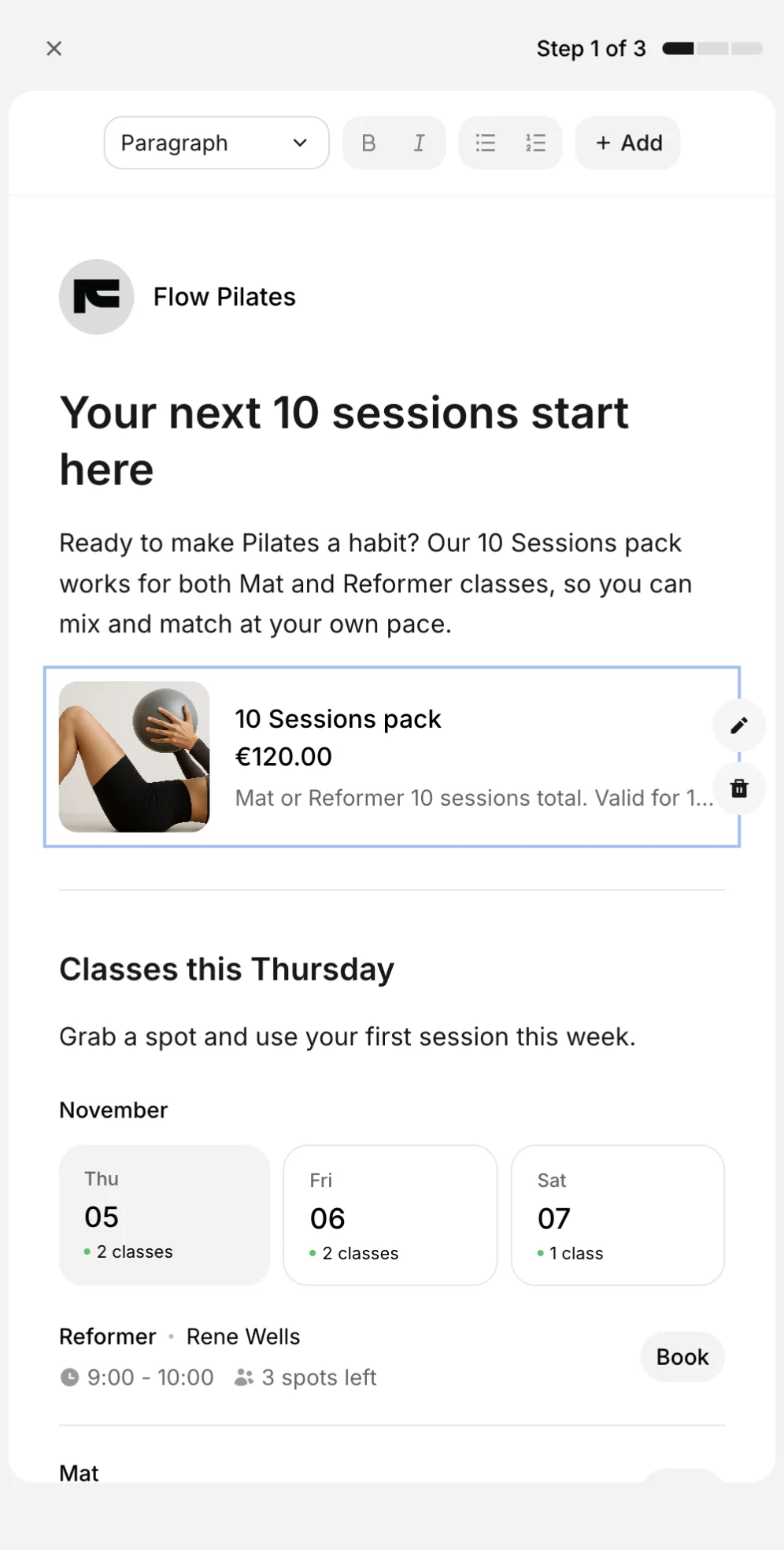
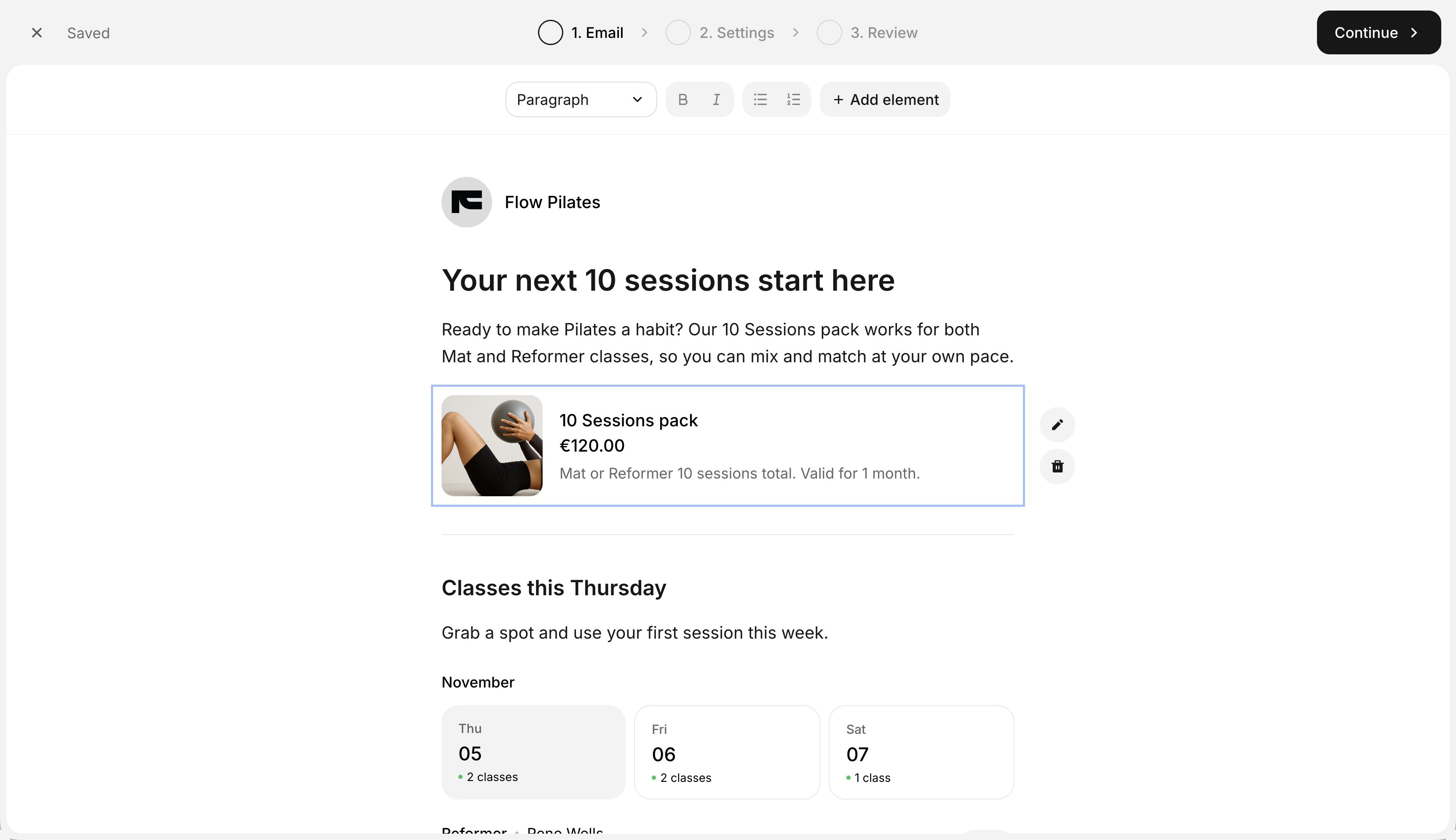
Create email campaigns for a new offer or this week's classes in a few clicks. Your pricing and schedule are already in Time2book, so clients can go straight from your email to booking.
Pricing cards put your memberships and packs in front of clients.
Class schedules show upcoming classes, open spots, and a Book button.
Buttons and images highlight your next offer and show off your studio.

Segment clients and send the right email
Use client segments to win back clients who haven't booked in a while, welcome new ones, or promote a class to your regulars. Email all your subscribed clients or just one segment.
Client filters help you find clients by status, signup date, bookings, or service.
Saved segments keep your groups up to date as clients book.
Subscribed clients are the only ones who get your marketing emails.
Haven't booked lately
Last booking isn't in the last 30 days



 +38
New clients
Signup date is in the last 30 days



 +14
Reformer regulars
Has booked Reformer



 +63

How email marketing software works
Go from a blank email to your clients' inboxes in three simple steps.
Get started for free1
Write your email
Add text, images, pricing cards and class schedules. Your draft saves as you go.
2
Choose your audience
Send to all your subscribed clients, or pick one saved segment.
3
Review and send
Check the subject, recipients and a preview of the email, then send it.
Email marketing for any fitness business
From Pilates and yoga studios to gyms and dance studios, Time2book keeps email marketing, bookings, payments, and client management together.










"I like that Time2book is intuitive to use, making it easy and quick to set up. The platform looks really clean and professional, which is great for my clients when they make bookings."
Cassidy, Founder of And Breathe Out

Frequently asked questions
Email marketing software helps you send offers, class updates, and studio news to your clients. In Time2book, it's built into your booking software, so your classes, pricing, and client list are already there.
Go to Marketing, then Emails, and create a new email. Write it in the editor, choose who receives it in Settings, check everything in Review, and send.
Headings, text, lists, buttons, images, pricing cards, and class schedules. Your logo and business name appear at the top of every email.
Not to send marketing emails. You can write, target, and send them from Time2book, with no list to import or sync. If you already use MailerLite, you can also connect it to Time2book.
Not on the Professional plan, where email marketing is included. On Starter or Growth, you'd need to upgrade to Professional to use it.
Create a segment of clients who have booked before and whose last booking isn't in the last 30 days. Then send them an email with an offer and your class schedule.
Yes. Pilates and yoga studios, gyms, dance studios, and other class-based businesses can all promote classes, memberships, and packs to their clients.
Only clients who are subscribed to your marketing emails. You can send to all of them, or to the subscribed clients in one segment.
A segment is a saved set of client filters, such as clients whose last booking isn't in the last 30 days. It's checked again when you send, so the list stays up to date.
Clients can opt in with a checkbox when they create their profile with you, and can change their choice anytime in their notification settings. Every marketing email also has an unsubscribe link.
Yes. If a client agreed in person or on paper, you can turn on marketing emails when you edit that client.
No. It shows your classes as they were when you added the block, so refresh it before sending if your schedule has changed. The Book buttons open your schedule on that day, so clients always see what's available.
Yes. Copy a sent email to your drafts, change what you need, and send it again. You can also duplicate a draft.
Manage bookings and payments easier
Get a free 7-day trial
No credit card required