Tracking attendance
Attendance tracking helps you see who actually showed up to your classes. In Time2book, you can quickly mark attendance directly from your schedule—and automatically track no-shows.
Step 1: Open a class in your schedule
- From the left-hand menu, go to Schedule
- Click on the class (time slot) you want to manage
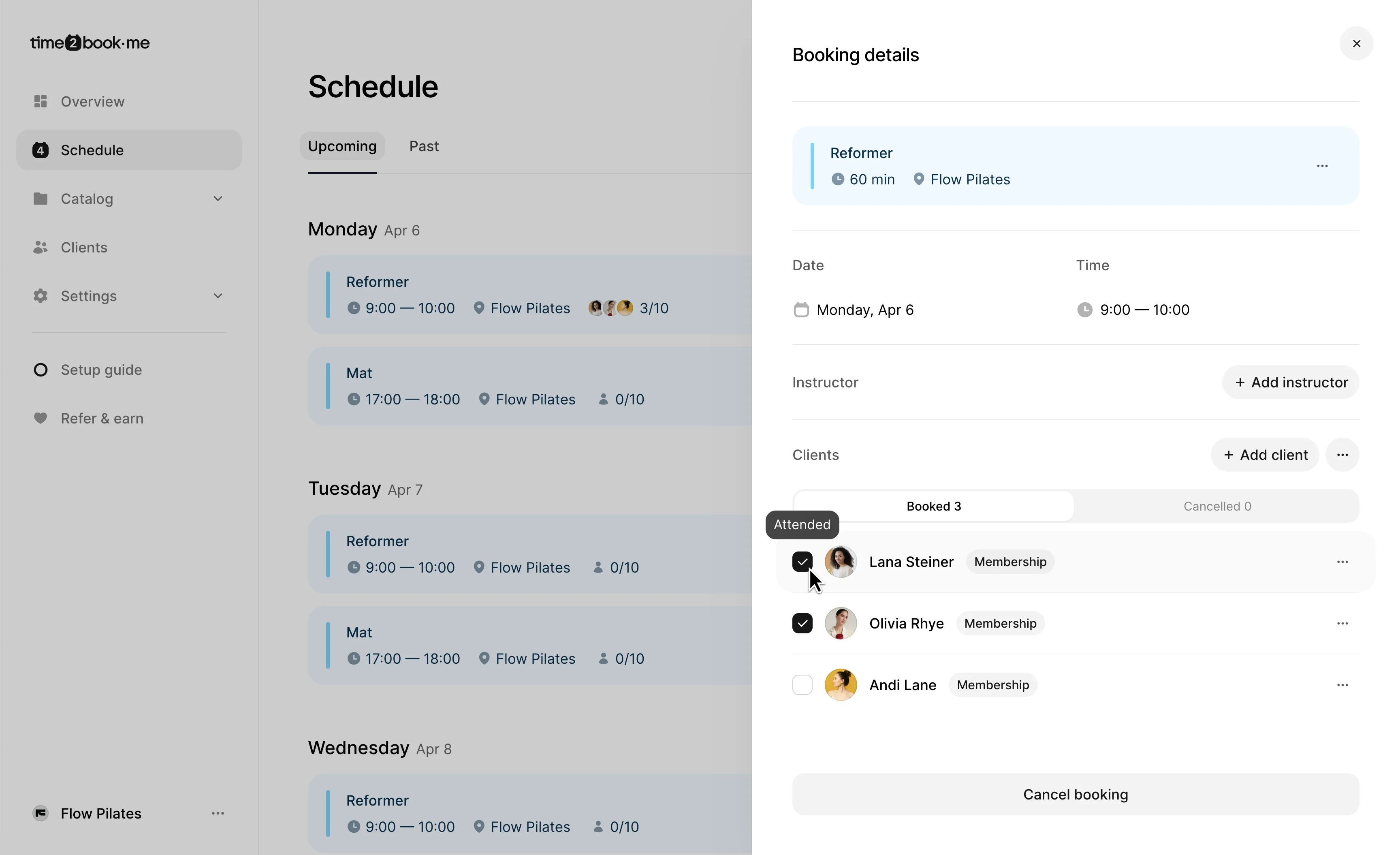
This will open the booking details panel with all clients for that class.
Step 2: Mark clients as attended
Inside the booking details:
- You’ll see a list of booked clients
- Click the checkbox next to a client to mark them as Attended
You can mark attendance during or after the class—it updates instantly.
Step 3: Understand “Not attended” status
Once a class time has passed (you can always adjust attendance in the past):
- Any client not marked as attended will automatically be considered Not attended
- This helps you quickly identify no-shows without extra work
Step 4: View attendance in client profile
You can also track attendance history per client:
- Go to Clients
- Open a client profile
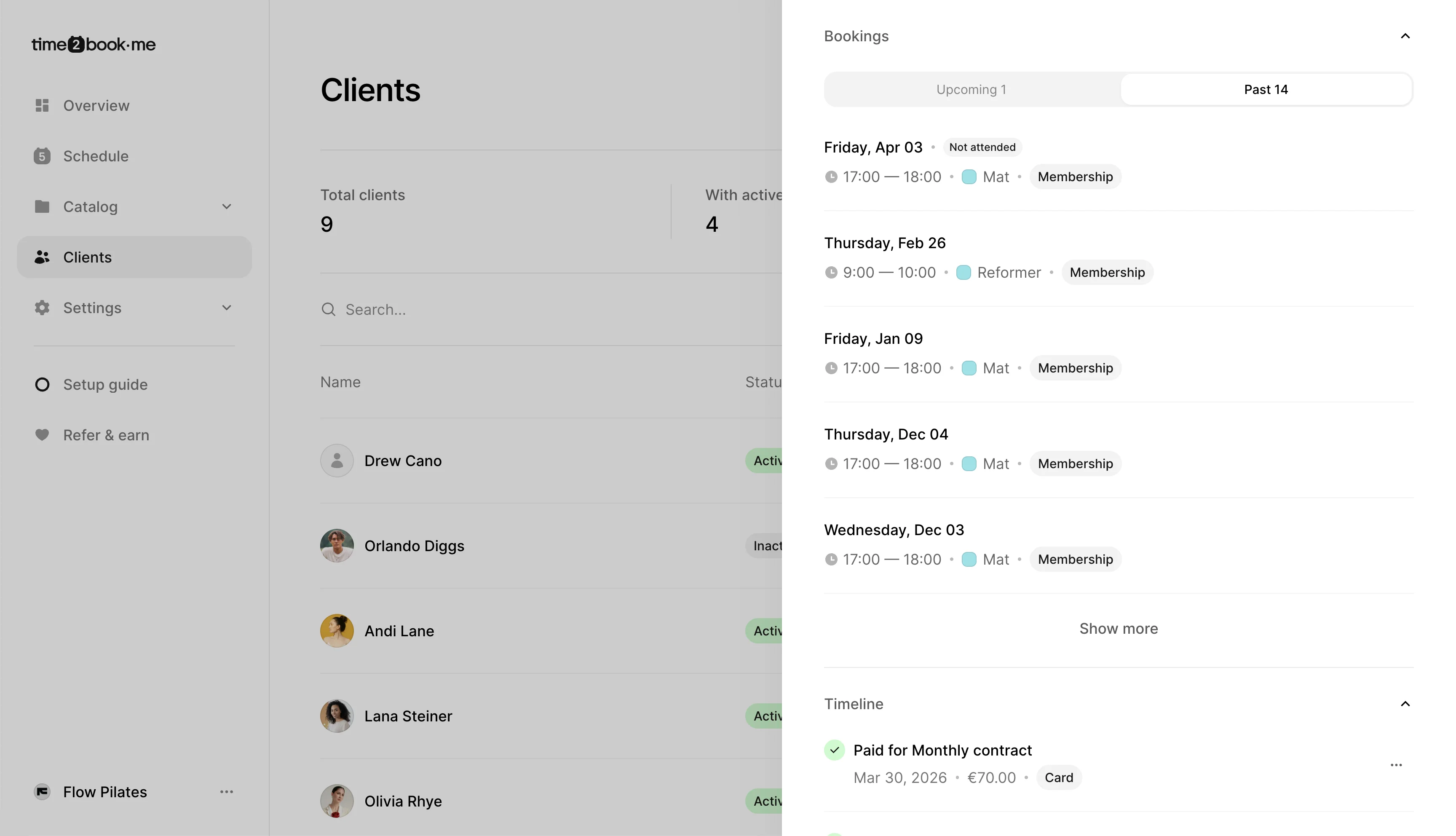
- Check their past bookings
Clients who didn’t attend will have a Not attended badge next to the session.