Editing client details
Sometimes you may need to update a client’s profile information, such as their name, email address, phone number, or birthday. In Time2book, you can edit client details directly from the Clients page.
Important: The client’s email address is used for their login. If you change it, the client will need to use the new email address to access their Time2book account.
Step 1: Open the client profile
From the left-hand menu, go to Clients and click the client you want to edit. This opens the client details panel, where you can review their contact details, birthday, revenue, policy, memberships, and notes.
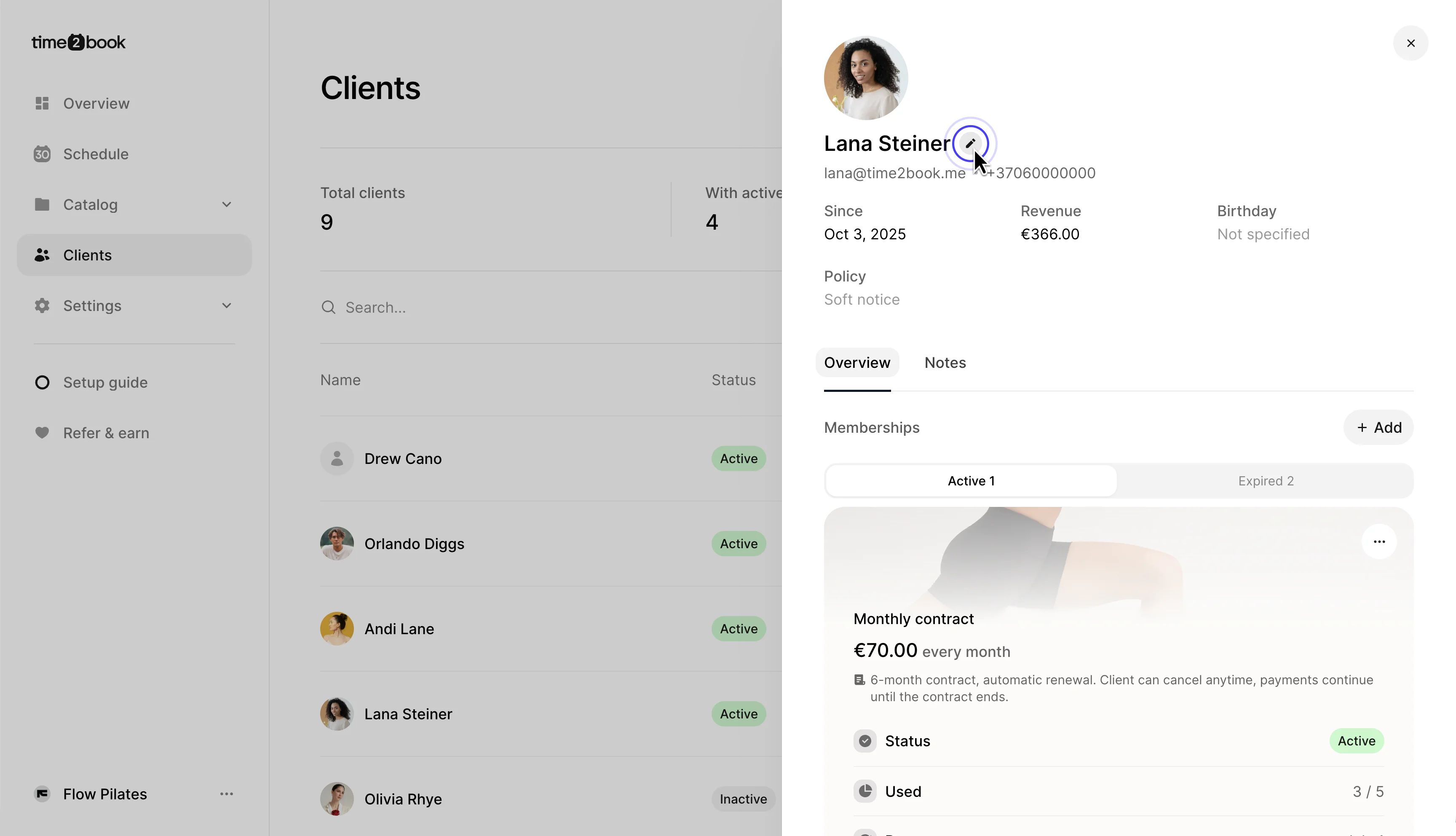
Step 2: Edit and save client details
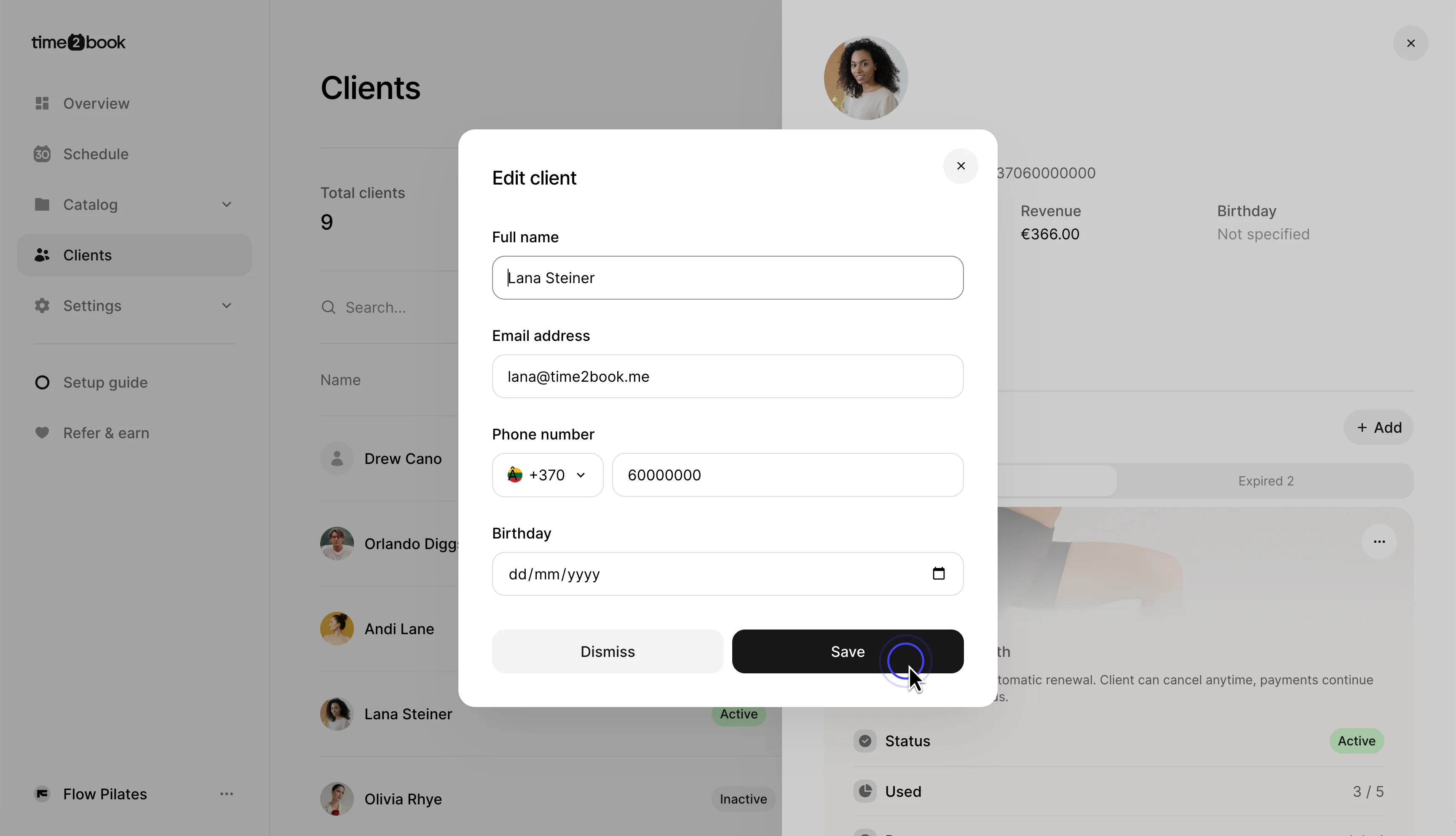
Click the edit icon next to the client’s name. In the Edit client dialog, you can update:
- Full name
- Email address
- Phone number
- Birthday
The client’s email address is used for their login, so make sure it is correct before saving. Click Save to update the client profile.