Adding a membership to a client
You can add a pricing plan directly to a client from their profile. Choose whether to charge their card, accept payment in person, or provide the membership for free.
Step 1: Open the client
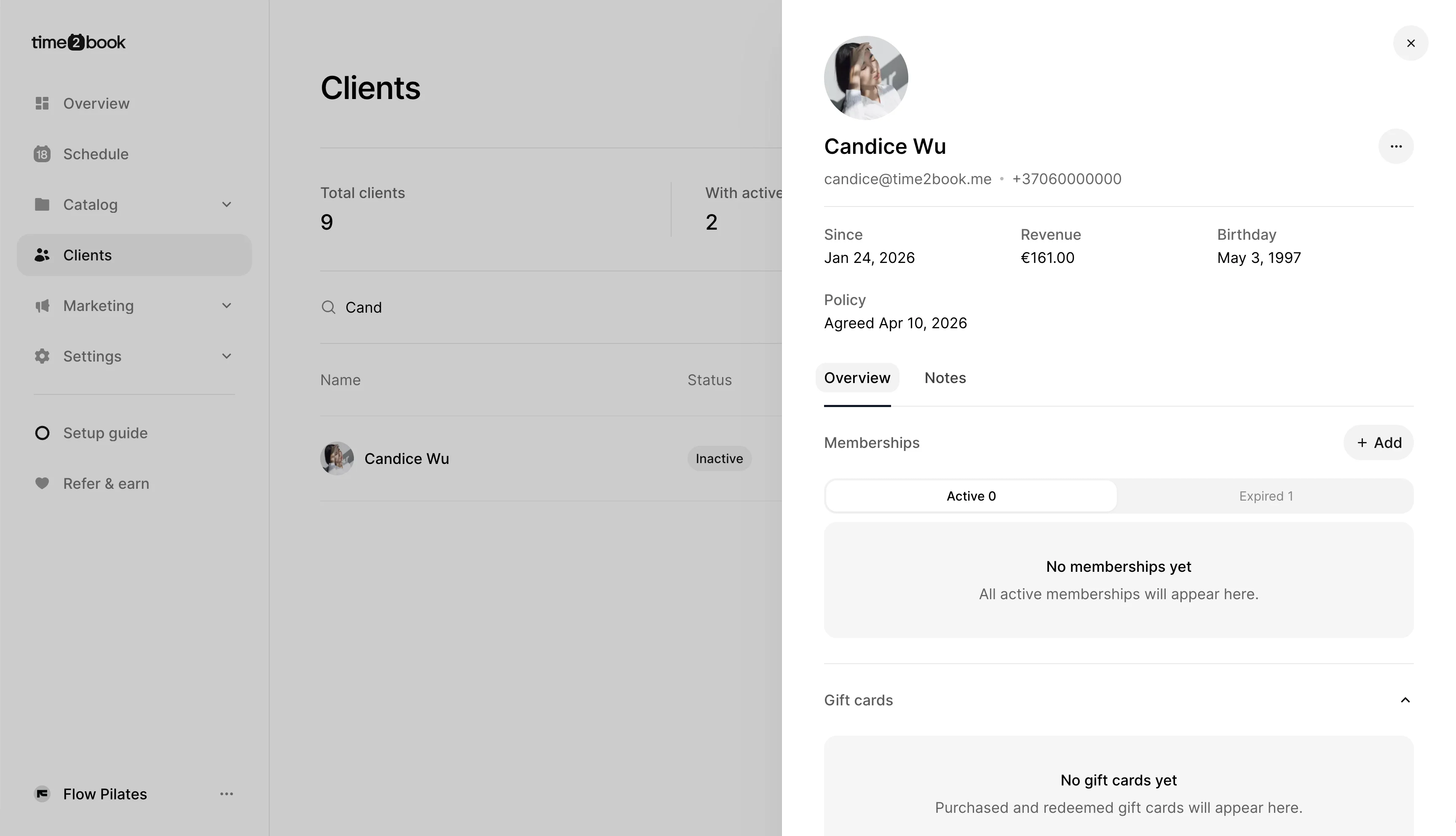
From the left-hand menu, click Clients, then select the client you want to add a membership to.
Under Memberships, click + Add.
Step 2: Select a pricing plan
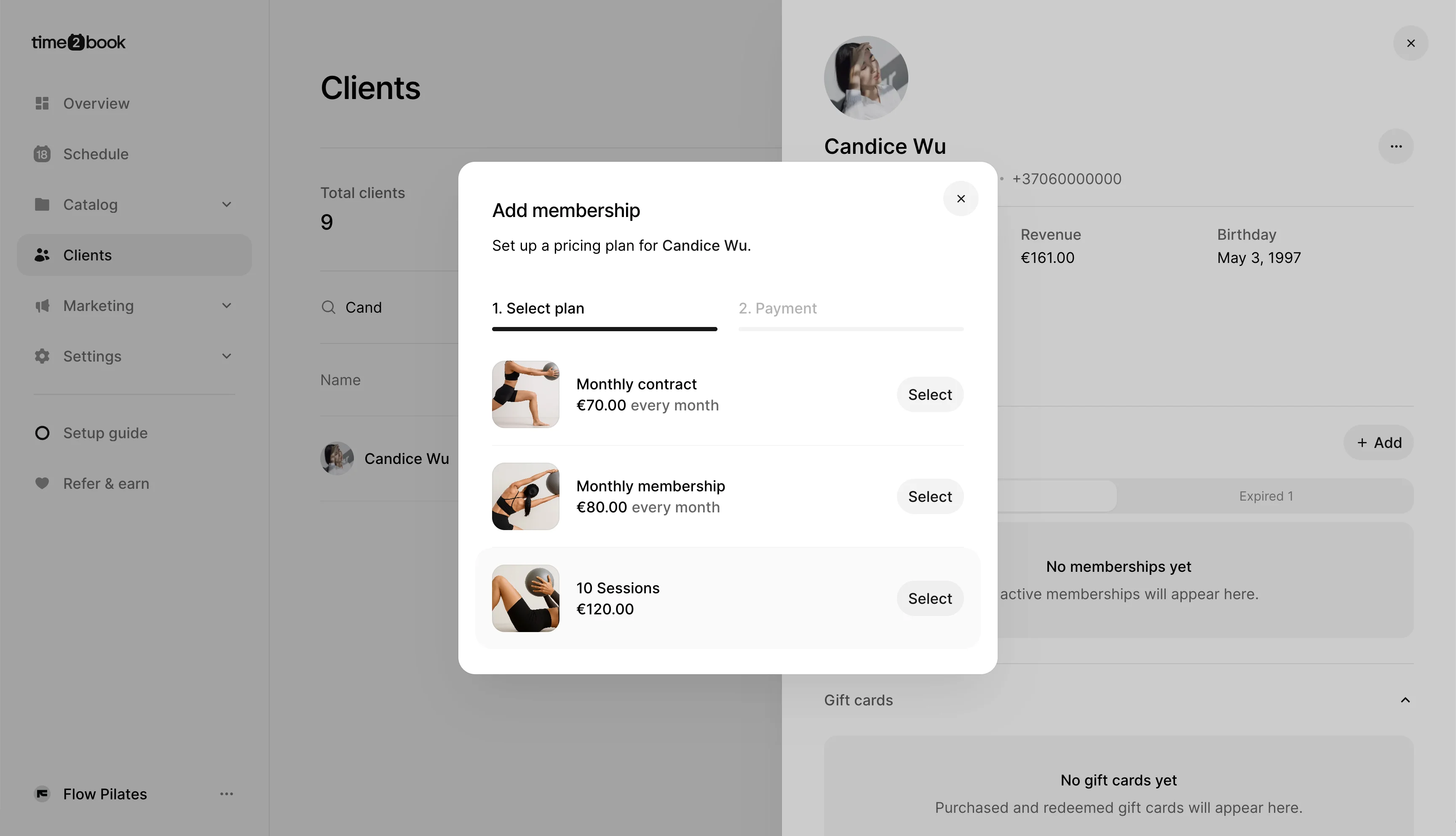
Choose the pricing plan you want to add to the client, then click Select.
Step 3: Choose how the client will pay
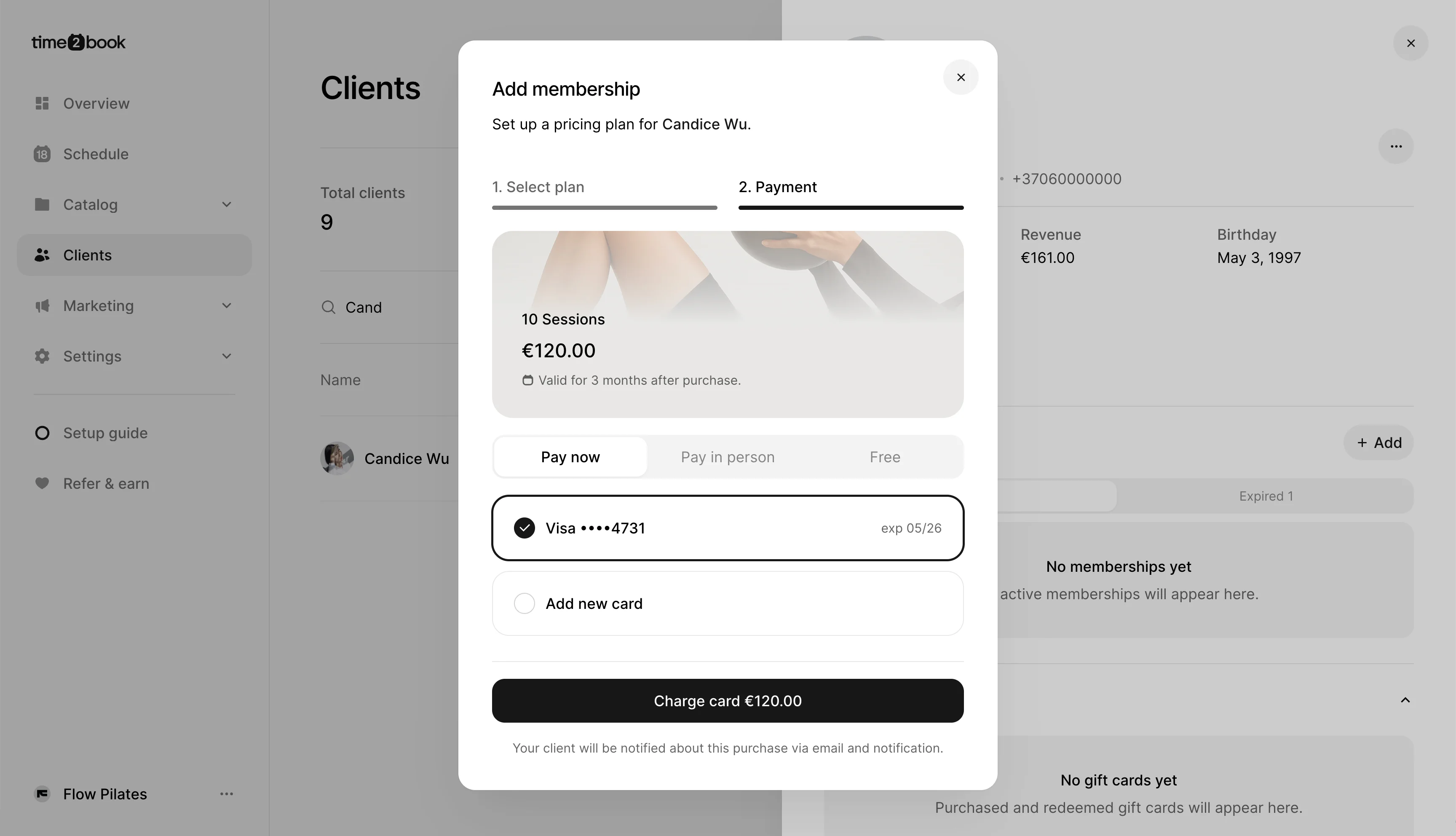
On the payment step, choose one of the available options:
- Pay now – Charge the client’s saved card or add a new card.
- Pay in person – Collect the payment outside Time2book and confirm it manually.
- Free – Give the pricing plan to the client at no cost.
Charge their card
Select Pay now, choose the client’s saved card or Add new card, then click Charge card.
Accept payment in person
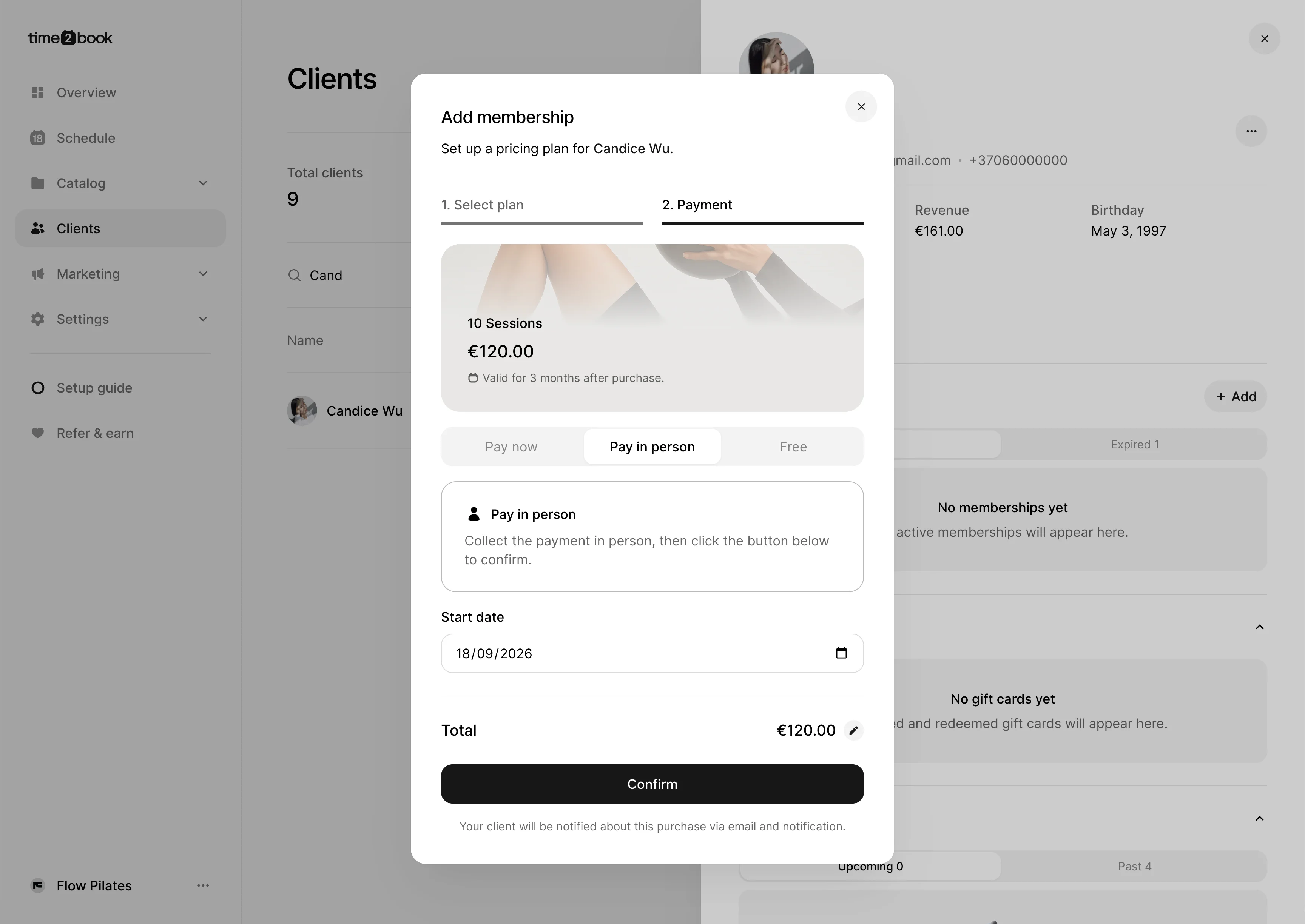
Select Pay in person after collecting the payment from the client. Choose the Start date, then click Confirm.
Add the membership for free
Select Free if you want to provide the pricing plan at no cost. Choose the Start date, then click Confirm.
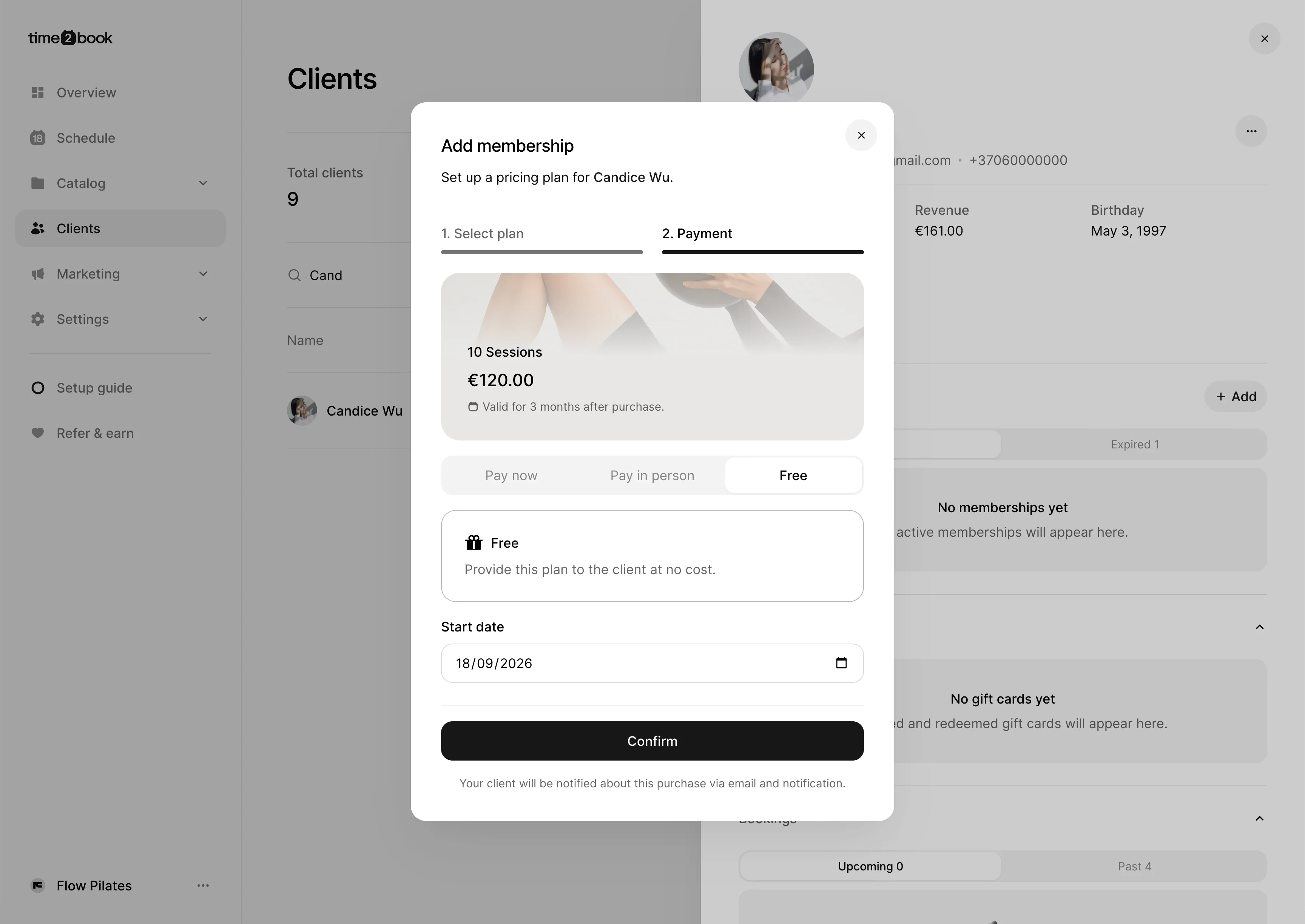
Once confirmed, the membership will be added to the client’s profile. The client will also be notified about the purchase by email and notification.