How to Run a Pilates Studio Without Mindbody in 2026
May 13, 2026
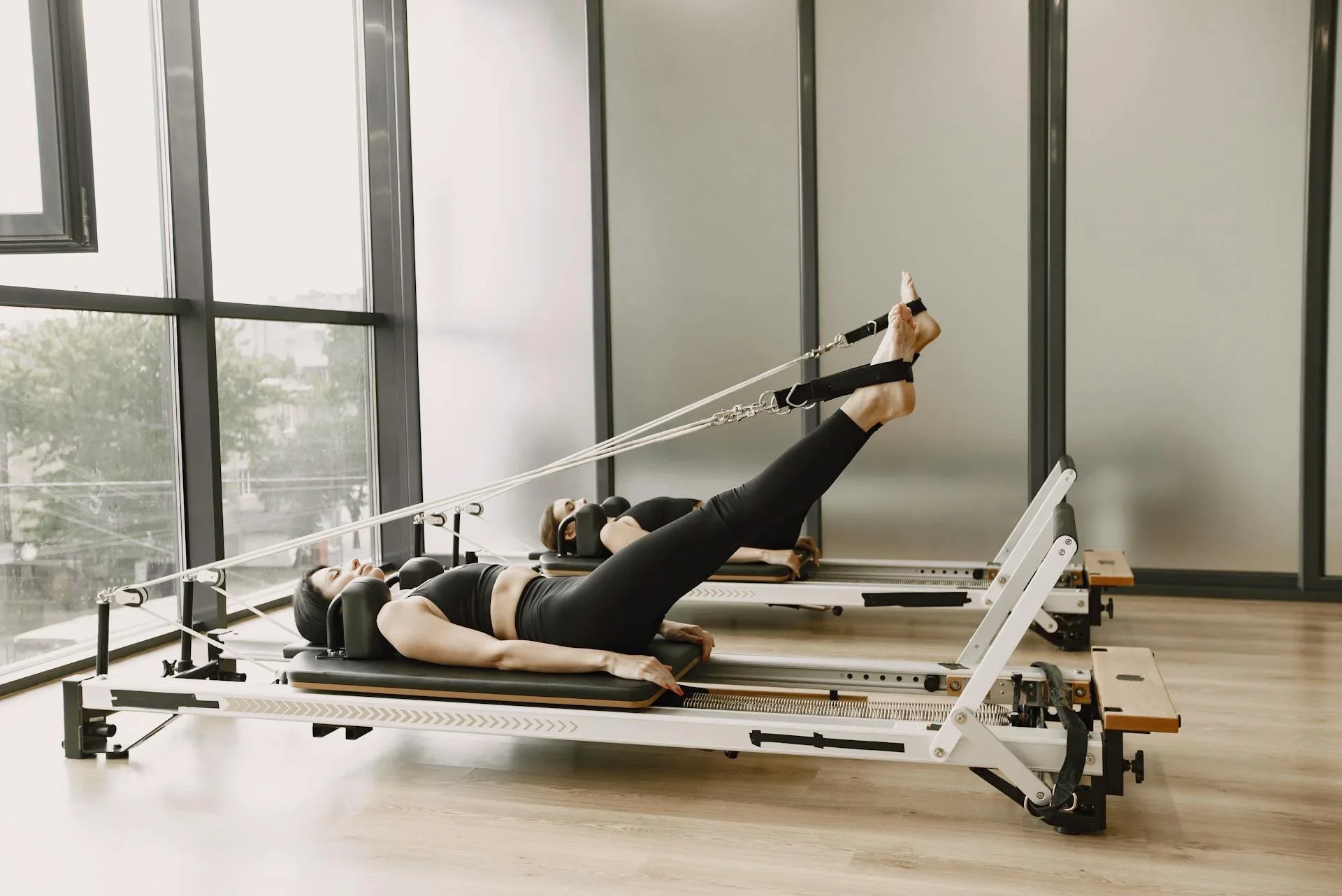
Running a Pilates studio should not feel like managing a complicated software system all day. Your real work is helping clients move better, building a strong community, filling classes, supporting instructors, and keeping the business healthy.
But for many studio owners, the software becomes the bottleneck. Instead of making bookings, payments, memberships, and client communication easier, it can create extra admin, confusing setup, and a client experience that feels heavier than it should.
Mindbody is one of the most well-known fitness and wellness software platforms. It offers scheduling, payments, client management, marketing tools, reporting, and marketplace visibility for fitness and wellness businesses. Mindbody also has a dedicated Pilates software page, positioning itself for studios that need booking, payments, staff tools, and business management features.
But Mindbody is not the only way to run a Pilates studio.
For smaller, modern Pilates studios, especially boutique reformer studios, mat Pilates studios, solo instructors, and growing teams, a simpler Mindbody alternative can often be a better fit. Time2book is built for studios that want clean scheduling, online payments, class packs, memberships, attendance tracking, and client management without the weight of a larger legacy platform.
In this guide, we’ll break down how to run a Pilates studio without Mindbody in 2026 and what to look for in a simpler Pilates studio software setup.
Why Pilates Studios Look for Mindbody Alternatives
Mindbody can be a strong option for larger wellness businesses that need a wide range of tools, marketplace exposure, branded apps, marketing add-ons, and multi-location operations.
But not every Pilates studio needs that level of complexity.
A small or mid-sized Pilates studio usually needs a few core things to work really well:
- Clients should be able to book classes easily
- Payments should be simple and secure
- Memberships and class packs should be easy to manage
- Instructors should know who is coming to class
- Studio owners should understand bookings, revenue, and client activity
- The client experience should feel smooth on mobile
When your software does too much, it can become harder for your team and your clients.
Third-party software directories list Mindbody as starting from around $99/month, while some industry comparison articles report higher pricing ranges depending on plan, add-ons, and business needs. Capterra lists Mindbody’s starting price at $99/month, and Software Advice also lists a Starter plan from $99/month.
That price may make sense for some businesses. But for a small Pilates studio, the bigger question is not only “How much does it cost?” It is: Do you actually need everything Mindbody includes?
What You Need to Run a Pilates Studio Without Mindbody
You do not need a complicated system to run a professional Pilates studio. You need a clear operating setup.
At minimum, your Pilates studio software should help you manage:
- Class scheduling
- Online bookings
- Online payments
- Class packs and memberships
- Client profiles
- Attendance
- Reminders
- Basic reporting
- Staff access
- Cancellation policies
If these parts are handled well, your studio can run smoothly without relying on Mindbody.
1. Use Simple Pilates Class Scheduling Software
Your schedule is the center of your Pilates studio.
Whether you offer reformer Pilates, mat Pilates, private sessions, beginner classes, advanced classes, or workshops, clients need to see what is available and book quickly.
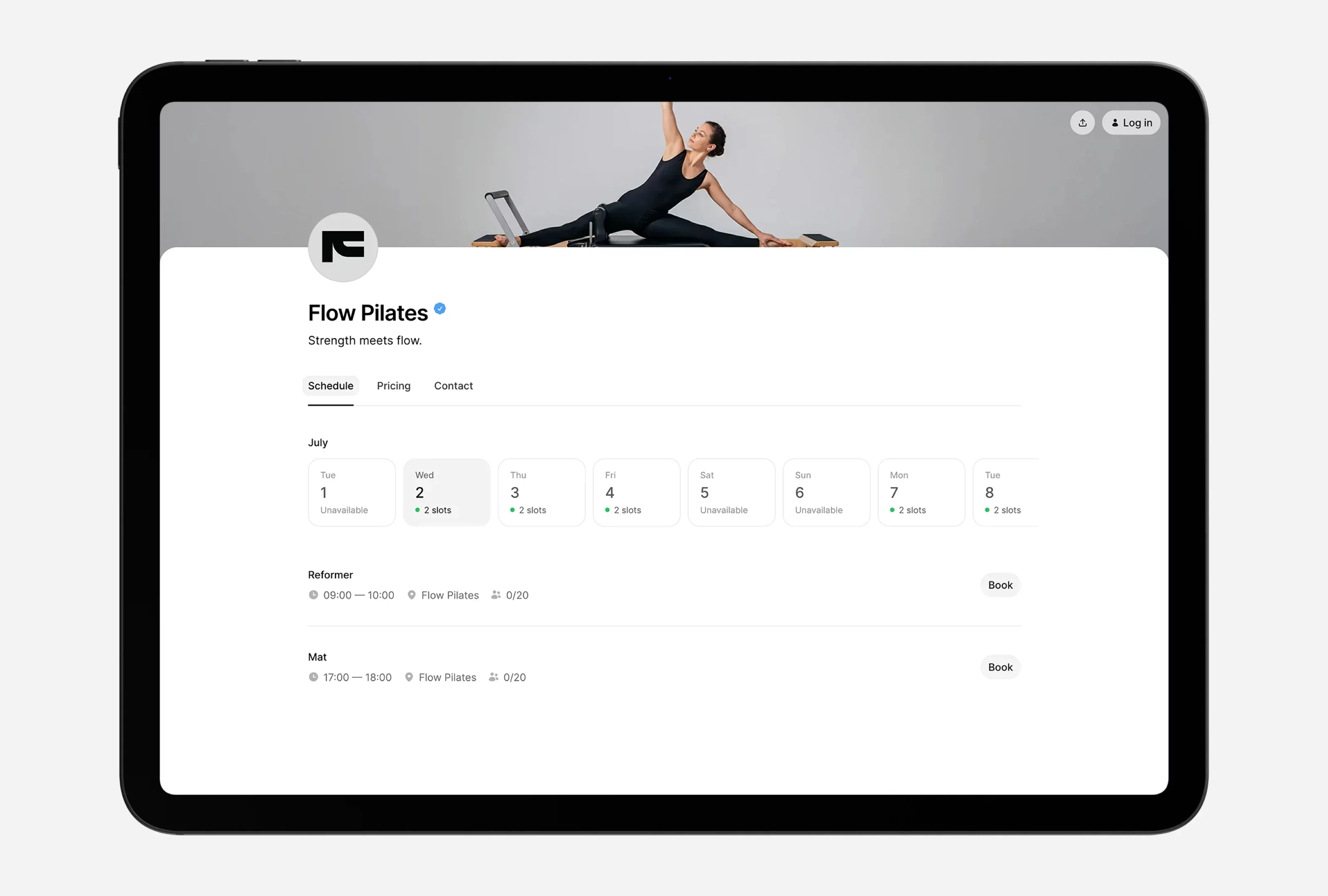
A good Pilates scheduling system should let you create:
- Weekly recurring classes
- One-off workshops
- Private appointments
- Capacity limits
- Instructor assignments
- Class descriptions
- Booking cut-off times
- Cancellation rules
For reformer Pilates studios, capacity is especially important because every booking is tied to available equipment. If you have 8 reformers, your software should make it easy to limit class size to 8 and stop overbooking.
With Time2book, studios can create services, build schedules, set class capacity, assign instructors, and publish a clean online booking page clients can use from their phone.
2. Make Online Booking Easy for Clients
The best Pilates studio software is not only easy for the owner. It also needs to be easy for clients. A client should not need to download an app, create a complicated account, or click through too many steps just to book a class.
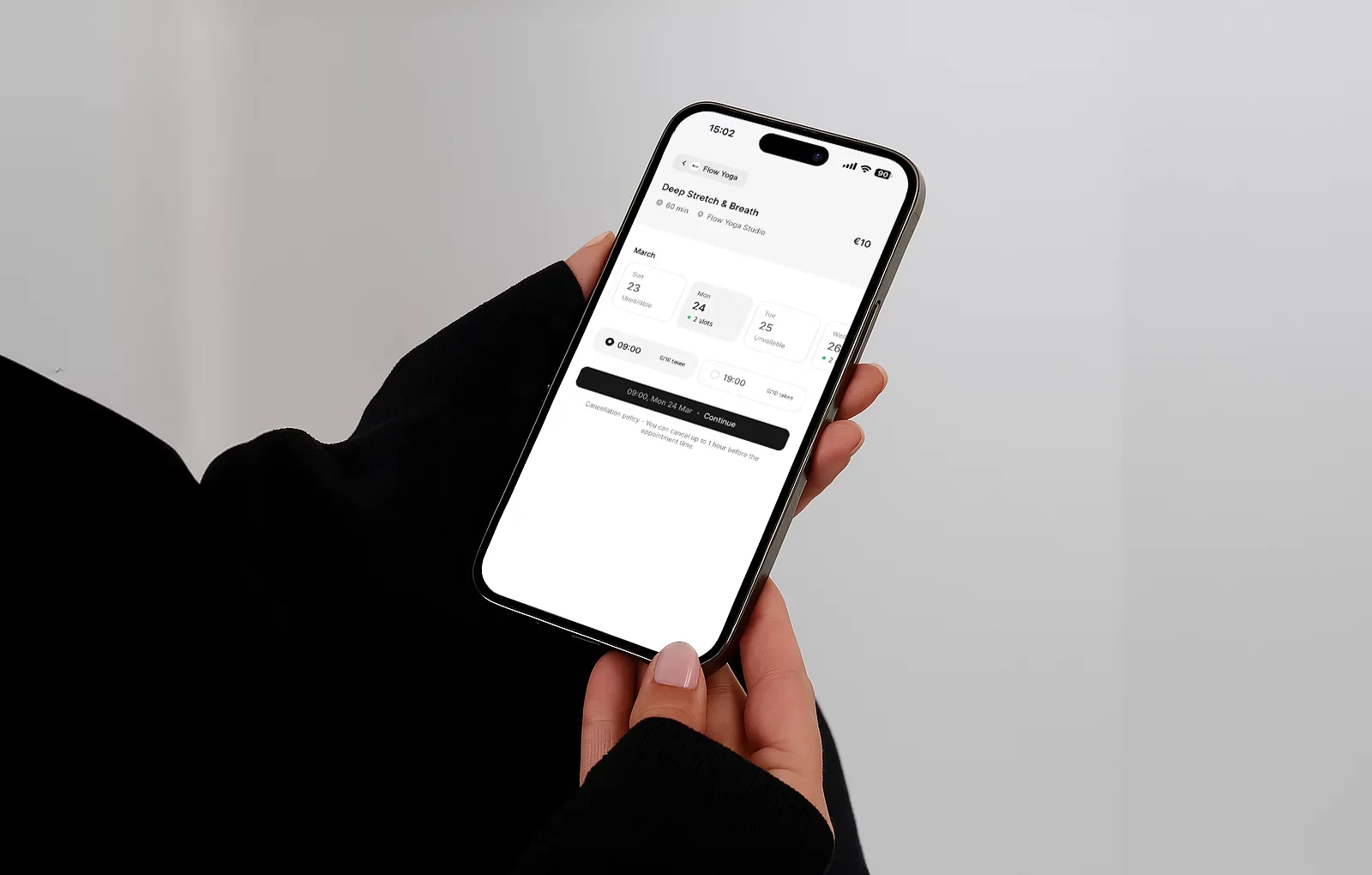
A smooth booking flow should allow clients to:
- View available classes
- Choose a class
- Select a pricing option
- Book and pay online
- Receive confirmation
- Manage their booking
This is one of the biggest reasons studios look for a Mindbody alternative. Mindbody has a large consumer marketplace and app ecosystem, but smaller studios often want a simpler standalone booking experience that feels more direct and branded to their own studio.
Time2book gives each studio a clean booking page where clients can book and pay online without a heavy setup. The goal is simple: fewer steps, fewer questions, fewer lost bookings.
3. Take Payments Online
If you want to run a Pilates studio without Mindbody, online payments are essential. Manual payments create extra admin. Bank transfers, cash, and unpaid reservations can make it harder to manage revenue and reduce no-shows.
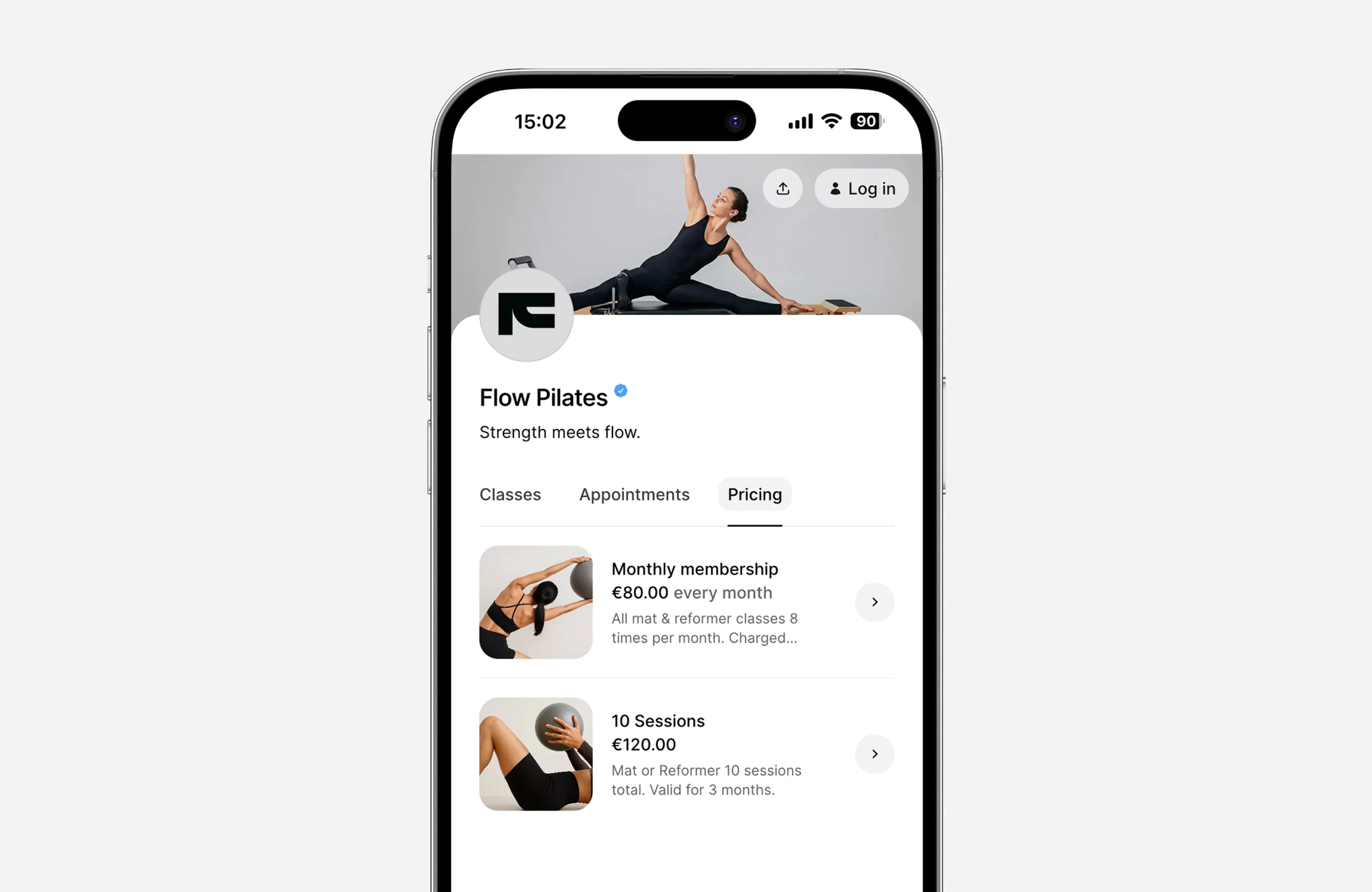
Your payment setup should support:
- Drop-in payments
- Class packs
- Memberships
- Recurring payments
- Intro offers
- Online checkout
- Apple Pay and Google Pay
- Card payments
- Refund handling
Mindbody includes integrated payment tools as part of its platform, according to its official pricing and software pages. But you can run the same core payment workflow with simpler software.
Time2book connects bookings and payments in one flow, so clients can reserve a class and pay online. For studios, this means fewer unpaid bookings, less manual tracking, and a clearer view of revenue.
4. Offer Class Packs and Memberships
Pilates studios usually need more than one pricing option.
A simple setup may include:
- Single drop-in class
- 5-class pack
- 10-class pack
- Monthly membership
- Unlimited membership
- Intro offer for new clients
- Private session package
This helps different clients buy in the way that fits them. New clients may start with an intro offer. Regular clients may prefer a 10-class pack. Your most loyal clients may choose a recurring monthly membership.
Without software, this quickly becomes messy. You need to know:
- How many credits a client has left
- When a package expires
- Whether a membership is active
- Whether a client can book a class
- What happens when a payment fails
- Who is using their credits consistently
Time2book helps studios sell class packs and memberships online, track client access, and make booking easier for active members.
5. Track Clients Without Complicated CRM Software
A Pilates studio does not always need a large CRM. But you do need clear client records.
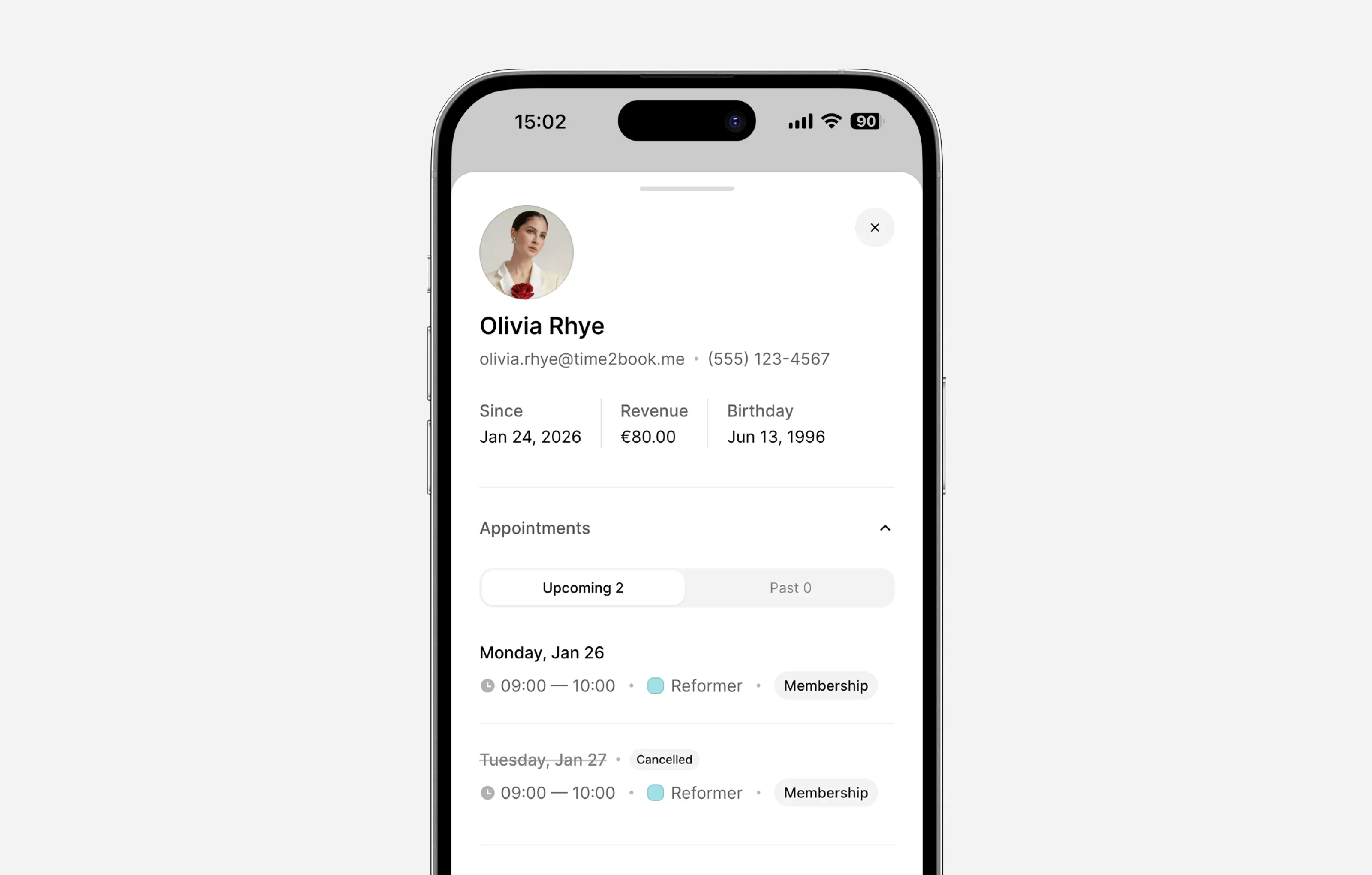
A good Pilates client management system should show:
- Client name and contact details
- Bookings
- Payments
- Active pricing plans
- Attendance history
- Notes
- Membership status
- Recently joined clients
This helps you understand who your clients are and how they engage with your studio.
For example, you may want to know:
- Who has not booked in 30 days?
- Who recently joined?
- Who uses the studio most often?
- Who bought an intro offer but did not return?
- Who has an expiring class pack?
- Who attends specific instructors’ classes?
This is where simple software can make a big difference. Instead of exporting spreadsheets or checking multiple systems, Time2book keeps client activity connected to bookings and payments.
6. Manage Attendance and Reduce No-Shows
Attendance matters for Pilates studios because every empty reformer or mat is lost revenue.
If a class has 10 spots and 2 people do not show up, that is not just a small inconvenience. It affects revenue, instructor planning, and the experience for clients who may have wanted that spot.
A strong studio setup should include:
- Booking confirmations
- Reminder emails
- Cancellation policy
- Attendance tracking
- Clear client communication
- Payment before booking, if needed
Time2book helps studios track who booked and who attended. This gives instructors a clear class list and helps owners understand attendance patterns over time.
If no-shows are a recurring issue, you can combine your software setup with a clear cancellation policy.
7. Set a Clear Cancellation Policy
A cancellation policy protects your studio, your instructors, and your clients. Without one, you may end up with late cancellations, empty class spots, and unclear expectations.
A good Pilates studio cancellation policy should explain:
- How many hours before class clients can cancel
- Whether late cancellations return a credit
- What happens if a client does not show up
- Whether refunds are allowed
- Whether exceptions are possible
- How clients can cancel or reschedule
Example: "You can cancel your booking up to 12 hours before class. Late cancellations and no-shows will be charged as used sessions."
This is clear, simple, and easy for clients to understand. Time2book allows studios to show policies during the booking flow, so clients understand the rules before they confirm.
8. Give Instructors the Right Access
If you have multiple teachers, you need staff access. But not every instructor needs full access to revenue, payments, settings, and business data.
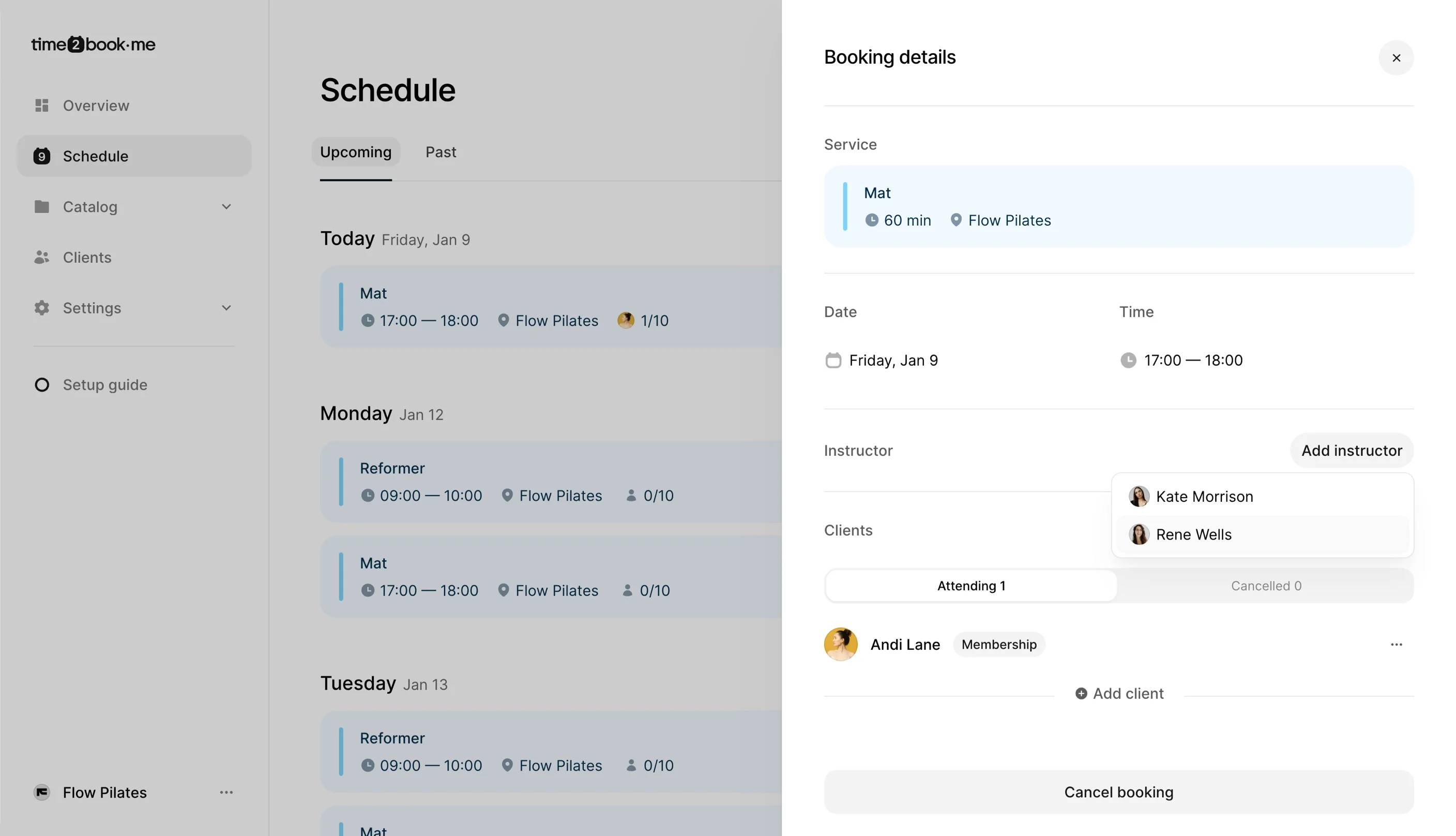
A good Pilates studio software setup should let team members:
- View their schedule
- See class lists
- Check clients in
- Add clients to classes
- Cancel or update classes if allowed
- Access only the tools they need
This keeps daily work simple while protecting sensitive business information. For growing studios, this matters because the owner should not be the only person managing every booking and attendance update.
9. Understand Studio Performance
You do not need complex reports to run a better Pilates studio. But you do need visibility.
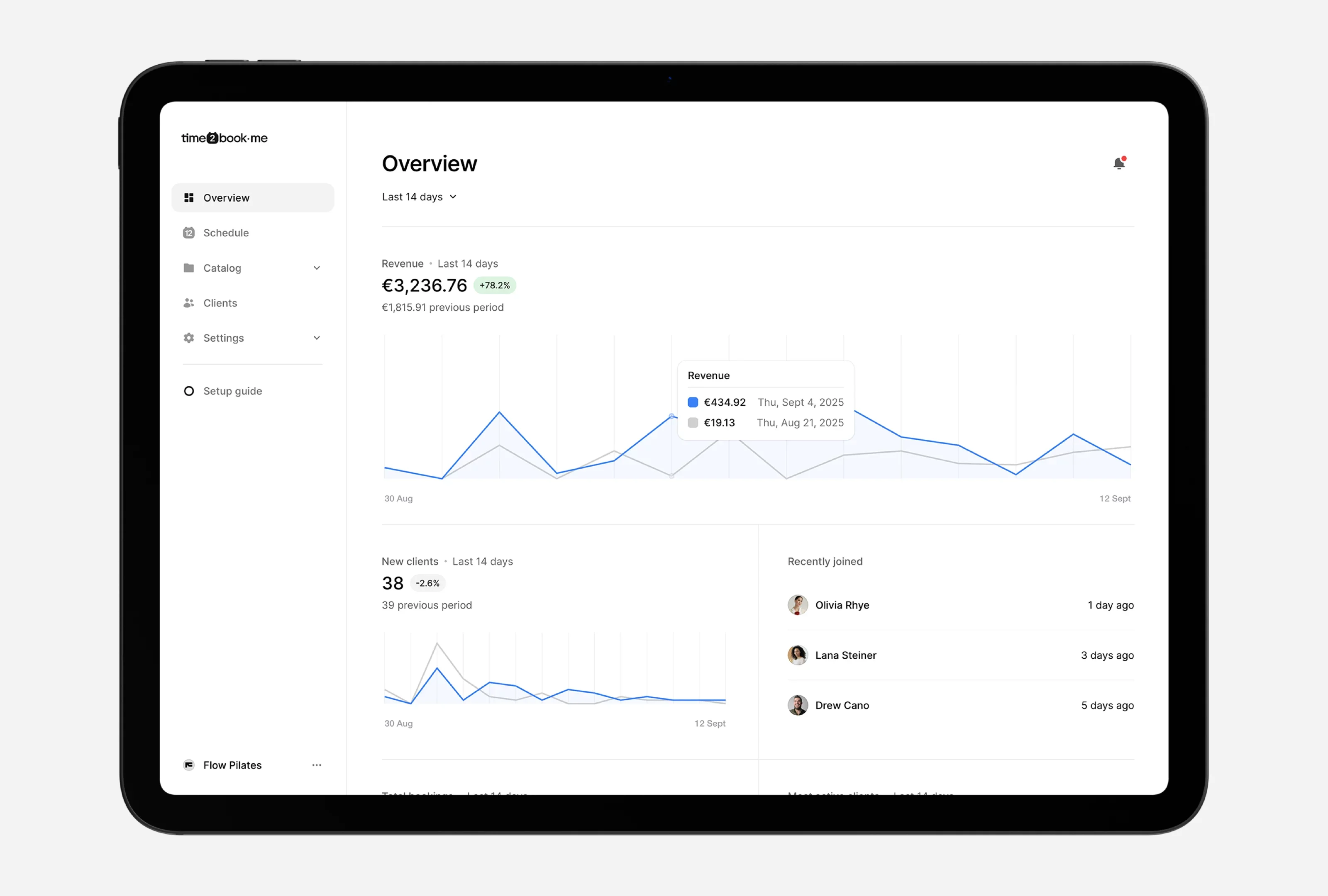
At minimum, you should understand:
- Total revenue
- Total bookings
- New clients
- Recently joined clients
- Most active clients
- Most popular pricing plans
- Booking trends
- Attendance trends
This helps you make better decisions.
For example:
- If drop-ins are popular but memberships are low, you may need a stronger intro-to-membership offer.
- If one class is always full, you may need to add another time slot.
- If a class is often half-empty, you may need to change the time, instructor, or format.
- If many intro clients do not return, your onboarding flow may need work.
Time2book gives studios a simple overview of performance without turning analytics into another complicated system.
Mindbody vs Time2book for Pilates Studios
Here is a simple comparison for Pilates studio owners looking for a Mindbody alternative.
Feature | Mindbody | Time2book |
|---|---|---|
Best for | Larger wellness businesses that need broad tools, marketplace exposure, and advanced add-ons | Small and growing Pilates studios that want simple booking, payments, memberships, and client management |
Setup | Can involve more configuration depending on business needs | Built for quick setup |
Online booking | Yes | Yes |
Class scheduling | Yes | Yes |
Online payments | Yes | Yes |
Class packs | Yes | Yes |
Memberships | Yes | Yes |
Client management | Yes | Yes |
Attendance tracking | Yes | Yes |
Marketplace/app discovery | Stronger marketplace ecosystem | Focused on your own studio booking experience |
Pricing | Third-party directories list pricing from around $99/month, with plan and add-on differences depending on needs + lock in contract | Plans start from €19/month when billed yearly |
Best fit | Larger studios, multi-service wellness businesses, businesses that want marketplace exposure | Boutique Pilates studios, reformer studios, solo instructors, and small teams |
Mindbody may be a better fit if you want a larger platform with marketplace visibility, branded app options, marketing tools, and a broad ecosystem.
Time2book may be a better fit if you want a modern, simple system focused on the tools most Pilates studios use every day.
How to Move Away From Mindbody
If you are already using Mindbody, switching does not need to happen all at once. Here is a simple transition plan or you can always contact our team via email to get help!
1. List what you actually use
Before switching, write down the features you use every week.
For most Pilates studios, this will be:
- Class schedule
- Client list
- Payments
- Memberships
- Class packs
- Attendance
- Email reminders
- Reports
This helps you avoid choosing software based on features you do not actually need.
2. Export your client list
Make sure you have your client data organized before moving.
You may want to export:
- Client names
- Emails
- Phone numbers
- Active memberships
- Remaining class pack credits
- Notes
- Recent bookings
3. Rebuild your core services
Start simple.
Create your main services first:
- Reformer Pilates class
- Mat Pilates class
- Private Pilates session
- Intro class
- Beginner class
- Workshop
Then add pricing plans after your services are ready.
4. Create your pricing options
Set up:
- Drop-in class
- 5-class pack
- 10-class pack
- Monthly membership
- Intro offer
Avoid adding too many options at the start. Too many choices can confuse clients.
5. Test the client booking flow
Before launching, book a test class as if you are a client.
Check:
- Is the schedule easy to understand?
- Is payment simple?
- Does the confirmation email make sense?
- Is the cancellation policy visible?
- Does the mobile experience feel smooth?
6. Tell clients about the change
Keep the announcement simple.
Example:
We’re moving to a new booking system to make class bookings and payments easier. You’ll be able to view the schedule, book classes, manage your plan, and pay online in one simple place.
7. Launch with your next schedule cycle
The easiest time to switch is often before a new month, new term, or new class schedule. This gives clients a clean starting point.
Frequently Asked Questions
What is the best Mindbody alternative for Pilates studios?
Time2book is a strong Mindbody alternative for Pilates studios that want simple scheduling, online payments, class packs, memberships, client management, and attendance tracking in one clean system.
Mindbody can be useful for larger wellness businesses that need a broad platform, marketplace visibility, and advanced add-ons. But smaller Pilates studios often prefer a simpler setup that is easier for staff and clients to use.
Can I run a Pilates studio without Mindbody?
Yes, you can run a Pilates studio without Mindbody. You need software that covers the core parts of your business: scheduling, bookings, payments, memberships, client management, attendance, and reminders.
A smaller studio does not always need a large wellness marketplace or complex enterprise-style system. With a tool like Time2book, you can manage daily studio operations from one simple platform.
Is Mindbody too complicated for small Pilates studios?
Mindbody offers many features, which can be useful for larger businesses. But for smaller Pilates studios, too many tools can sometimes create unnecessary setup and admin.
If your main needs are class scheduling, online payments, memberships, client records, and attendance, a simpler Pilates studio software platform may be easier to manage.
How much does Mindbody cost for Pilates studios?
Mindbody pricing can vary based on plan, business needs, and add-ons. Third-party software directories such as Capterra and Software Advice list Mindbody pricing from around $99/month.
Studio owners should always check Mindbody’s official pricing page for the latest package details and compare the total cost with the features they actually need.
What software do Pilates studios need?
Pilates studios usually need software for class scheduling, online booking, payments, memberships, class packs, client management, attendance tracking, reminders, and basic reporting.
For reformer Pilates studios, class capacity is especially important because every class depends on a fixed number of reformers.
Is Time2book good for reformer Pilates studios?
Yes. Time2book works well for reformer Pilates studios because it helps manage class capacity, bookings, payments, memberships, class packs, clients, and attendance.
It is especially useful for boutique studios that want a modern booking page and a simple experience for both clients and staff.
How do I switch from Mindbody to another Pilates studio software?
Start by listing the features you currently use, exporting your client data, rebuilding your services and pricing plans, testing the client booking flow, and then announcing the change to clients.
The best time to switch is usually before a new month, new class schedule, or new membership cycle.
Final Thoughts
You do not need Mindbody to run a successful Pilates studio.
Mindbody is a well-known platform with a broad set of tools for fitness and wellness businesses. For some larger studios, that can make sense.
But if you run a small or growing Pilates studio, you may not need a complex system with more features than you use. You may simply need a clean way to manage classes, bookings, payments, memberships, clients, attendance, and reminders.
That is where Time2book fits.
Time2book is built for modern fitness and wellness studios that want simple software, a smooth client experience, and less daily admin.
Try Time2book free today and simplify your Pilates studio bookings, payments, memberships, and client management.
Pilates studio software
Learn more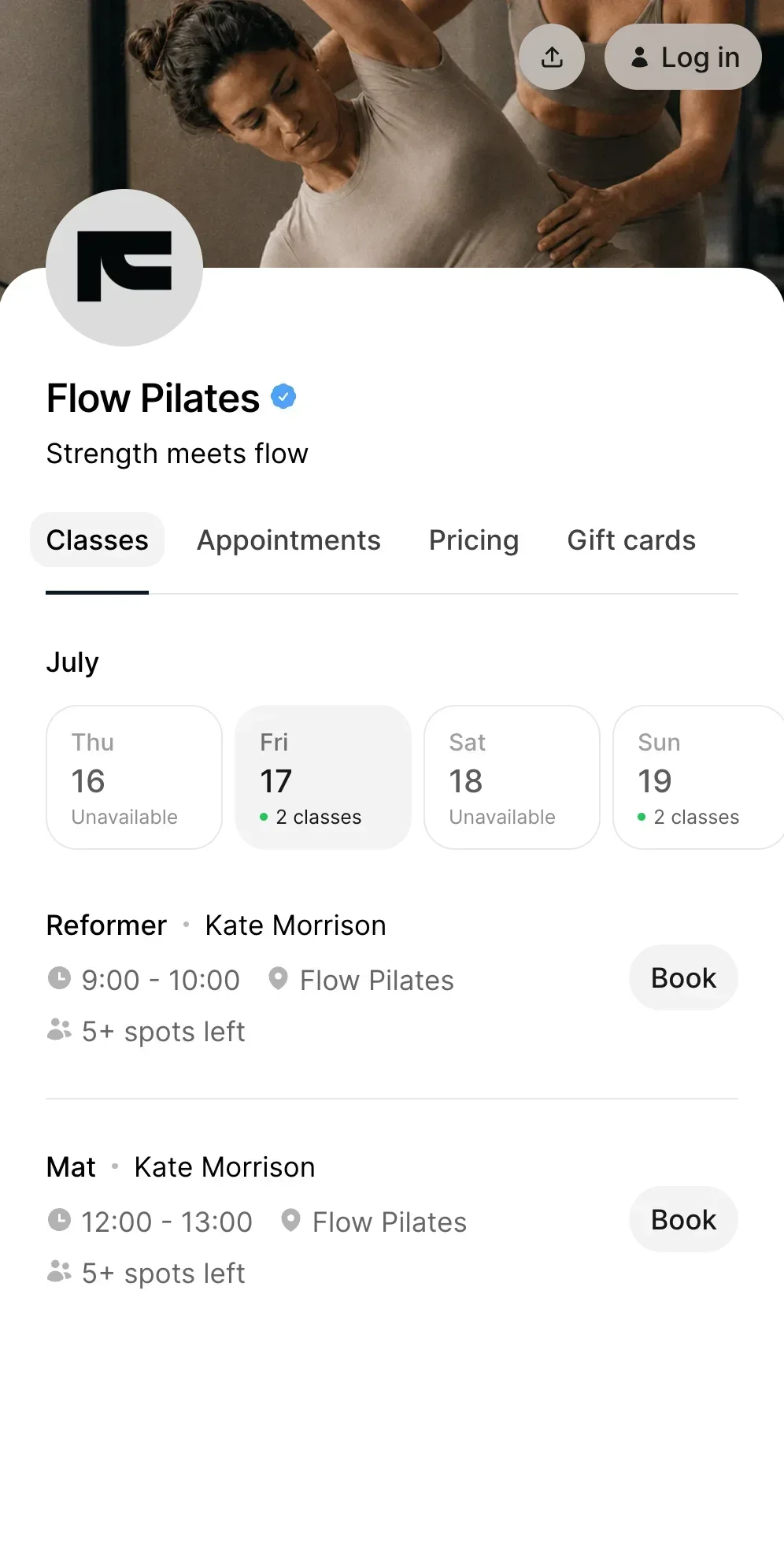
Manage bookings and payments easier
Get a free 7-day trial
No credit card required