Download an invoice
If you’ve purchased a membership through Time2book, you can easily download invoices for your payments. This is useful if you need receipts for personal records or reimbursement.
Step 1: Go to My passes
- Log in to your Time2book account.
- In the left-hand menu, click My passes.
- Open the Memberships tab.
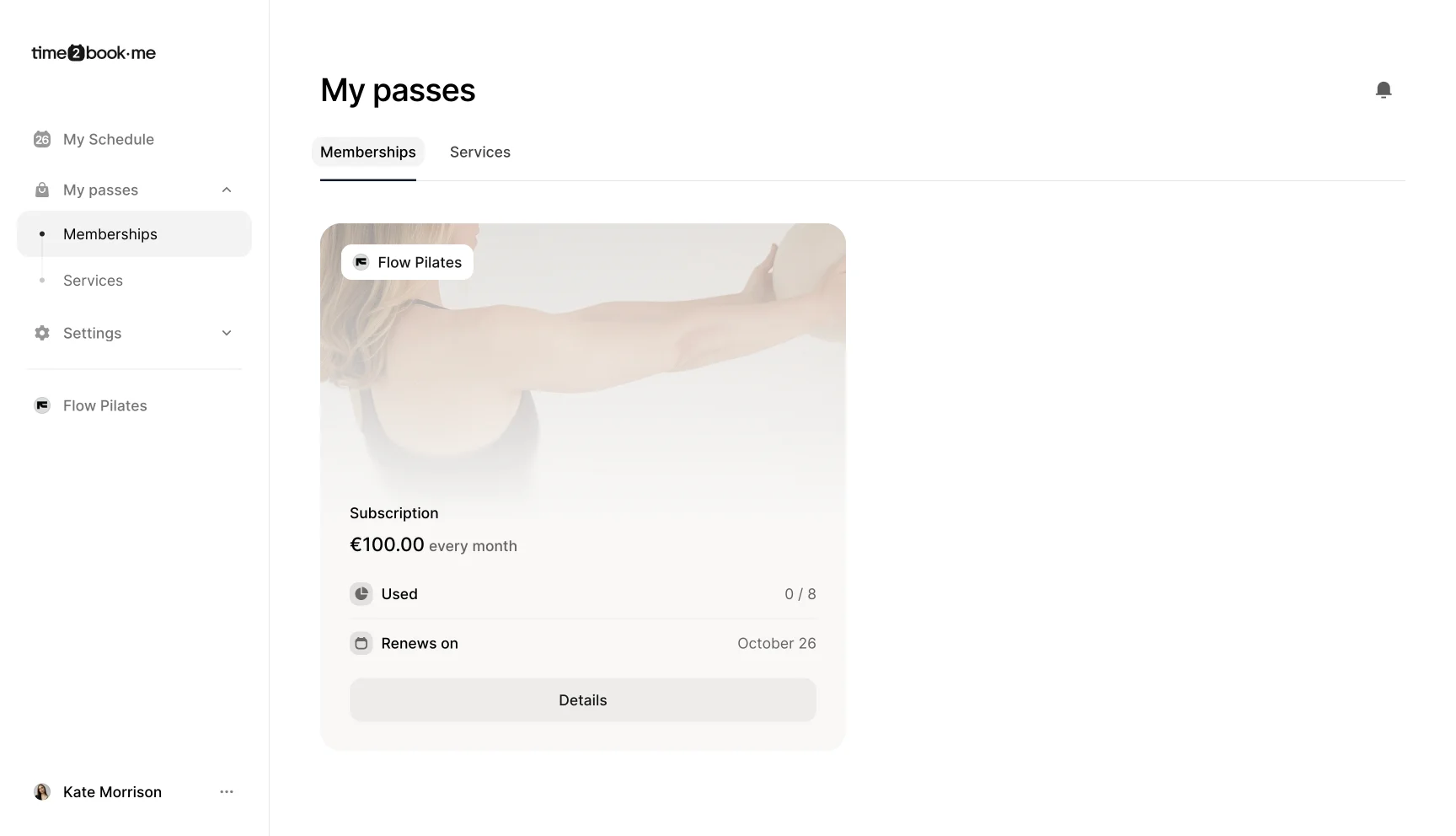
Step 2: Open membership details
- Find your active membership and click Details.
- A dialog will open with more information about your membership.
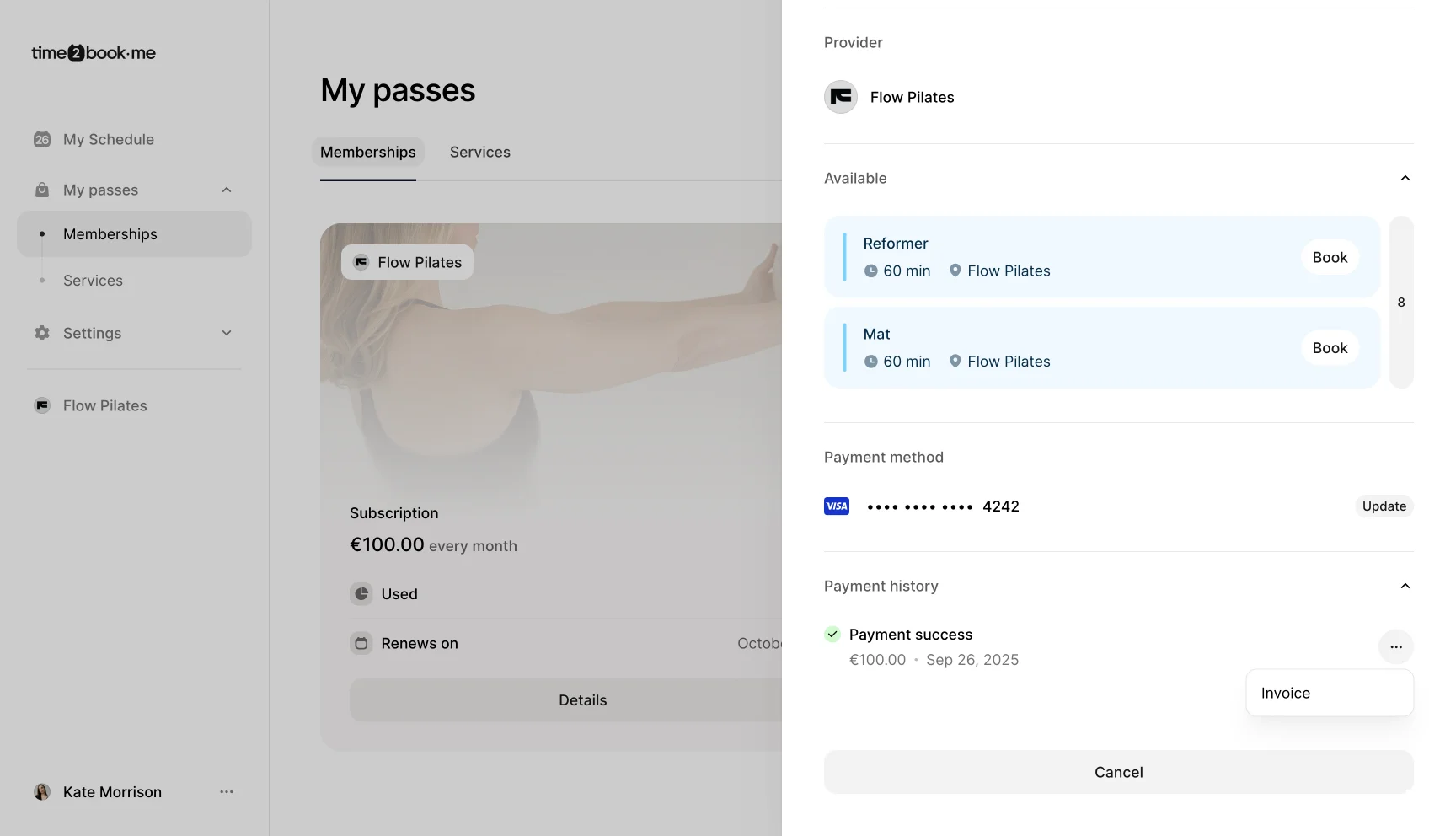
Step 3: Scroll to payment history
- In the membership details, scroll down to the Payment history section.
- You’ll see a timeline of your past payments.
Step 4: Download your invoice
- Next to each payment, click the "..." button.
- Click on Invoice to download your invoice as a PDF.
That’s it
You’ve successfully downloaded an invoice for your membership payment in Time2book. You can repeat this process anytime for past or future payments.