Announcements
Announcements let you share updates directly with all your clients in Time2book. Business owners and managers can post messages, optionally notify clients by email, and keep conversations in one place through replies.
Announcements are available on Professional and Business plans.
Step 1: Open Announcements
From the left-hand menu, go to Marketing → Announcements. Here you can see previous announcements and any replies from your clients.
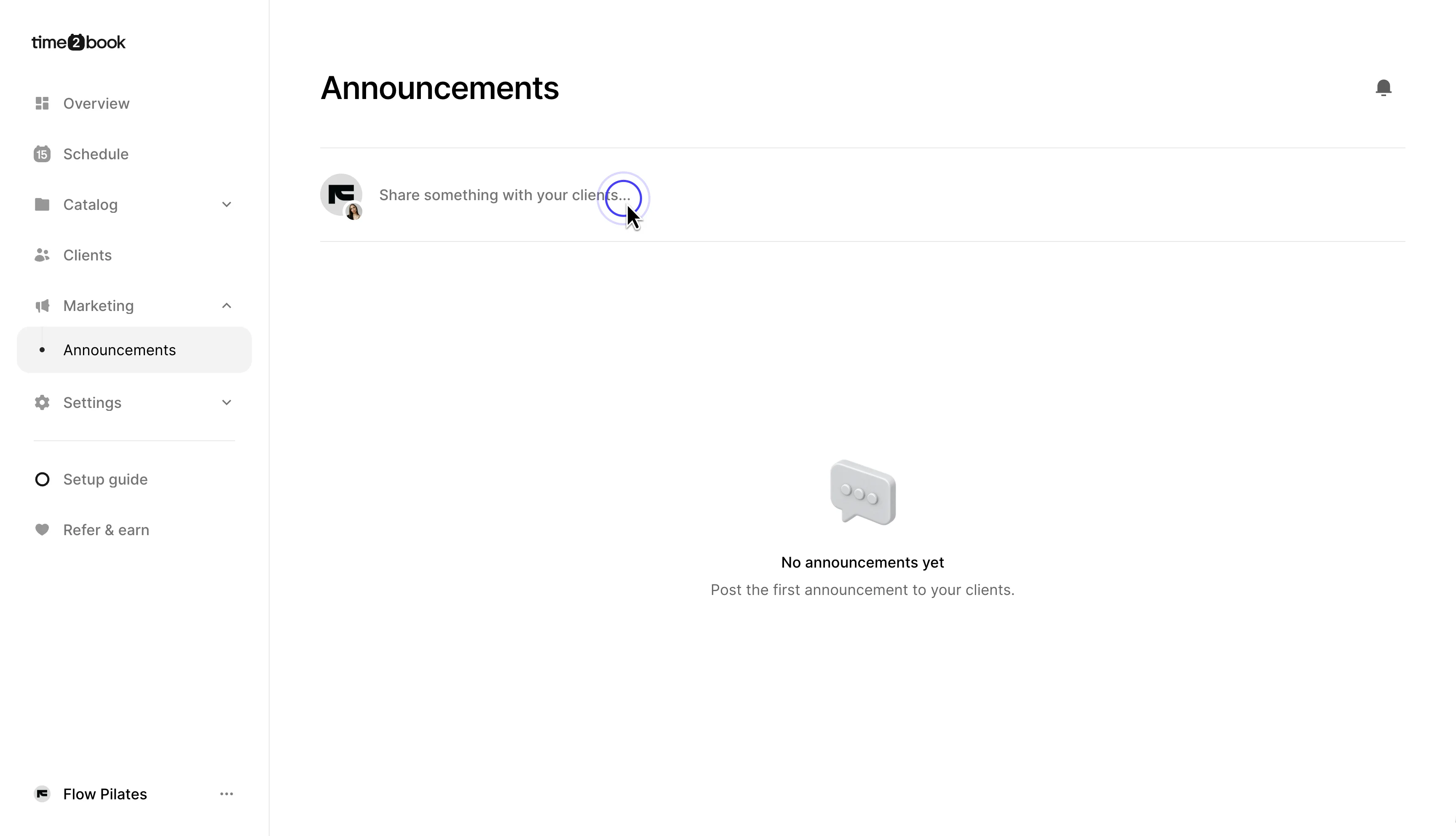
Step 2: Create an announcement
Click Share something with your clients... to create a new announcement.
Add your message, such as a schedule update, new class, studio news, or anything else you want to share with your clients.
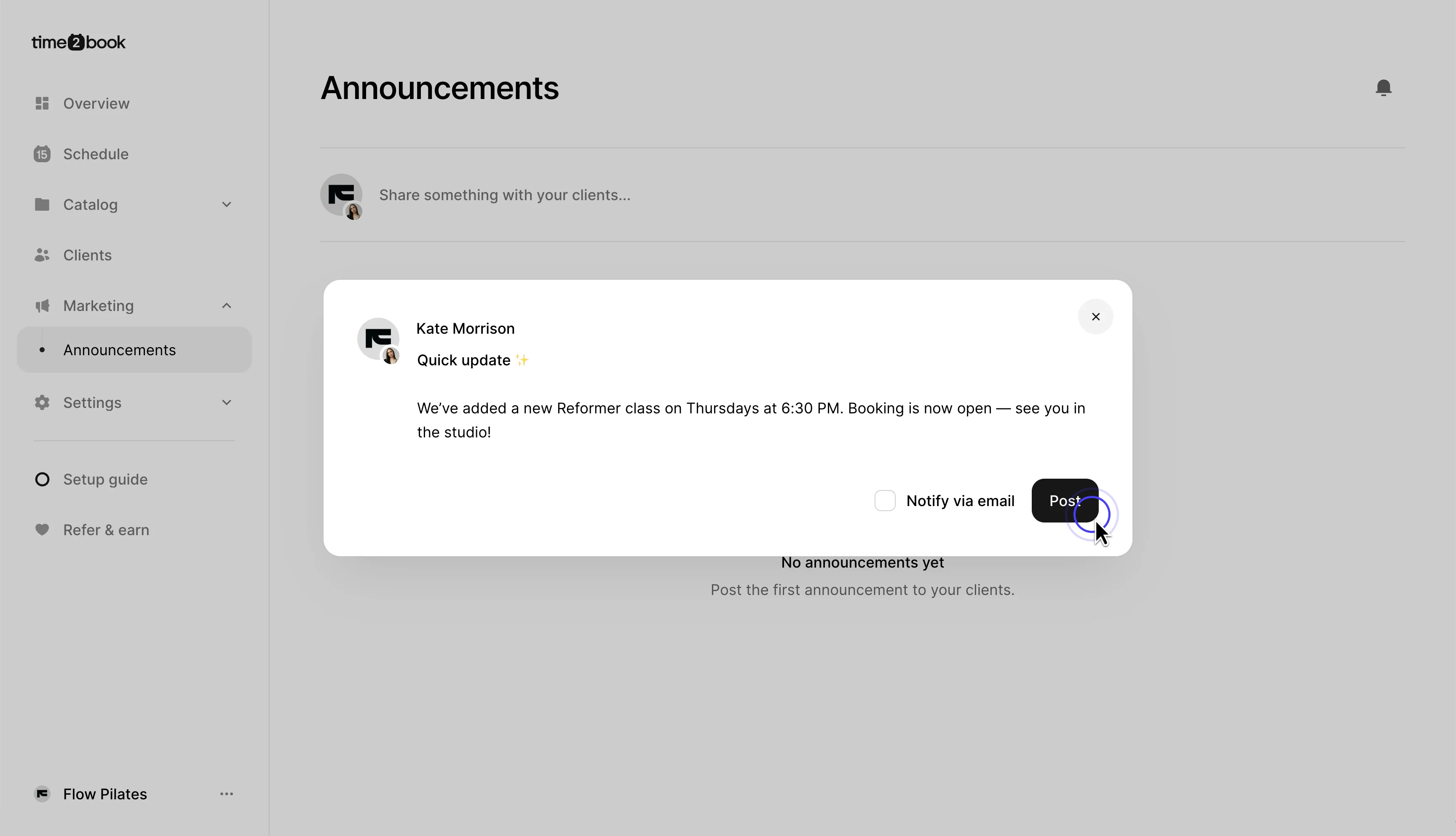
Step 3: Choose whether to notify clients by email
Before posting, you can select Notify via email.
If enabled, your clients will receive an email with the announcement and a link to open it in Time2book.
Click Post when you're ready to publish.
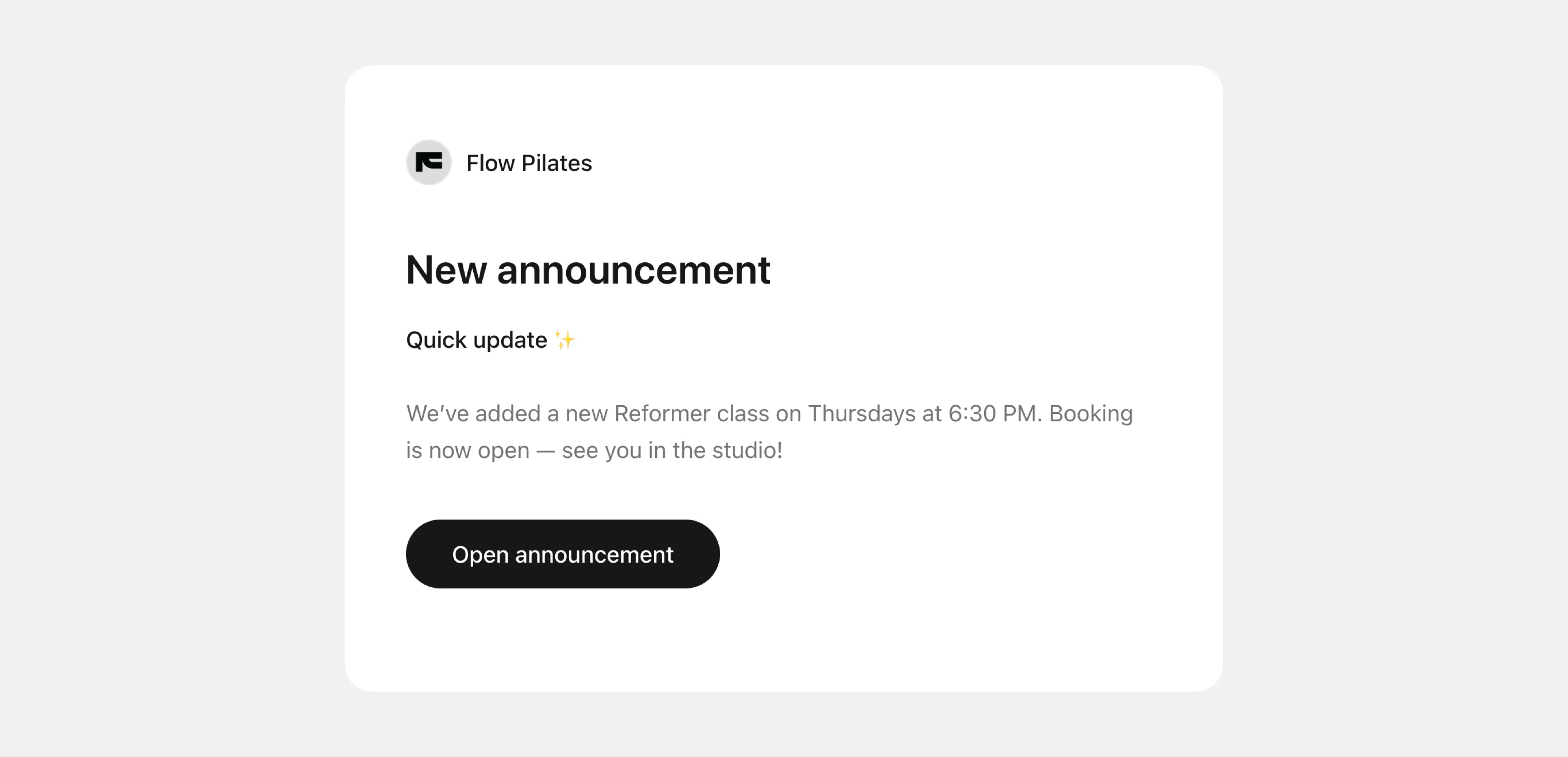
Step 4: View client replies
Clients can open your announcement and reply directly to it.
Click the replies icon on an announcement to open the conversation. You can see client responses and reply back from the same panel.
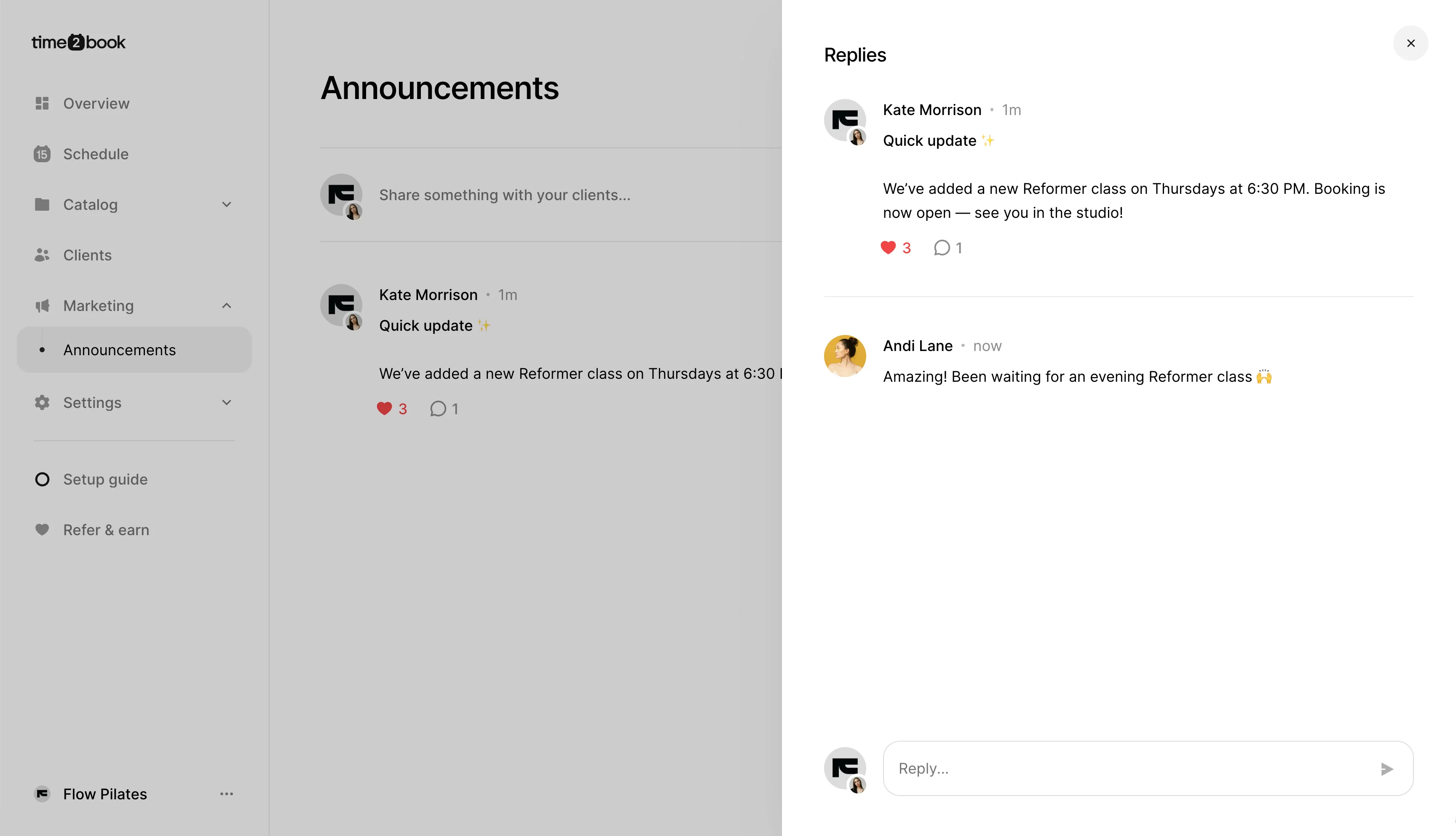
This makes Announcements useful for sharing updates while keeping communication with your clients in one place.