
Introduction
Pilates is more popular than ever—and it’s not just happening in studios anymore. From mat classes on Zoom to on-demand reformer sessions, clients now expect the flexibility to move, stretch, and strengthen wherever they are.
Running your Pilates studio online isn’t just about keeping up—it’s about unlocking new ways to grow. With the right setup, you can streamline bookings, offer flexible memberships, and connect with clients far beyond your local area.
This guide is for Pilates instructors and studio owners who want to modernize their setup, reduce admin work, and serve clients more efficiently. Whether you’re running a solo practice or managing a busy schedule with multiple instructors, we’ll walk you through every step of building a smooth, online-first Pilates experience.
Why Take Your Pilates Studio Online?
Taking your Pilates studio online isn’t just a reaction to changing times—it’s a smart move to future-proof your business and create more freedom in how you work.
Here’s why more and more studio owners are making the switch:
1. Lower Overhead, Higher Flexibility
With fewer physical constraints, you can cut down on rent, utilities, and maintenance. This gives you the option to go fully remote or run a leaner hybrid model.
2. Scalable Revenue Streams
Online offerings—like monthly memberships, video libraries, or drop-in virtual classes—let you serve more clients without adding more hours. Your schedule becomes more efficient, and your income more consistent.
3. Clients Want Convenience
People are used to booking haircuts, classes, and appointments online. Offering your Pilates services with easy scheduling, digital payments, and online access helps you meet their expectations—and win new clients.
4. Reach Beyond Your Local Area
Going online means your studio isn’t limited to your city. You can attract clients from other regions, countries, or even time zones—especially for pre-recorded or on-demand content.
5. Build a Brand, Not Just a Location
A strong online presence (profile, bookings, pricing, social media links) turns your studio into a brand. This makes it easier to promote yourself, grow organically, and stand out in a crowded market.
Step 1: Set Up Your Online Booking System
Before you record your first video or plan your next virtual class, the most important move is making it easy for clients to book you online. A modern booking system saves time, reduces no-shows, and gives clients a smooth way to see your schedule and reserve their spot.
What to Look For in a Pilates Booking Tool:
- Live schedule display on your public profile
- Mobile-friendly interface (most bookings happen on phones)
- Support for drop-ins, packs, and memberships
- Integrated payments (Stripe, Apple Pay, Google Pay)
- Automatic confirmations and reminders
Example: time2book
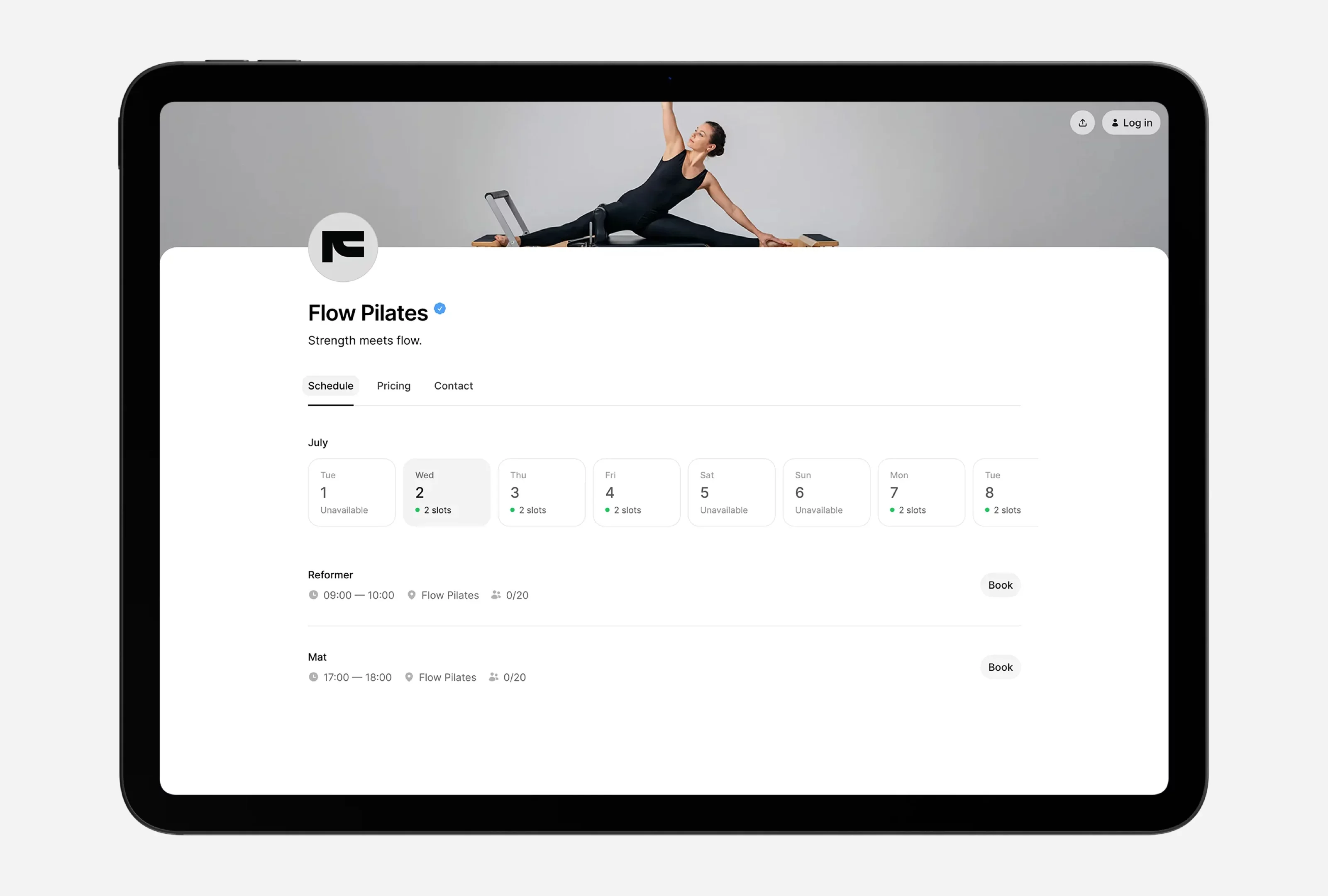
With time2book.me, Pilates instructors can:
- Create a public profile that shows all upcoming classes
- Let clients buy a pack (e.g. 5x reformer sessions) or sign up for a monthly plan
- Accept payments online and track attendance
- Offer flexible scheduling options for mat, reformer, or private sessions
“Most clients book in under 40 seconds and complete their first payment right from their phone.”
Pro Tip:
Add your booking link to your Instagram bio, email footer, and Google Business listing. That way, new clients can instantly reserve a class the moment they discover you.
Step 2: Offer Flexible Payment Options
One-size-fits-all pricing doesn't cut it anymore. Whether your clients want to commit monthly or just drop in once, offering flexible payment options helps you attract more people—and keep them coming back.
Popular Payment Types for Pilates Studios:
- Drop-in classes (e.g. €15 for one mat session)
- Session packs (e.g. 5x reformer classes for €70)
- Monthly memberships (e.g. €59/month for unlimited mat access)
Collect Payments Online (Without the Headache)
Tools like time2book integrate directly with Stripe, letting your clients:
- Pay securely via credit card, Apple Pay, or Google Pay
- Purchase plans and have them tied to their profile
- Get instant confirmation and receipts
You don’t need to chase payments or send separate invoices—everything happens automatically during booking.
Real-World Example:
A client visits your profile, picks a class, and selects a 10-class pack at checkout. They pay with Apple Pay and receive instant confirmation. On your side? The payment is recorded, and the class gets marked as reserved.
Pro tip: Set expiration dates for class packs (e.g. valid for 60 days) to keep clients engaged and reduce drop-off.
Step 3: Host Virtual or Hybrid Classes
Running online Pilates sessions opens the door to a wider audience and gives your existing clients more ways to stay consistent—whether they’re traveling, at home, or just prefer flexibility.
Choose Your Format
- Live classes: Host sessions on Zoom, Google Meet, or Jitsi. Great for real-time interaction and accountability.
- Pre-recorded videos: Offer a library of on-demand classes clients can access anytime.
- Hybrid setup: Combine in-person and online attendees in one class with a good camera and mic setup.
Class Types You Can Offer Online
- Mat Pilates (low setup, high engagement)
- Reformer sessions (via recorded demos or live guidance)
- Short 10–15 minute daily mobility routines
- Full 45–60 min progressive flows
Tools & Setup Tips
Tool
Use
Link
Zoom
Live classes
Loom
Record short form content
Canva
Create class thumbnails, promo banners
Best Practices for Online Classes
- Use a wide-angle camera and natural lighting
- Place your mat sideways so clients can follow your movements clearly
- Add branded visuals (logo, light banner) for consistency
- Test audio! Clear instructions are half the experience
Pro tip: Include a “Join via Zoom” button in your class confirmation email. Most booking systems like time2book allow you to add links automatically.
Step 4: Build a Public Profile for Your Studio
Your public profile is your studio’s digital front desk. It’s where new clients check your class schedule, explore pricing, and book in seconds. Think of it as your modern-day studio window—open 24/7.
What Makes a Great Studio Profile?
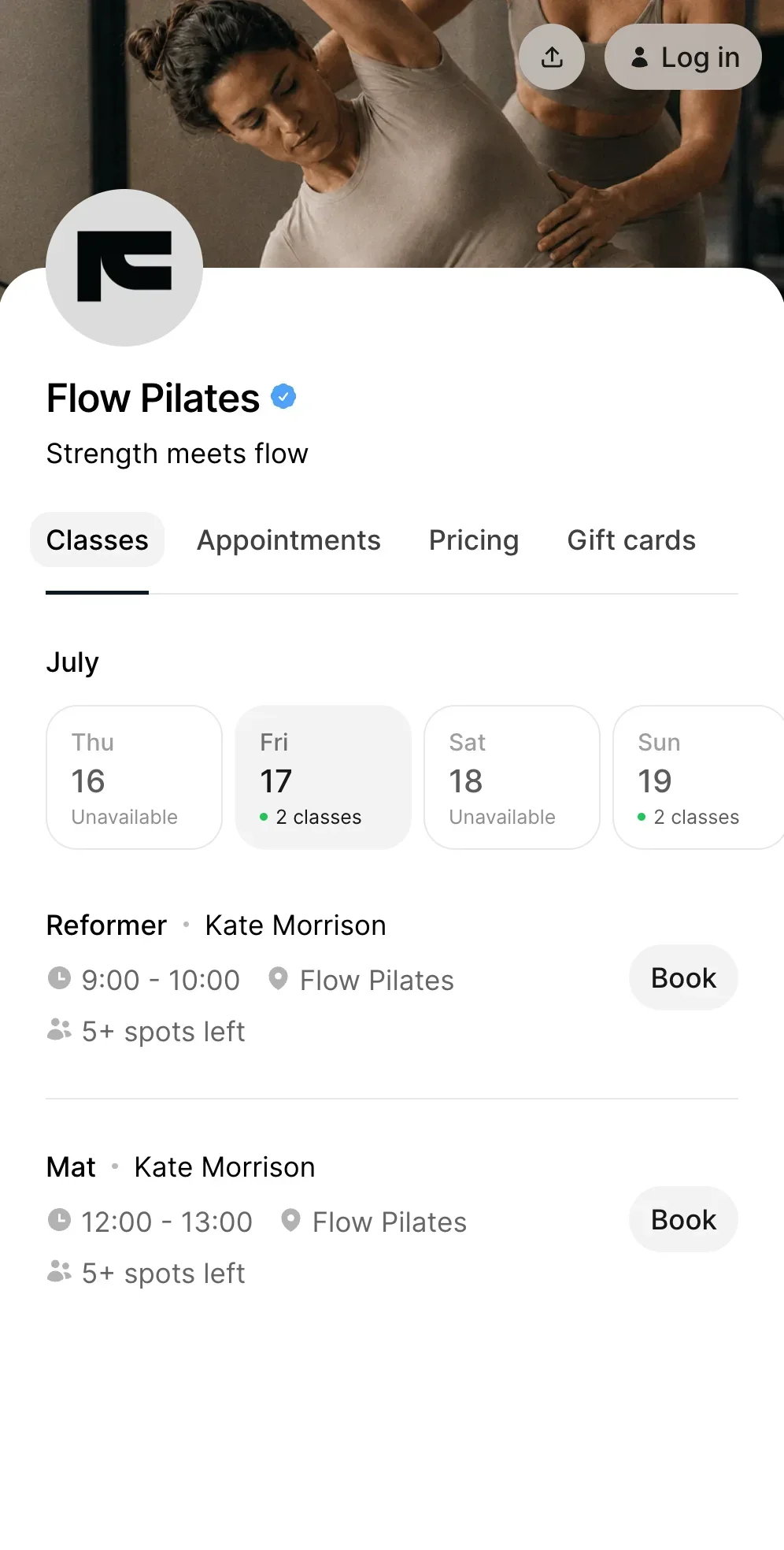
- Clear studio name and tagline (e.g. Flow Pilates — Strength meets flow.)
- A clean weekly schedule view with class names and times
- A pricing tab showing your membership options and packs
- A mobile-friendly layout with book buttons next to each class
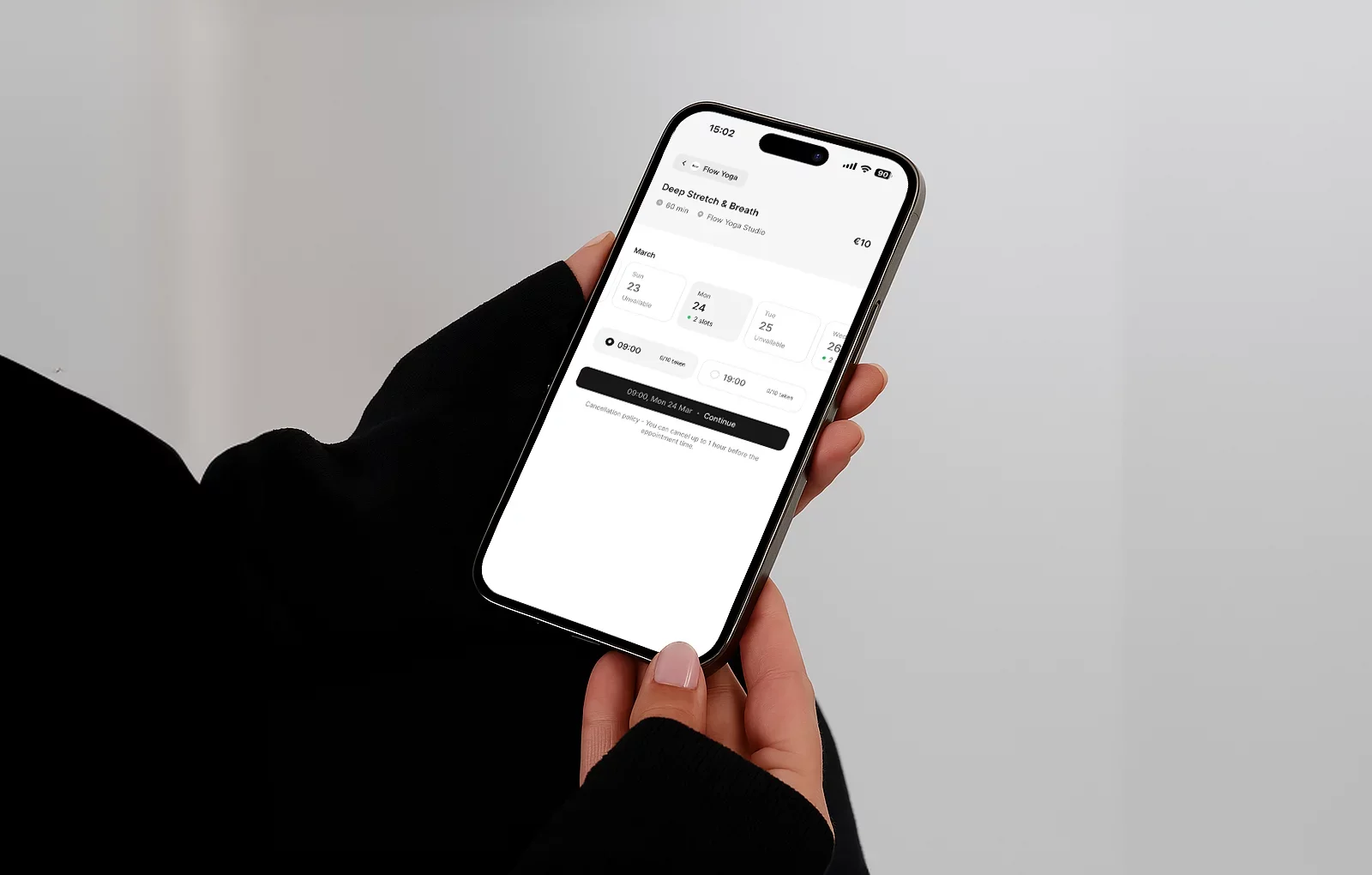
Example: Flow Pilates on time2book
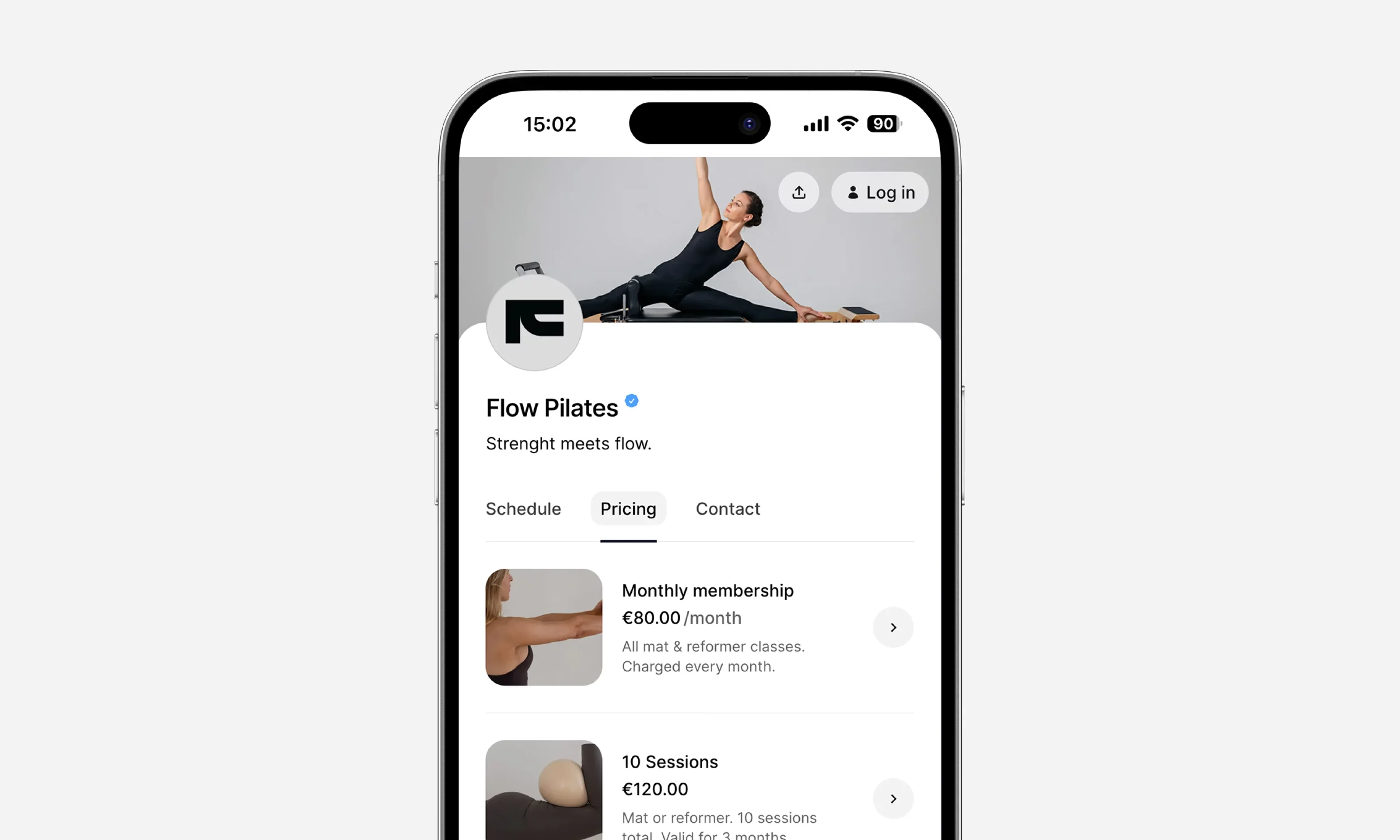
The profile displays:
- Live class availability (“2 slots left”)
- Drop-in and membership prices
- Mat and reformer class times
- A header image and studio bio
Clients can explore everything without logging in—only sign in when they’re ready to book.
Where to Share Your Profile:
- Instagram bio link (e.g. time2book.me/flowpilates)
- Google Business profile
- Email newsletters
- WhatsApp or text replies to inquiries
“Most clients discover studios through a shared link or social media. Make sure your profile is one tap away.”
Step 5: Promote Your Studio Online
Now that your studio is set up, it’s time to get people through the (virtual) door. Marketing your Pilates studio online doesn’t need to be complicated—it just needs to be consistent.
Focus on These Channels:
1. Instagram
- Post behind-the-scenes class clips or short Pilates moves
- Use Reels to boost reach (try: “3 stretches for tight hips”)
- Add your booking profile link in bio (e.g. yourstudio.time2book.me)
2. Google Business Profile
- Add your public link under "Appointments"
- Ask happy clients to leave reviews
- Show up in local search results for “Pilates near me”
3. Email Newsletters
- Share class updates, new plans, or exclusive online events
- Tools like Mailchimp or MailerLite let you sync leads from your booking forms
- Include your class schedule and quick book links
4. Referral Programs
- Offer a free class or discount when someone brings a friend
- Mention it in your booking confirmation emails
Step 6: Retain Clients with Plans & Memberships
Getting a client to book is great—getting them to stay is even better. With the right plans and memberships, you can turn one-time visitors into loyal regulars.
Offer Options That Fit Different Lifestyles
Plan Type
Ideal For
Example
Drop-ins
New clients trying it out
€15 for a single mat class
Class packs
Busy schedules
€120 for 10 reformer sessions, valid for 3 months
Monthly memberships
Committed clients
€80/month for unlimited access
Make It Easy to Stay Subscribed
A good platform (like time2book) handles:
- Auto-renewals with Stripe
- Email reminders before plan expiration
- Credit tracking for session packs
- Visibility: clients always see how many sessions they have left
Example:
Someone books a 10-session pack today. After each class, it automatically deducts one session. When they’re down to 2, they get an email: “You have 2 classes left—top up now to keep your flow going.”
This keeps them engaged and makes your revenue more predictable.
Pro tip: Add limited-time offers for new memberships (e.g. “Get your first month for €60”).
Recommended Tools for Running Your Pilates Studio Online
Running your Pilates business online doesn’t mean juggling a dozen tools. Here’s a curated list to help you handle everything from bookings to marketing—without the overwhelm.
Use Case
Tool
Why It’s Great
Bookings, payments, plans
All-in-one profile, payments, class scheduling, and memberships
Live classes
Easy-to-use video for hosting virtual sessions
Email marketing
Great for newsletters, class reminders, and offers
Design
Quickly create class graphics, social posts, and pricing visuals
Video recording
Ideal for quick video tutorials or explaining exercises
Client feedback
Collect feedback or run mini surveys with beautiful forms
Tip: The less you need to switch between tools, the smoother your daily operations will be. That’s why many Pilates studios use a single platform like time2book to manage the core: bookings, clients, and payments.
Conclusion
Running a Pilates studio online isn’t just a trend—it’s a smart, scalable way to grow your business, reach more clients, and simplify your day-to-day.
With the right tools and setup, you can:
- Offer flexible bookings and payments
- Host virtual or hybrid classes with ease
- Build lasting relationships through memberships
- Promote your studio and grow your brand
The key? Make the experience smooth—for you and your clients.
Ready to Modernize Your Pilates Studio?
Set up your public profile, accept payments, and manage bookings—all in one place.
Start now with time2book — it only takes a few minutes.