View pricing plan performance
You can view the performance of each individual pricing plan in Time2book. This helps you understand how a plan is performing, how much revenue it has generated, and which clients have purchased it.
This guide explains how to open a pricing plan overview and review its performance.
Step 1: Go to pricing plans
- From the left-hand menu, click Catalog.
- Open the Pricing plans tab.
You’ll see a list of your pricing plans, including memberships, class packs, or other plans you’ve created.
Step 2: Open a pricing plan
Click on the pricing plan you want to review. This will open the pricing plan details page, where you can see its overview, performance, and purchased clients.
Step 3: Review pricing plan performance
At the top of the page, you’ll see an overview of how this pricing plan is performing.
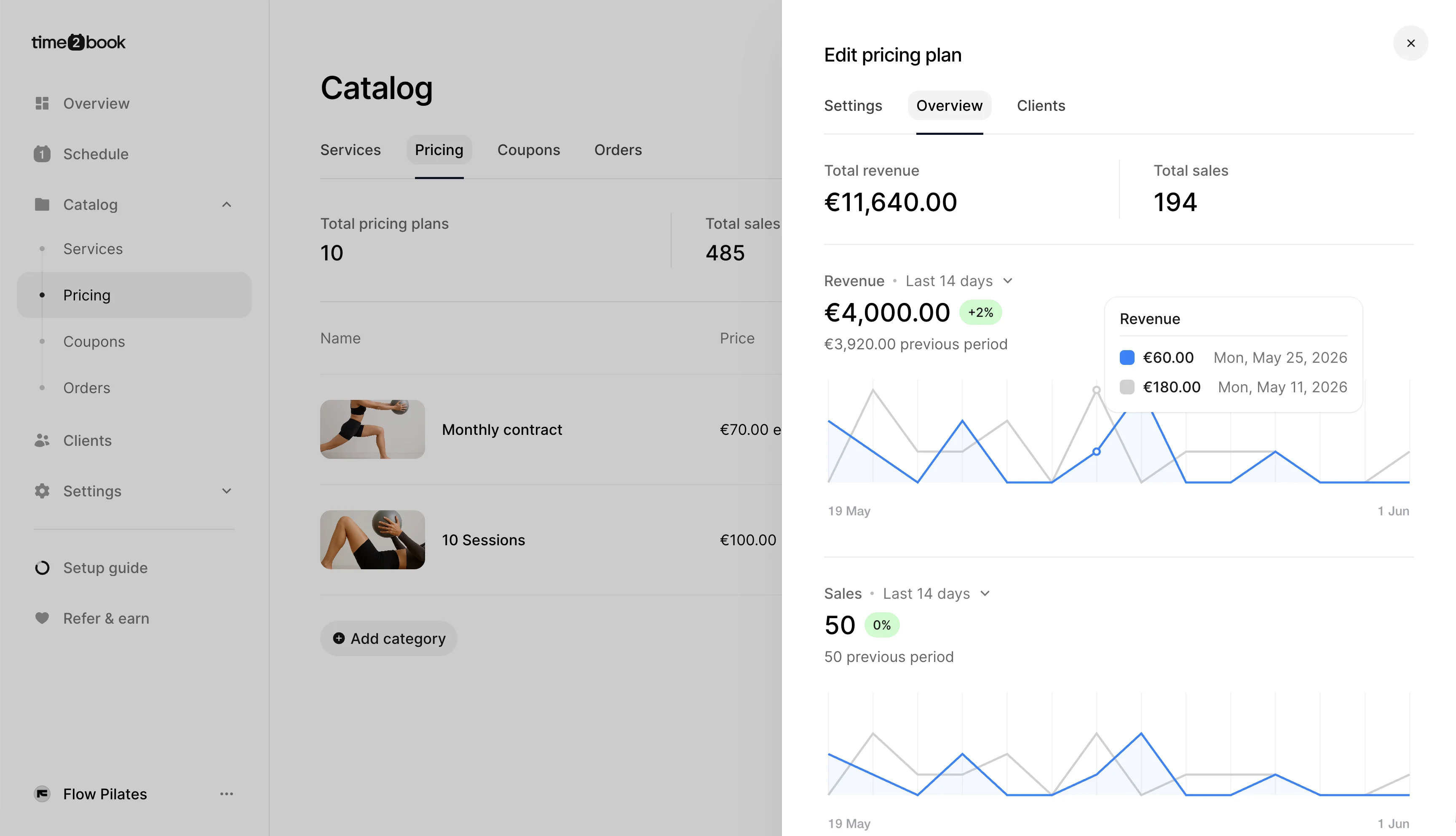
You can use this section to quickly understand:
- How many clients purchased this pricing plan
- How much revenue this pricing plan has generated
- How the plan is performing over time
- Whether the plan is popular with your clients
This gives you a clearer view of which pricing plans are working best for your studio.
Step 4: View clients who purchased this plan
Below the overview, you’ll see a list of clients who have purchased this pricing plan.
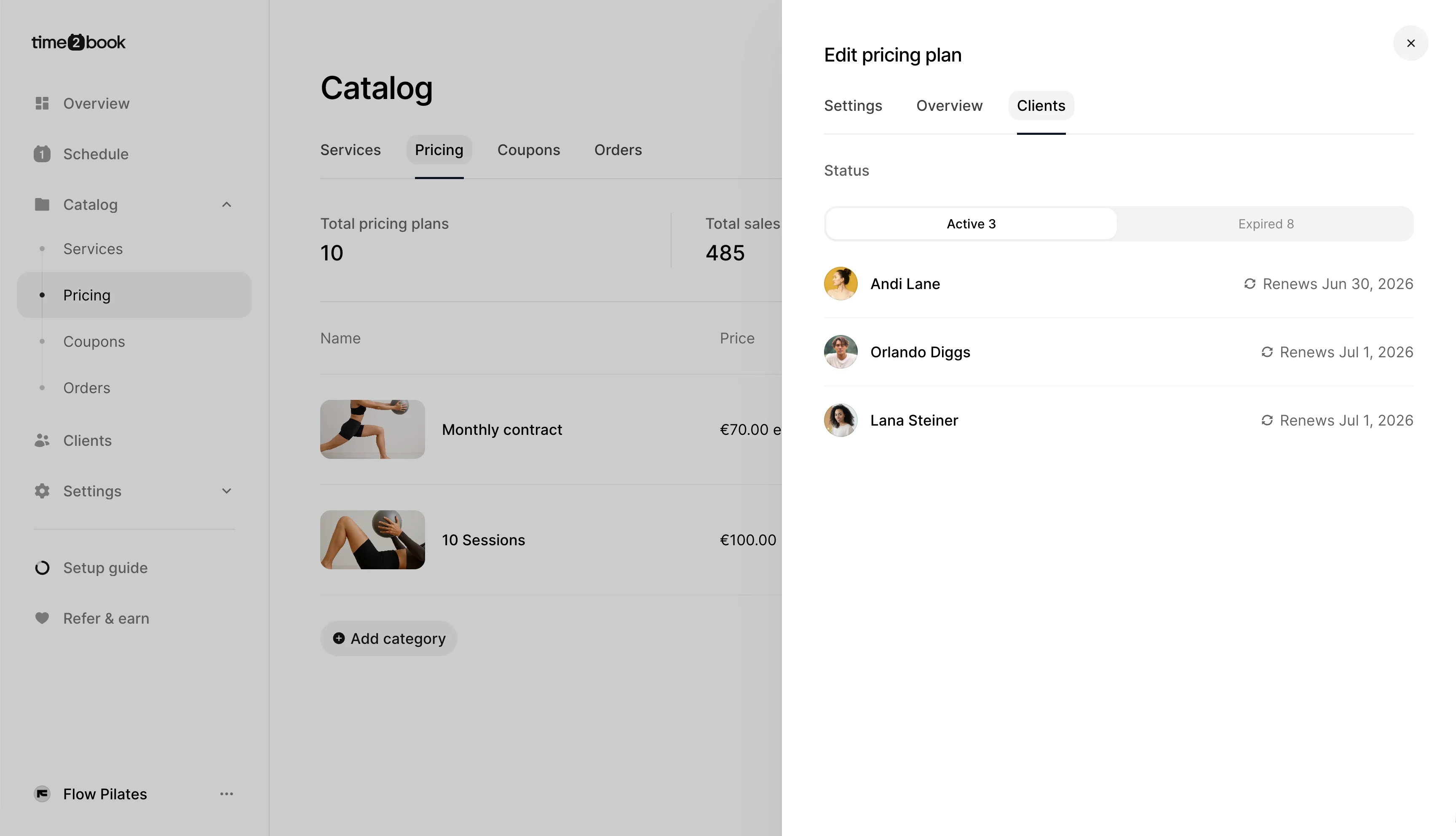
This section helps you see:
- Client names
- Purchase details
- Current plan status
- Related client information
You can use this list to understand who is using the plan and quickly access client details when needed.
Why this is useful
The pricing plan overview helps you track the performance of each plan separately instead of only looking at your full studio revenue.
This is useful when you want to:
- Compare different pricing plans
- See which memberships or class packs are most popular
- Understand where your revenue is coming from
- Review which clients are connected to a specific plan
By reviewing each pricing plan individually, you can make better decisions about your pricing, offers, and memberships.