Setting up membership contracts
Membership contracts let you require a commitment period for recurring plans. This means clients agree to continue payments for a set time (for example, 6 months), even if they cancel early.
This guide explains how to set up and manage contracts in Time2book.
Step 1: Go to pricing
- From the left-hand menu, click Catalog
- Select Pricing from the top navigation
- Create a new plan or edit an existing one
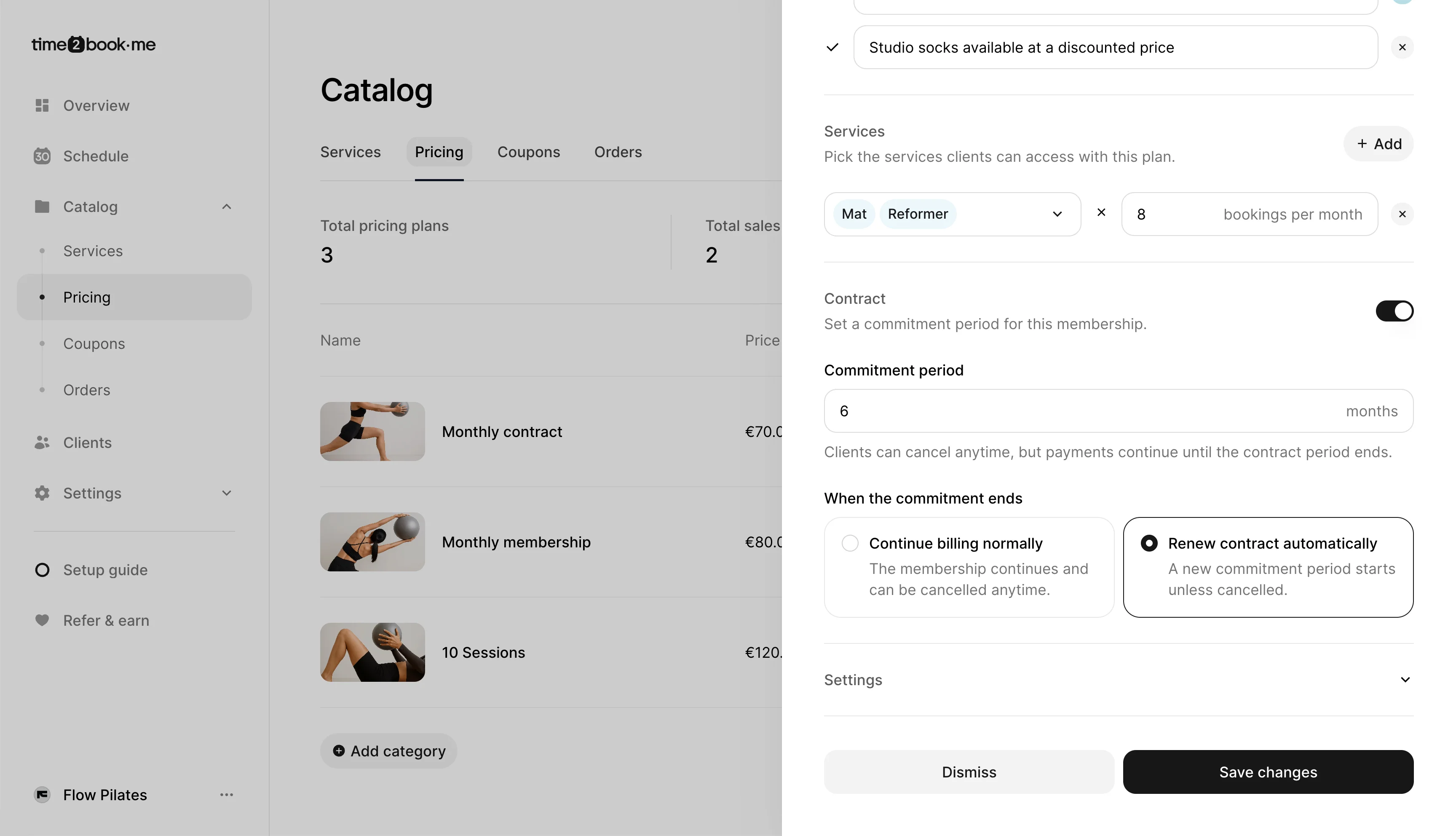
Step 2: Enable contract
- Scroll to the Contract section
- Turn on the Contract toggle
Once enabled, you can define how the commitment works.
Step 3: Set commitment period
- Enter the commitment period (e.g. 6 months)
This means:
- Clients commit to paying for the full period
- They can cancel anytime, but payments continue until the contract ends
Step 4: Choose what happens after
You can decide how the membership behaves after the contract ends:
- Continue billing normally The membership continues with no commitment and can be canceled anytime
- Renew contract automatically A new commitment period starts unless the client cancels
Step 5: Save your plan
Click Save changes to apply the contract settings. Your membership is now set up with a commitment.
What clients see
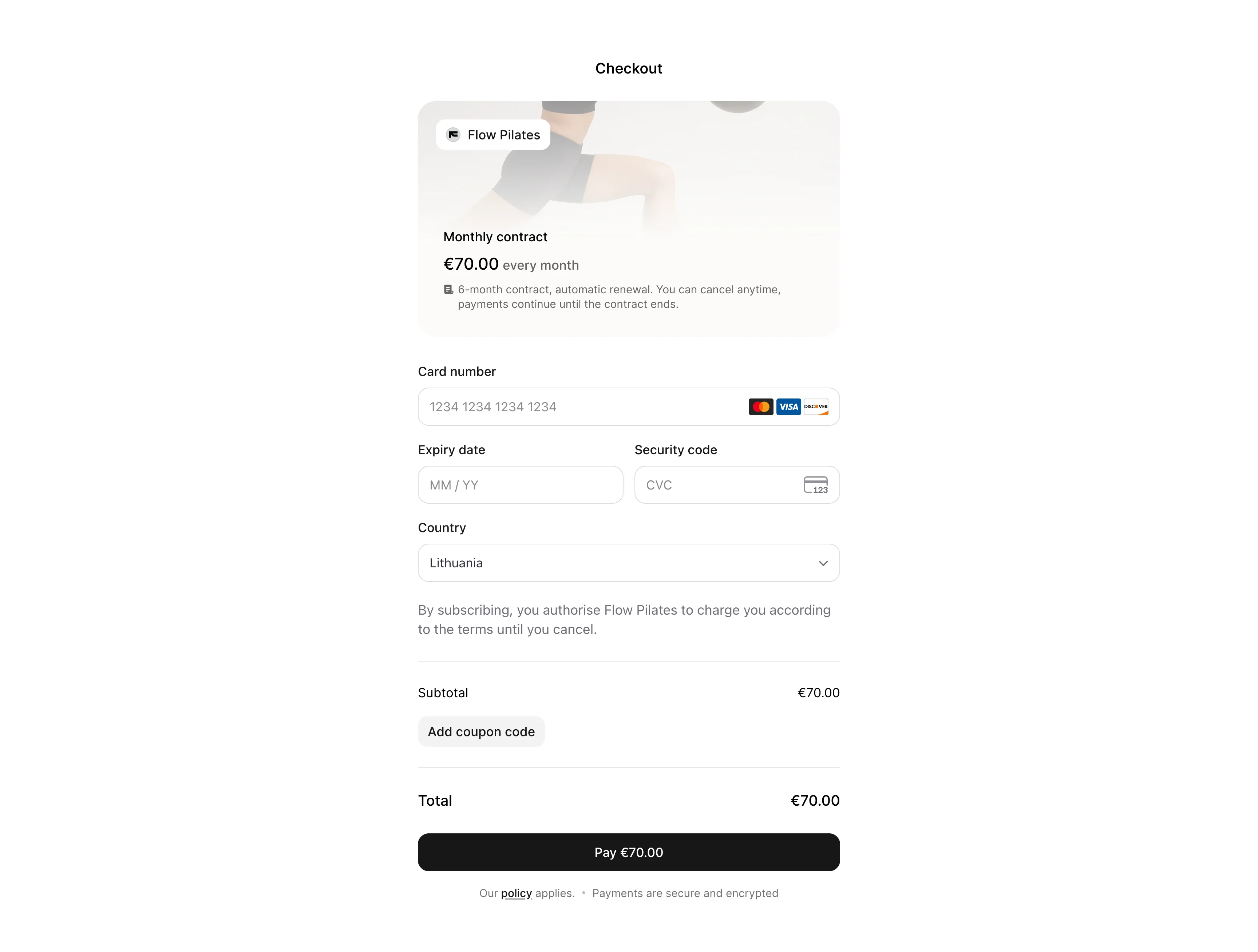
During checkout, clients will see a short summary like: “6-month contract, automatic renewal. You can cancel anytime, payments continue until the contract ends.” This ensures they understand the commitment before purchasing.
Renewal reminders
If you choose automatic renewal, clients will be notified before a new contract starts:
- 14 days before renewal
- 7 days before renewal
These emails remind clients that their contract will renew for the next commitment period unless they cancel.
Managing contracts
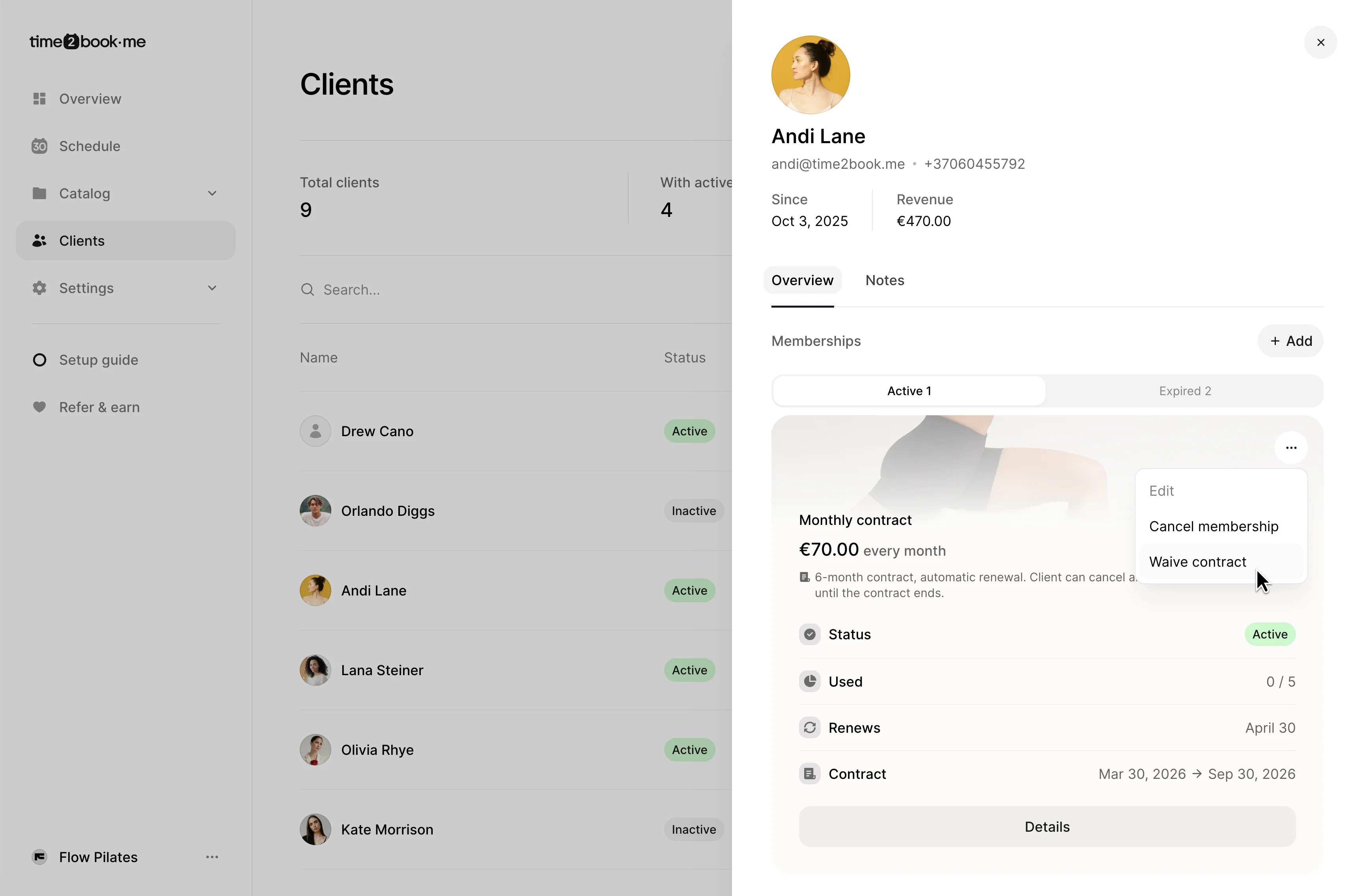
You can view contract details in the client profile:
- Contract start and end date
- Renewal date
- Membership status
If needed, you can waive a contract, which:
- Stops all remaining payments
- Ends the membership early
When to use contracts
Contracts are useful when you want predictable revenue and longer-term commitment, for example:
- Monthly memberships with minimum duration
- Intro offers that require a fixed period
- Premium plans with better pricing for commitment
Clear expectations help avoid confusion and keep your memberships running smoothly.