Setting up studio rules (Liability Waiver)
Studio rules help set clear expectations for clients before they complete a booking. In Time2book, you can add these rules in the Policy field and control whether clients need to confirm them during checkout.
This guide explains how to add and manage your studio rules.
Step 1: Go to Policies
- From the left-hand menu, click Settings.
- Select Policies from the top navigation.
- Scroll down to the Policy section.
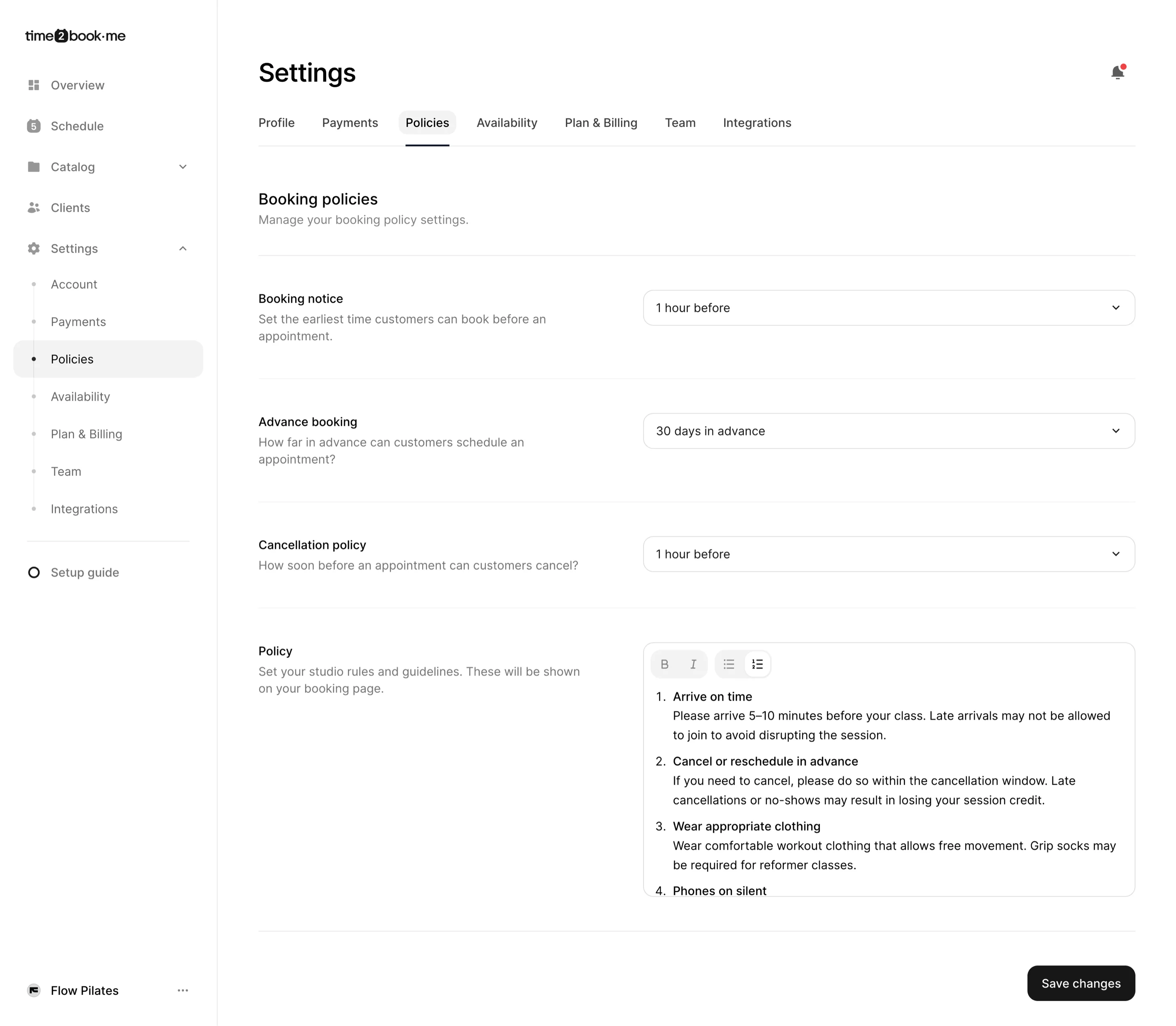
Step 2: Add your studio rules
In the Policy input field, write your studio rules and guidelines. These help clients understand what to expect before attending a class or appointment.
You can include things like:
- Arrival time expectations
- Late arrival rules
- Clothing or equipment requirements
- Phone usage during class
- Health or injury disclosures
- Equipment care and cleanup
Formatting tools are available to keep your rules clear and easy to read.
Step 3: Choose policy confirmation
In the Policy confirmation setting, choose how clients interact with your rules during booking:
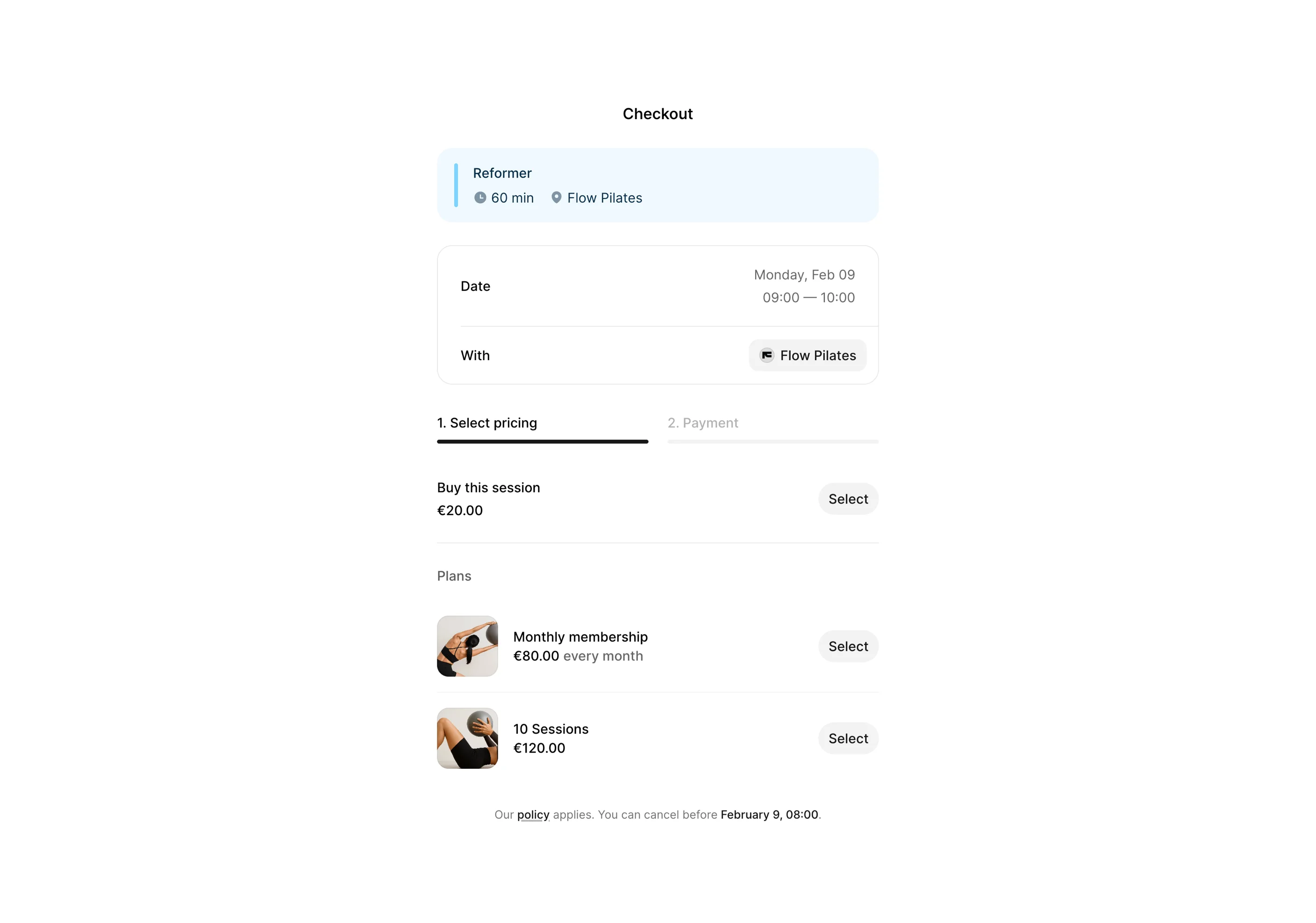
1. Soft notice
Policy is shown during booking. Clients can proceed without confirming.
2. Require agreement
Clients are required to check the checkbox before booking, to agree to policy.
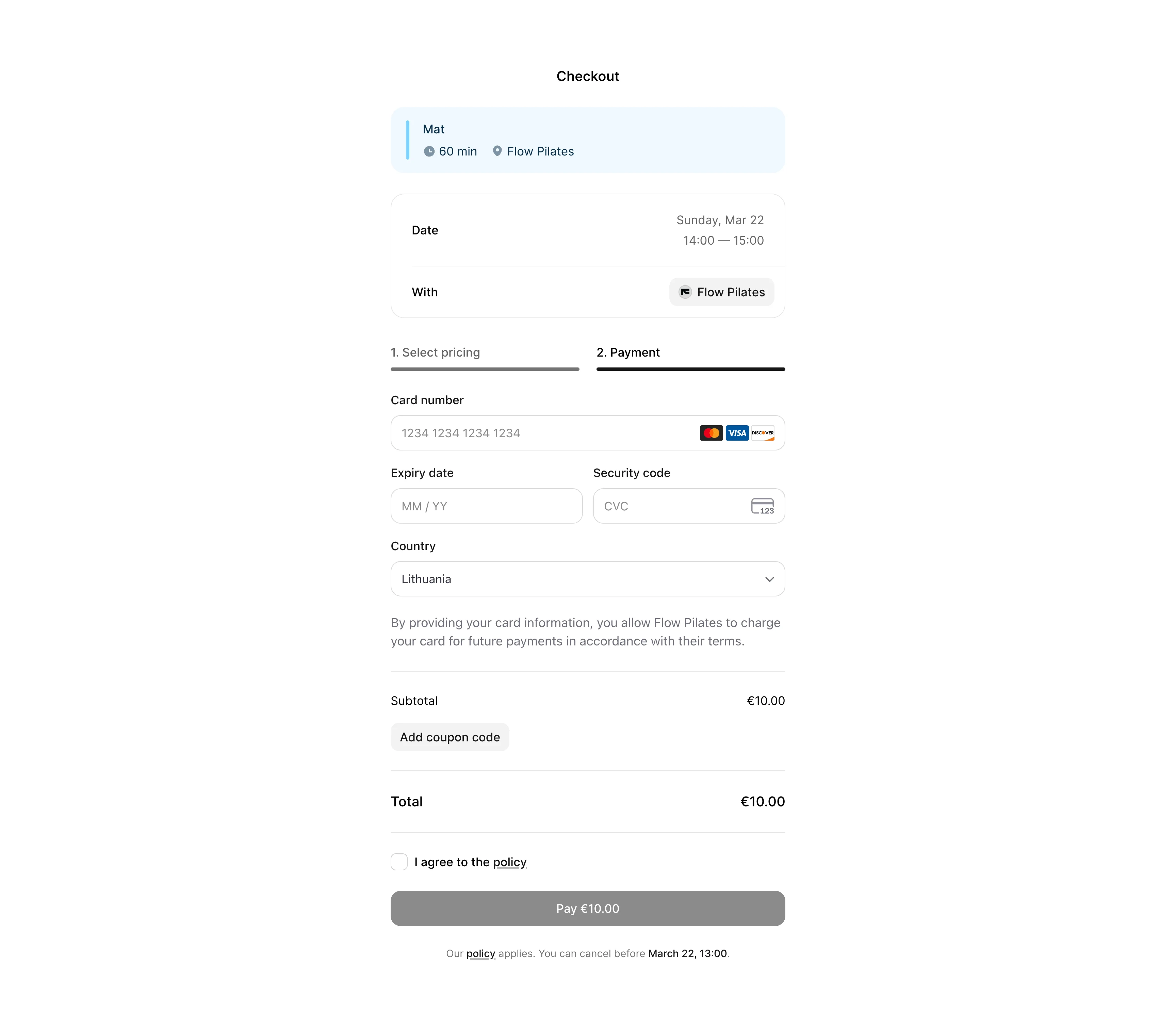
Use Require agreement if you want clients to explicitly accept your rules before booking.
Step 4: Save your changes
Once your rules and confirmation settings are ready:
- Click Save changes in the bottom-right corner
Your studio rules are now live.
Where clients see your rules
During checkout, your policy is shown as part of the booking flow.
- With Soft notice, clients see a message like “Our policy applies.”
- With Require agreement, clients must check a confirmation box before continuing
Clients can view the full policy before completing their booking.
This helps avoid misunderstandings and ensures clients know your expectations in advance—while keeping the booking flow clean and simple.