Invite team members
You can invite team members to help manage your studio in Time2book. When inviting someone, you can choose between two roles: Manager or Instructor.
Managers have full access to manage your business, while instructors have limited access focused on the schedule and attending clients.
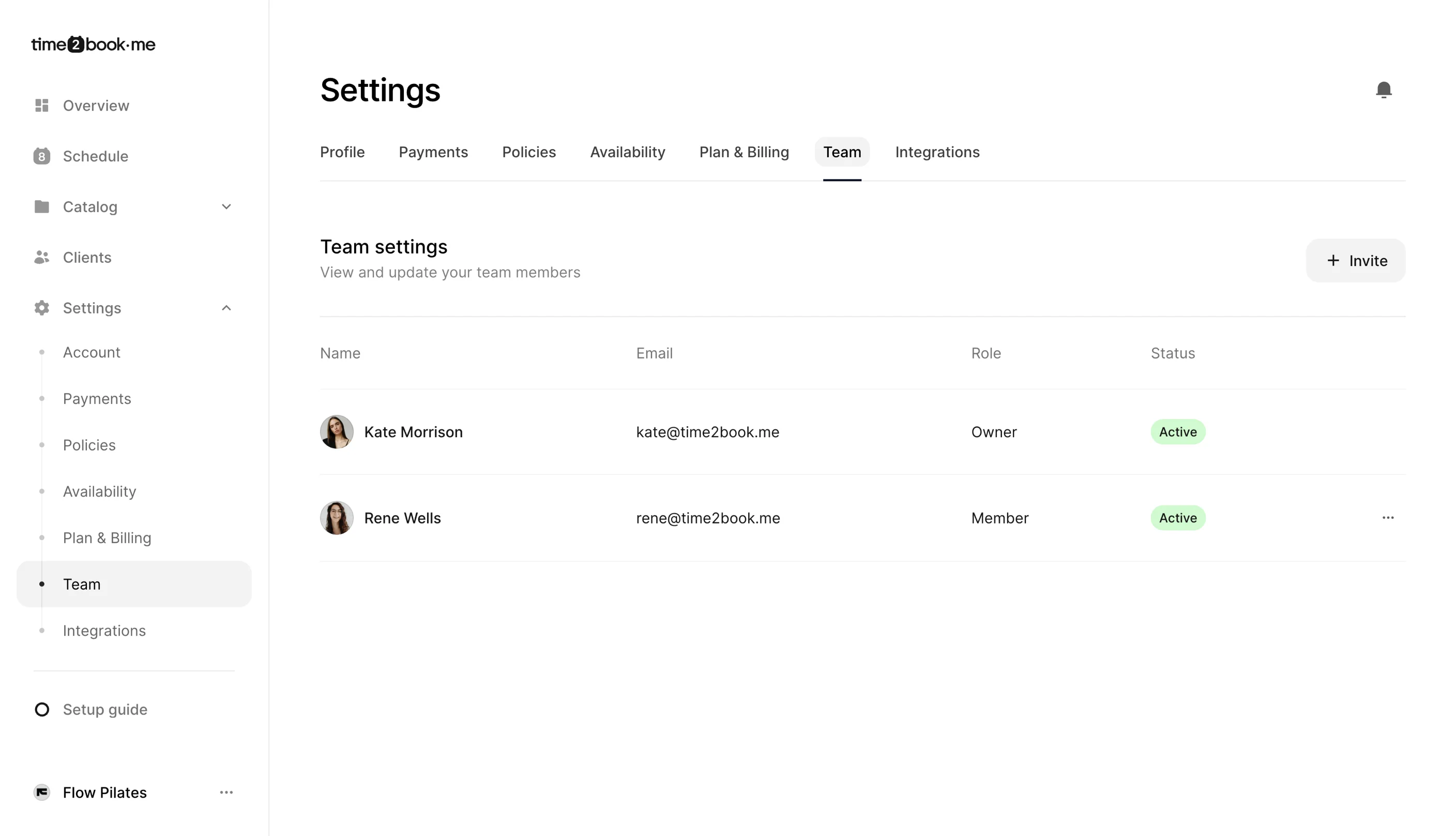
Step 1: Open Team settings
- Log in to your Time2book account.
- From the left-hand menu, click Settings.
- Open the Team tab.
You’ll see a list of your current team members, their roles, and invitation status.
Step 2: Invite a team member
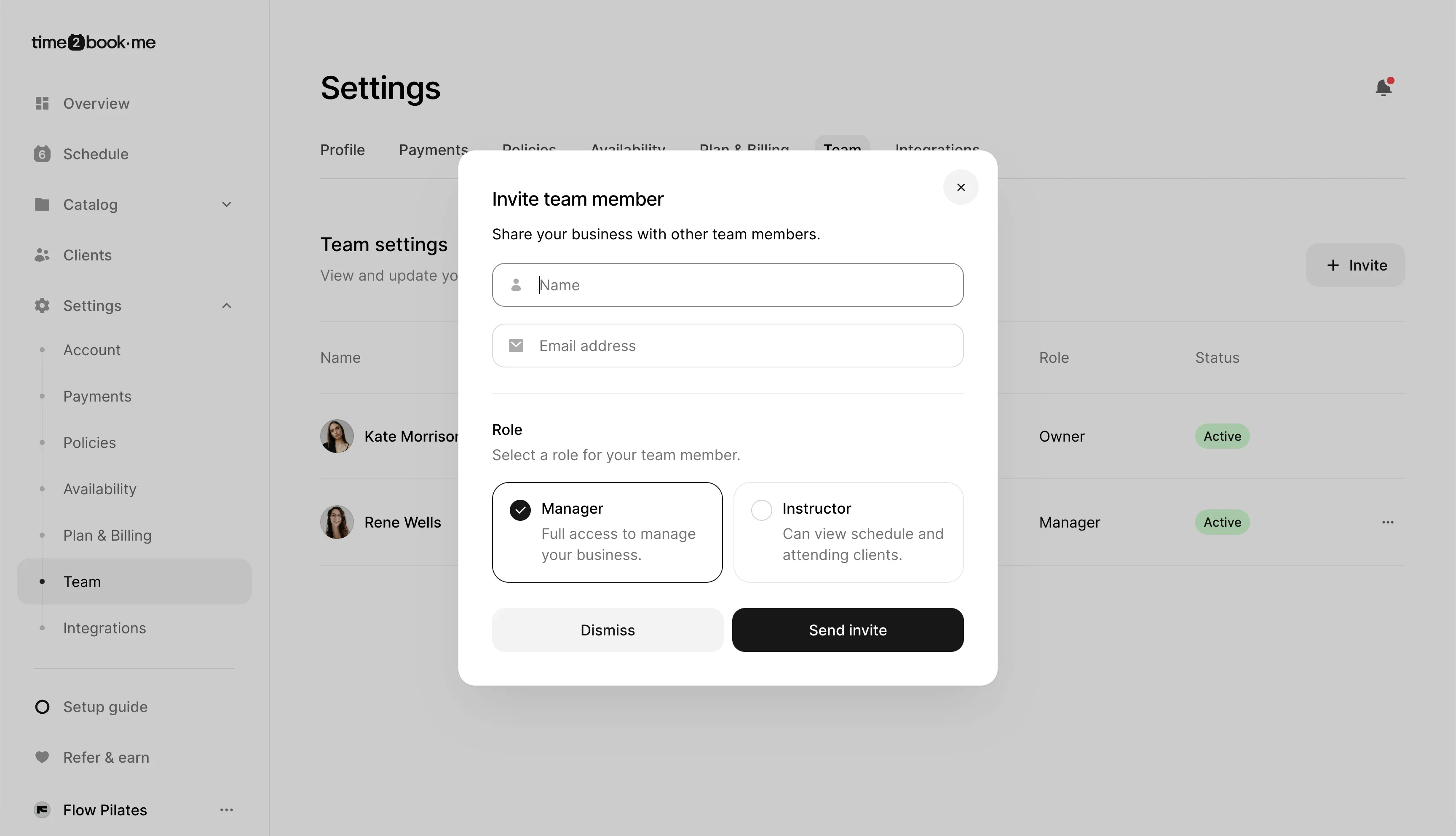
- In the top-right corner, click Invite.
- Enter the team member’s name and email address.
- Choose their role:
- Manager
- Instructor
- Click Send invite.
An invitation email will be sent to the team member.
Step 3: Choose the right role
Manager
Managers have access to everything the owner has access to, except they are not the account owner.
Managers can:
- Manage the schedule
- Add and manage clients
- Create and edit services
- Update business settings
- Manage team members
- Access payments and payment settings
- View the Overview tab
- Be assigned as instructors to classes and appointments
Instructor
Instructors have access to the schedule and attending clients.
Instructors can:
- View the schedule
- View attending clients
- Cancel scheduled classes and appointments
- Schedule new classes and appointments
- Add clients to classes and appointments
- Be assigned as instructors to classes and appointments
That’s it
Your team member is now invited. Once they accept the invite, they can start using Time2book based on the role you selected.